


Answered

Ged_TraynorCorrect answer
Community Expert
July 21, 2024
Hello, here are four snaps. I've also attached 2 snaps of my settings. thank you.
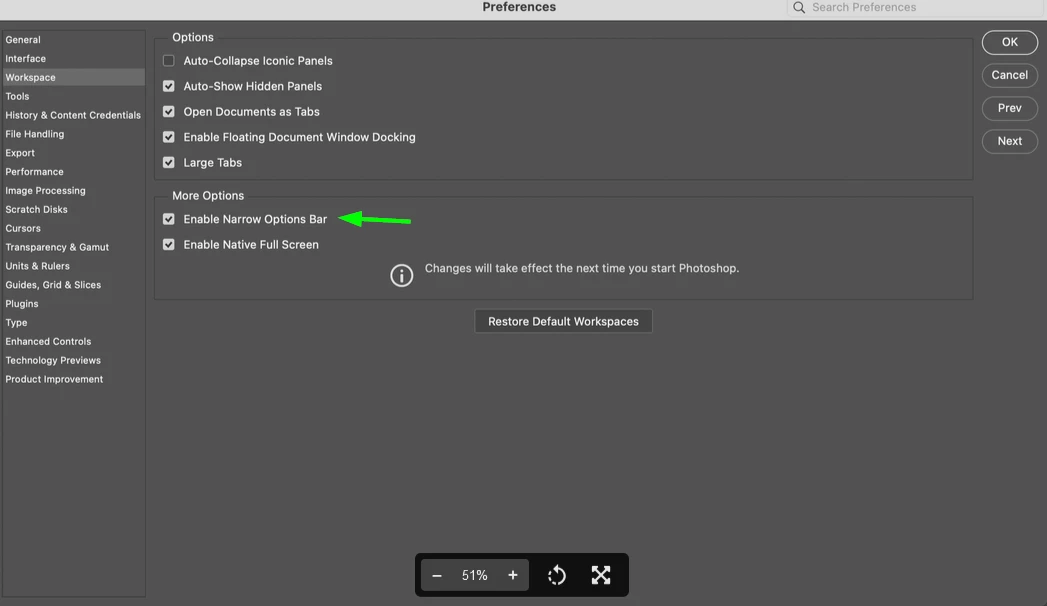
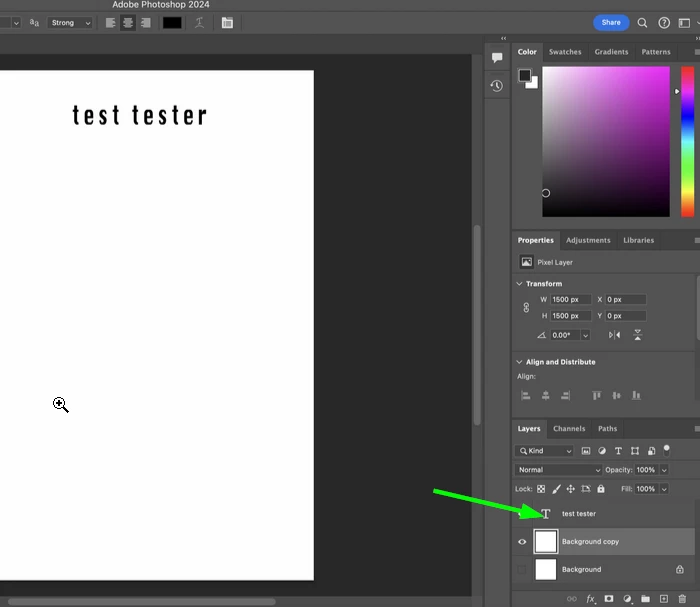
@JoLM disable this option in preferences and restart Photoshop, also you need to click on the type layer for the warp text option to become available
Select this layer
 AdChoices