
Warp Tool - Bend on a cylinder shape
Hi all,
I have a question about the Transform>Warp tool. I am trying to realistically bend/curve a text label onto a cylinder bottle.
I know that there is the Arch option where it will bend the text upwards and look realistic in raising/bending the label.
Is there any way to curve the text so that it looks more naturally distorted around an imaginary cylinder?
When I do the Arch option, it just bends the text upwards, but does not provide the realistic curved distortion of the words/letters along the side edges. Like bending back into an imaginary cylinder. The letters bending back towards imaginary space, imaginary cylinder.
I know it's probably super easy to do this on a 3D software program, as you can control how the words bend. But is there a way to do this with Photoshop to have a 2d image?
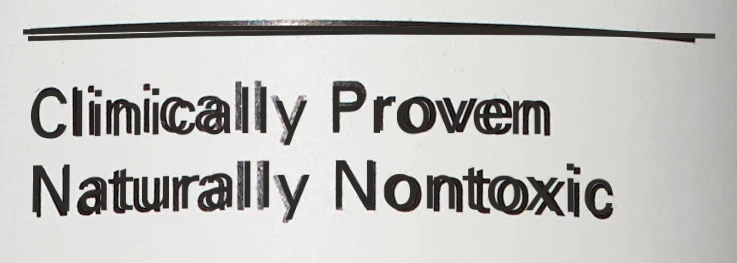
Here is an overlay of my text onto the bottle.
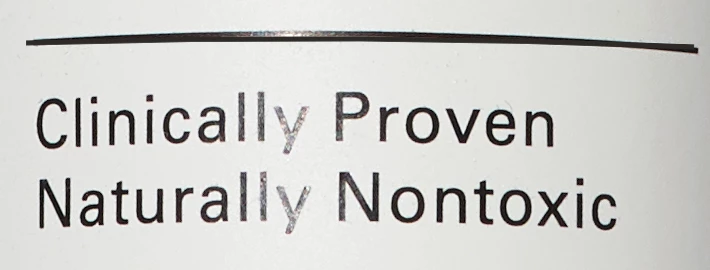
Here is the real text on the bottle.
Thanks.
 AdChoices