


Inspiring
July 25, 2025
Answered

Weird Workspace Below Panels

  • July 25, 2025
  • 1 reply
  • 130 views

I am running Photoshop 26.8.1 on my 2019 Mac Pro (macOS Sequoia 15.5).


Recently I have noticed that the vertical lines from the sides of displayed panels and the grayed out areas below the panels and toolbar have disappeared. Here is a screenshot:
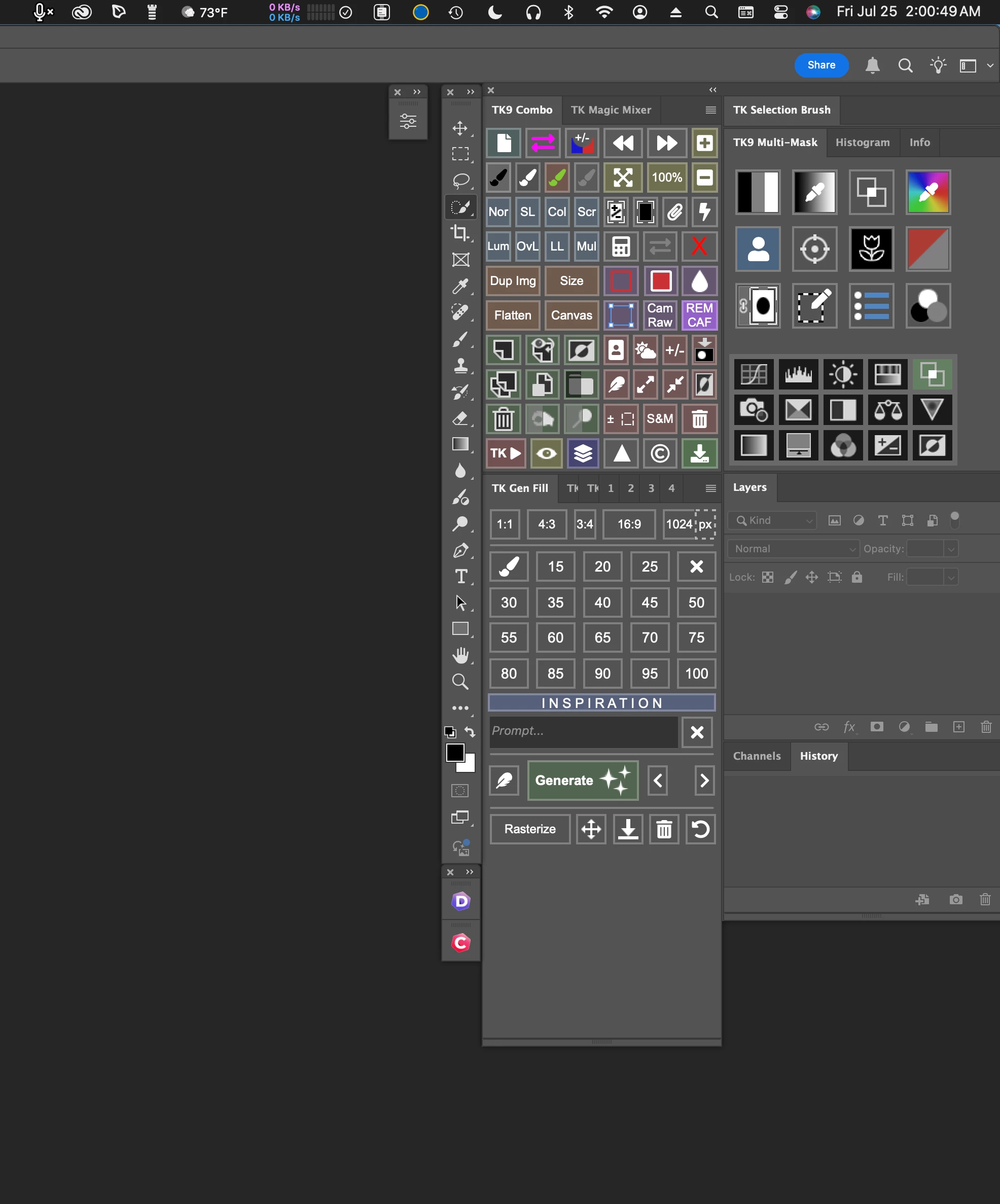


This seems to be working normally with Photoshop on my MacBook Pro.


What do I need to do to restore the lines and grayed out areas below the panels and toolbar?


Thank you,


Stan

Correct answer Stan Burman

Hello Srishti,


Thank you very much for your response.


I was able to resolve the issue by creating a new workspace and deleting the workspace I was having trouble with.


Best regards,

Stan

1 reply

Srishti Bali
Legend
July 25, 2025

Hi @Stan Burman


Hi there, thanks for reaching out! I’m sorry, but I’m having a bit of trouble understanding the issue. Would you mind highlighting the specific discrepancies you’re seeing in the interface? 


Also, could you please share a full-screen screenshot of Photoshop, including the panels, your file, and toolbars, if possible? That’ll help us get a clearer picture of what’s going on.


Looking forward to your response!


Regards,

Srishti

Stan BurmanAuthorCorrect answer
Inspiring
July 26, 2025

Hello Srishti,


Thank you very much for your response.


I was able to resolve the issue by creating a new workspace and deleting the workspace I was having trouble with.


Best regards,

Stan