

Leslie Moak Murray
Community Expert
Community Expert
August 7, 2024
Answered

What Are these and How Do I Get Rid of Them

  • August 7, 2024
  • 3 replies
  • 1168 views

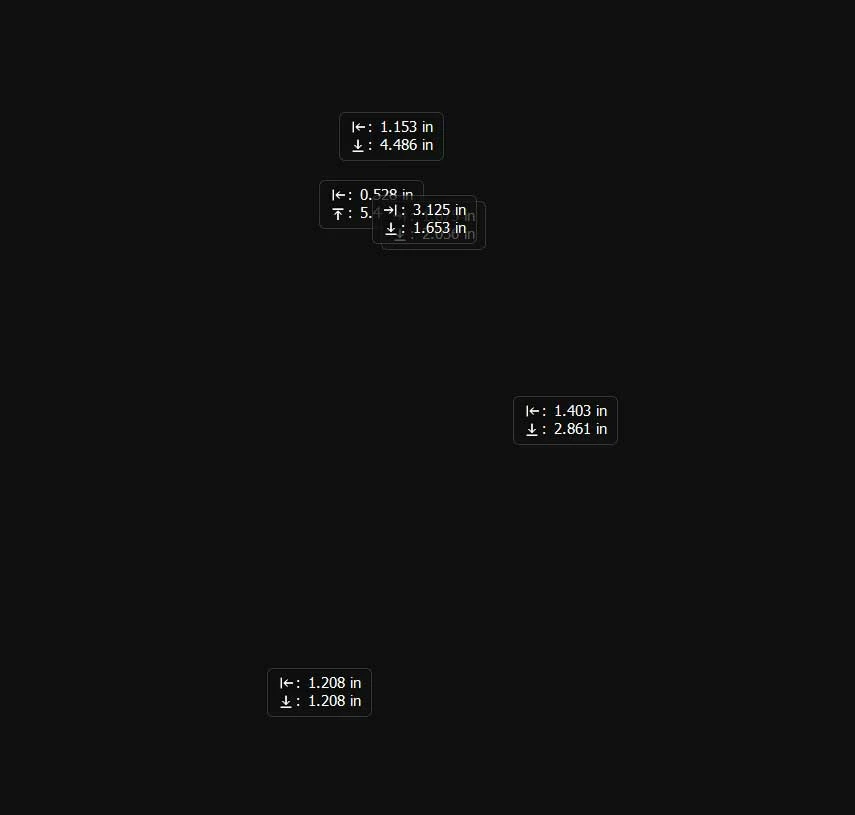
Photoshop 2024: These little rectangles with arrows and numbers appear all over the art I'm working on and they don't move and I can't get rid of them because I don't know what they're called. What are they and how do I make them go away? Thank you!


3 replies

gener7
Community Expert
Community Expert
August 7, 2024
 

For the time being and unless you really need the Coordinates box, try disabling it:


Preferences > Tools, and at the bottom, set Show Transformation Values: Never

Restart Photoshop to be safe.


I tried it and I haven't seen the problem show up when trying to move a locked layer.

Leslie Moak Murray
Community Expert
Community Expert
August 7, 2024

Thanks!

gener7
Community Expert
Community Expert
August 7, 2024

Glad to help out and hope the problem stays away until there's a fix.

Jeff Arola
Community Expert
Jeff ArolaCommunity ExpertCorrect answer
Community Expert
August 7, 2024
davescm
Community Expert
Community Expert
August 7, 2024

Thanks Jeff - I hadn't seen that.

Dave

davescm
Community Expert
Community Expert
August 7, 2024

Those are the boxes you see when you move a selection with the move tool. They show the direction and distance moved. However they should vanish when the move stops i.e. when you lift the mouse button.
Have you tried resetting the move tool (with the move tool selected, click the reveal arrow at the left of teh options bar)


Dave