Inspiring
January 23, 2025
Answered

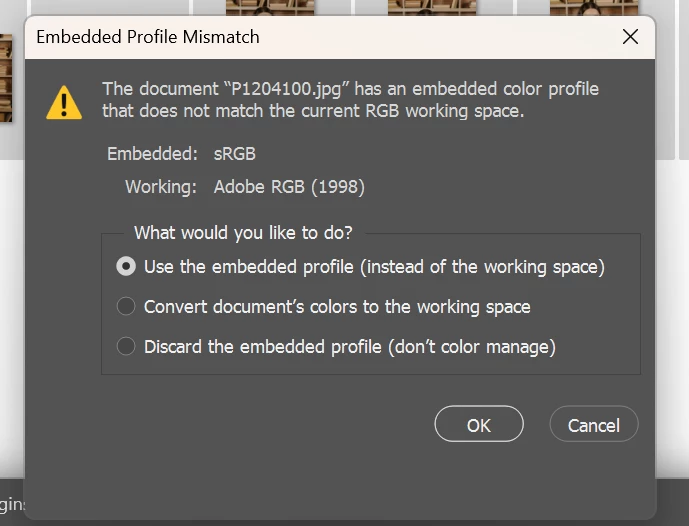
What can I do to prevent this window from appearing?

  • January 23, 2025
  • 3 replies
  • 326 views

I started seeing that nasty window again. When you have to upload a lot of photos, it’s a real pain. Where can it be closed forever?

Correct answer Bojan Živković11378569

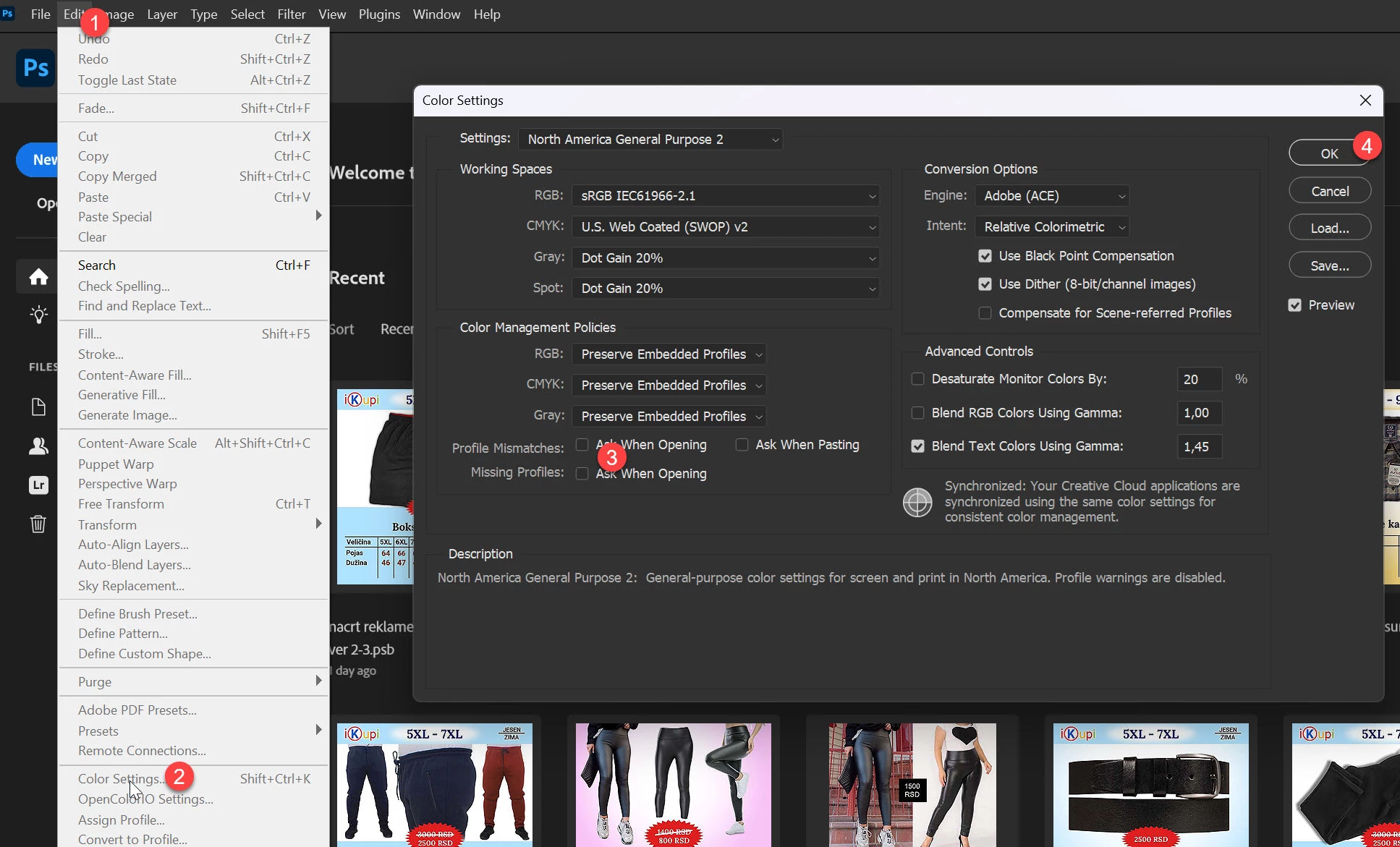
Untick the option to Ask When Opening for Profile Mismatches.

3 replies

D Fosse
Community Expert
Community Expert
January 23, 2025

Disable it in Color Settings.


It tells you nothing useful. There is no reason whatsoever that the embedded profile should match the working space. As long as there is an embedded profile, you're fine.

Bojan Živković11378569
Community Expert
Community Expert
January 23, 2025

Untick the option to Ask When Opening for Profile Mismatches.

Inspiring
January 24, 2025

Thank you!!!!!!!

Intel Core i7-14700K 3.4GHz/33MB s1700 BOX MSI MAG Z790 Tomahawk Max Kingston Fury DDR5-6400 65536MB PC5-51200 be quiet! MSI PCI-Ex GeForce RTX 5070 Ti Gaming Trio OC 16GB GDDR7 SSD Samsung 990 Pro 2TB M.2 PCIe 4.0 x4 NVMe 2.0 V-NAND 3bit MLC SSD Samsung 990 Pro 1TB M.2 PCIe 4.0 x4 NVMe 2.0 V-NAND 3bit MLC Toshiba MG Series Enterprise 20TB 7200rpm 512MB MG10ACA20TE 3.5 SATA III Windows 11 Pro 25H2