Participant
November 29, 2025
Answered

What happened to every basic template?

  • November 29, 2025
  • 2 replies
  • 202 views

I just want to make a horizontal A4 document, and it used to just be a click away. Where did it go?


For that fact, where is A5? Letters? Any mobile formats? Why am I given these Microsoft Office looking templates when I want a blank canvas with simple templates?


Version: Photoshop 2026

Correct answer Trevor.Dennis

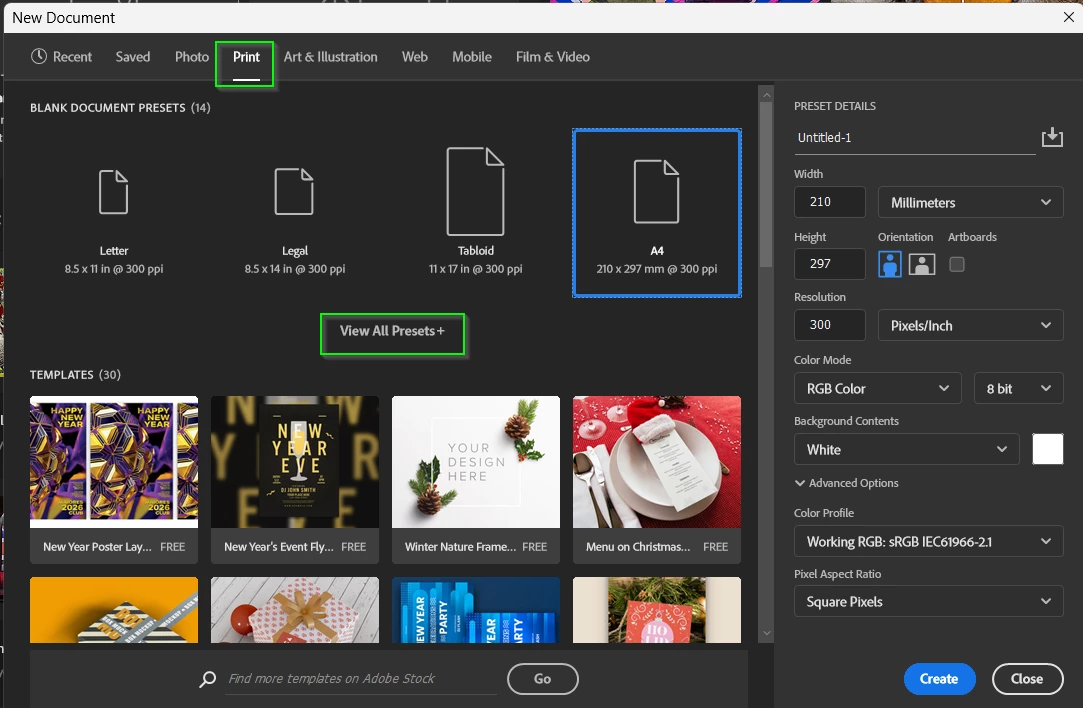
Is the panel smaller a bit smaller than you usually view it at?  I can remember having to click on View All Presets to see A4

image.png

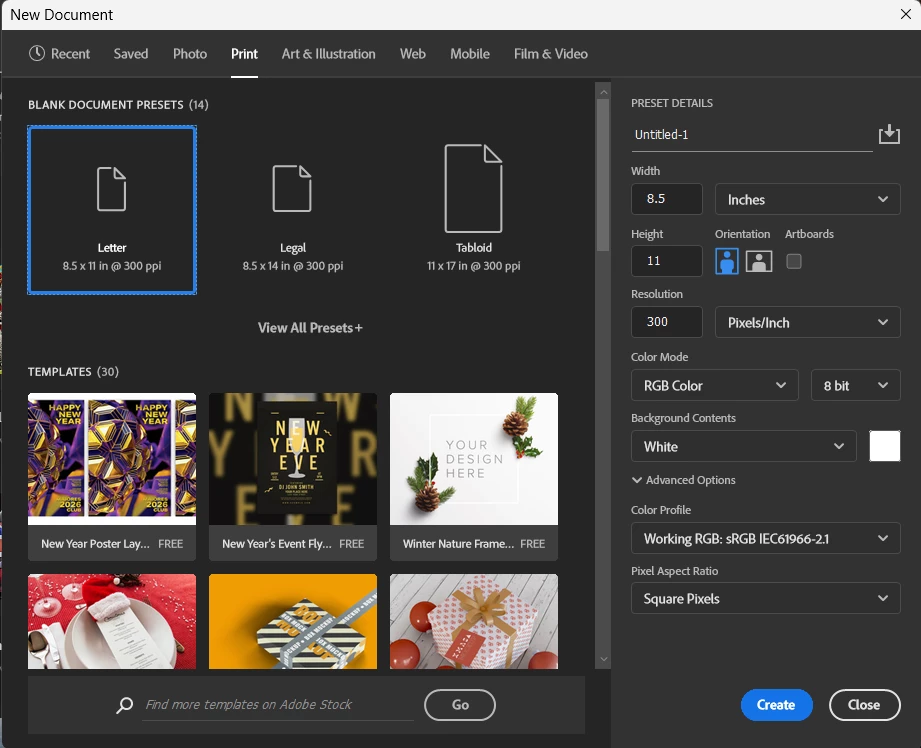
... but I could just as easily draged out the corner to make the panel bigger


image.png

2 replies

Trevor.Dennis
Community Expert
Trevor.DennisCommunity ExpertCorrect answer
Community Expert
December 16, 2025

Is the panel smaller a bit smaller than you usually view it at?  I can remember having to click on View All Presets to see A4

image.png

... but I could just as easily draged out the corner to make the panel bigger


image.png

AndrosaAuthor
Participant
January 10, 2026

From what I am able to recall, I could not see a "Blank Document Presets" section or a "View More" button, and it took me straight into Templates. This must have been caused by a broken update, because I checked the window now, and while this tab seemed to load slower than Templates, it actually showed up for once.


Checking Creative Cloud, it automatically updated about 18 days ago, and the issue was earlier than that. This was likely a bug at the time of reporting, but still such an obtuse one at that because why would templates show up before blank presets?

Anshul_Saini
Community Manager
Community Manager
January 12, 2026

Hi @Androsa,


Thanks for circling back and sharing the update. To clarify, there was no known or logged bug on our side where Blank Document Presets were not showing up. Since you’re now seeing the Blank Document Presets again, it’s very likely that updating to Photoshop 2026 v27.2 cleared the issue on your end.


Glad to hear it’s behaving normally again. Thanks for taking the time to follow up and close the loop.


Best regards,

Anshul Saini

creative explorer
Community Expert
Community Expert
December 16, 2025

@Androsa Because they (Adobe) are trying to reach a different market —I think they really want to appeal more to the 'creator' side of things such as social media creators, influencers, and casual users over traditional print designers. Because Canva/Affinity made their design interface with "easy" design templates so likely Adobe is 'dumbing down' — what I do is create my own presets of sizes. I personally don't use A4-A5, international paper sizes, but I do use alot of other sizes, so, I create my presets. Or you can do a simple search, and it will open as well.

m