

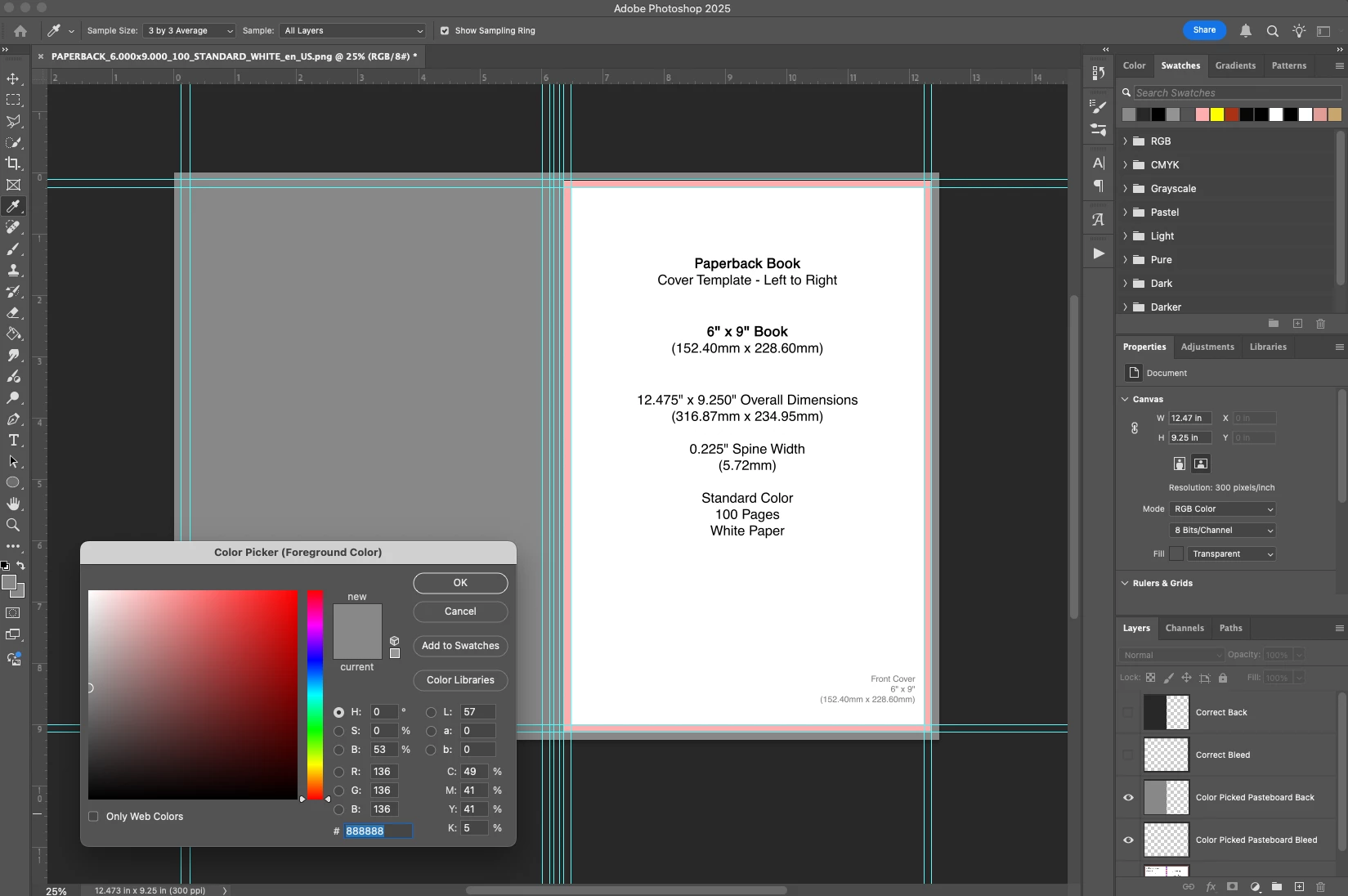
When I color pick my pasteboard, Photoshop gives me a completely different color value.
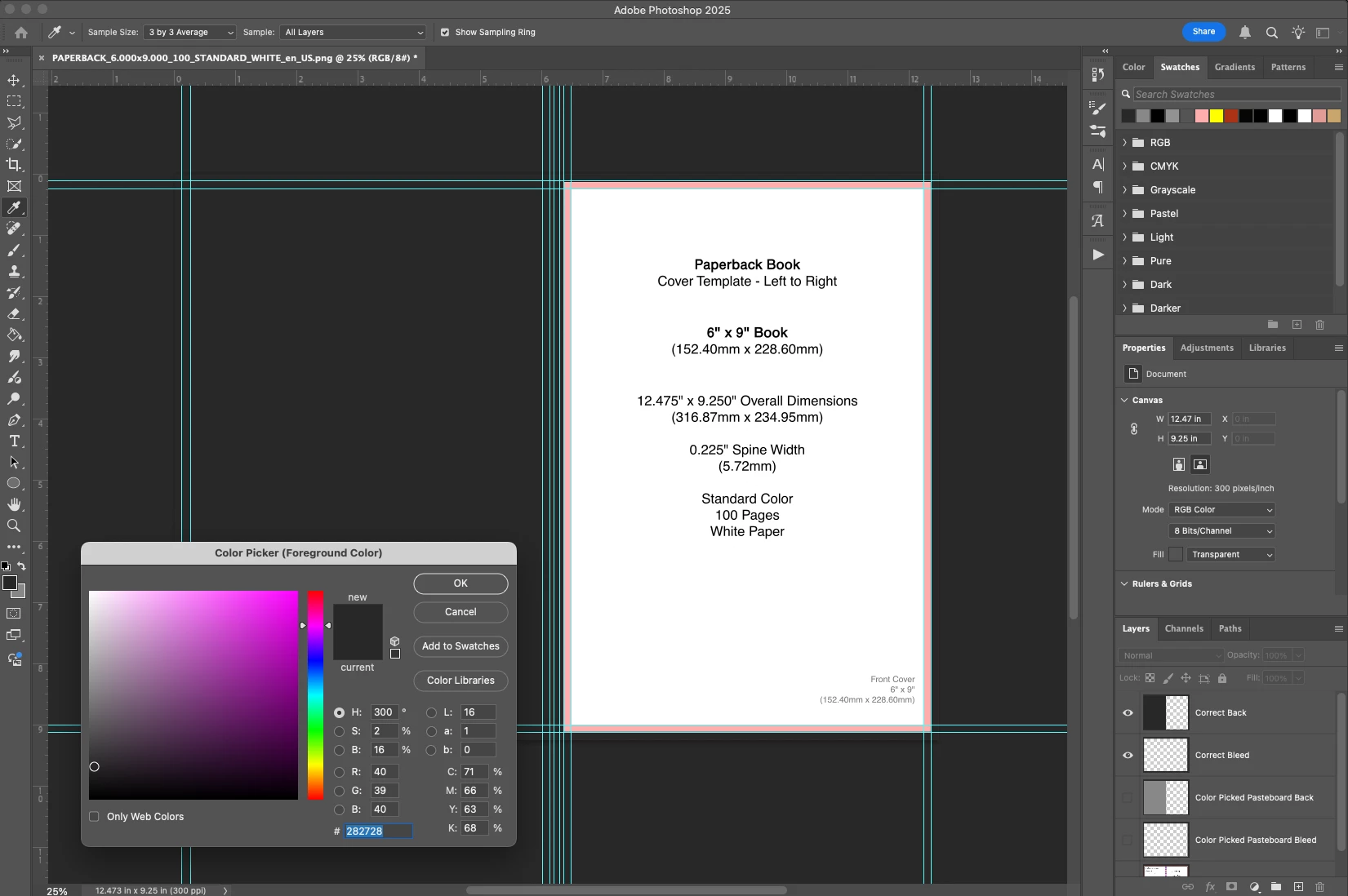
Not sure if this is a question or a bug, but we'll start as a discussion first. I'm a cover designer, and typically when I start working, I'll block off the back, spine, and bleeds so I can see what the cover is going to look like in isolation. To avoid distraction, I'll actually color pick the pasteboard (the grey background in Photoshop) so the blocked off bits look like they're part of the pasteboard itself.
This works perfectly fine 100% of the time, until today. When I color pick the pasteboard (which is #282728 btw) the color picker gives me a lighter shade of grey (#888888). My workaround would be to save the accurate color as a Adobe Cloud asset or something, but I rather just pick and go, and I also want to be sure it's not part of a larger issue that's going to bite me.
Attached are examples. I'm running the latest version of Photoshop (26.3.0, for post posterity) and on OS Sequoia 15.3.1.


 AdChoices