Participant
March 17, 2026
Answered

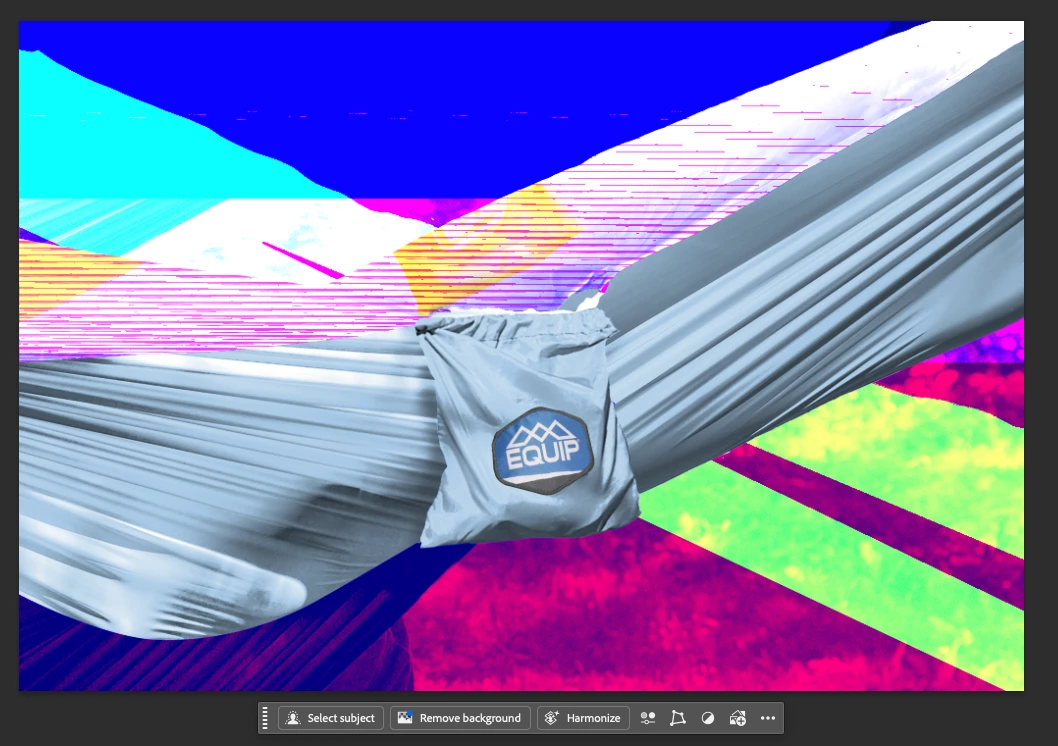
When I'm opening some Photoshop files they look crazy! Help!
  • March 17, 2026
  • 2 replies
  • 23 views

Here’s what the files are looking like when I open them versus what they look like in the preview in finder. When I zoom in and out the colors and everything changes a bit, but doesn’t go away.

I’m on a Mac

    2 replies

    D Fosse
    Community Expert
    Community Expert
    March 17, 2026

    Well, if the fix was to uncheck "use graphics processor",  which is what the link says, you haven't actually fixed anything - you have just identified where the problem is. The graphics processor (GPU) is needed for a wide range of Photoshop functions.

    Participant
    March 17, 2026

    Any other suggestions are appreciated! I am a beginner, thanks :)

    Legend
    March 17, 2026

    Please post a system report. Photoshop Help menu->System Info

    And also what does Help->GPU Compatibility say?

    daisy_2550AuthorCorrect answer
    Participant
    March 17, 2026