Answered
when i right click on layer in photoshop, all option in pop up are same. kinly provide a solution.
when i right click on layer in photoshop, show all the blending option in popup like this.
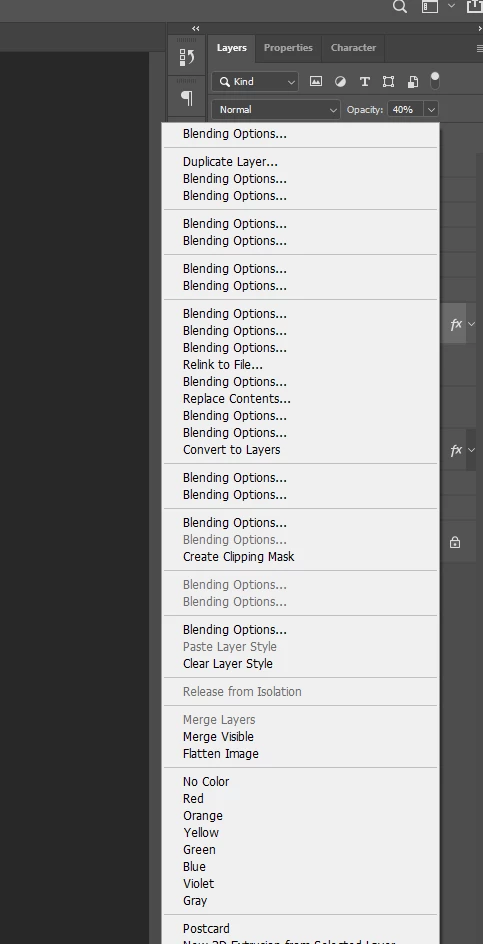

when i right click on layer in photoshop, show all the blending option in popup like this.
Hi
Try resetting your Photoshop preferences
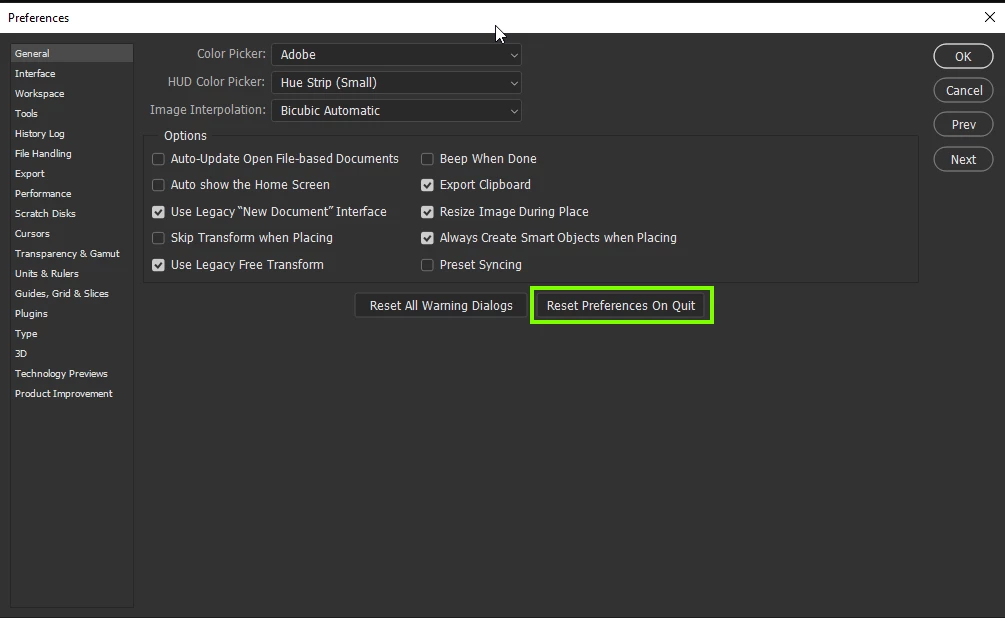
If that doesn't help can you post your Photoshop system info, in Photoshop go to Help > System Info, hit the copy button and paste the entire thing into this thread
Already have an account? Login
No account yet? Create an account
Enter your E-mail address. We'll send you an e-mail with instructions to reset your password.


 AdChoices