
Participant
September 1, 2024
Question

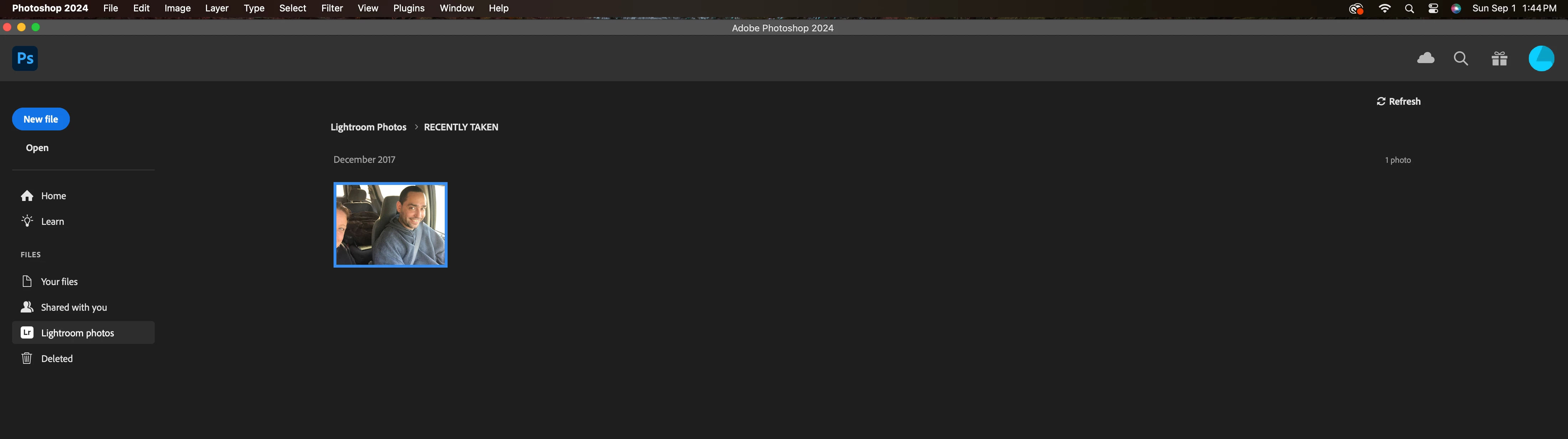
When opening Photoshop 2024

  • September 1, 2024
  • 2 replies
  • 397 views

So when I open photoshop on my Mac, I see this screen when I click on lightroom. Now I don't have this photo on my computer, exteral hard drive, photo, apple photos, google photos (you get the idea I have deleted this photo a LONG time ago) but yet it is still coming up here.. any idea on how to delete the photo from this part of photoshop/lightroom?


And yes it is no longer in lightroom either, I just double checked.. 


Thanks for any help. 
 

This topic has been closed for replies.

2 replies

Jeff Arola
Community Expert
Community Expert
September 1, 2024

If you open Lightroom you should be able to delete the photo there and then it won't show on the Photoshop Home screen.

Derek Cross
Community Expert
Community Expert
September 1, 2024

Select the PS logo top left to change the workspace. You can change it permanently in Photoshop settings.

Participant
September 1, 2024

Its still there.. sigh this is frustrating. Thank you for helping


Derek Cross
Community Expert
Community Expert
September 1, 2024

Try resetting the Photoshop preferences, which you can do under the General tab in Photoshop settings.