
Participant
October 8, 2024
Question

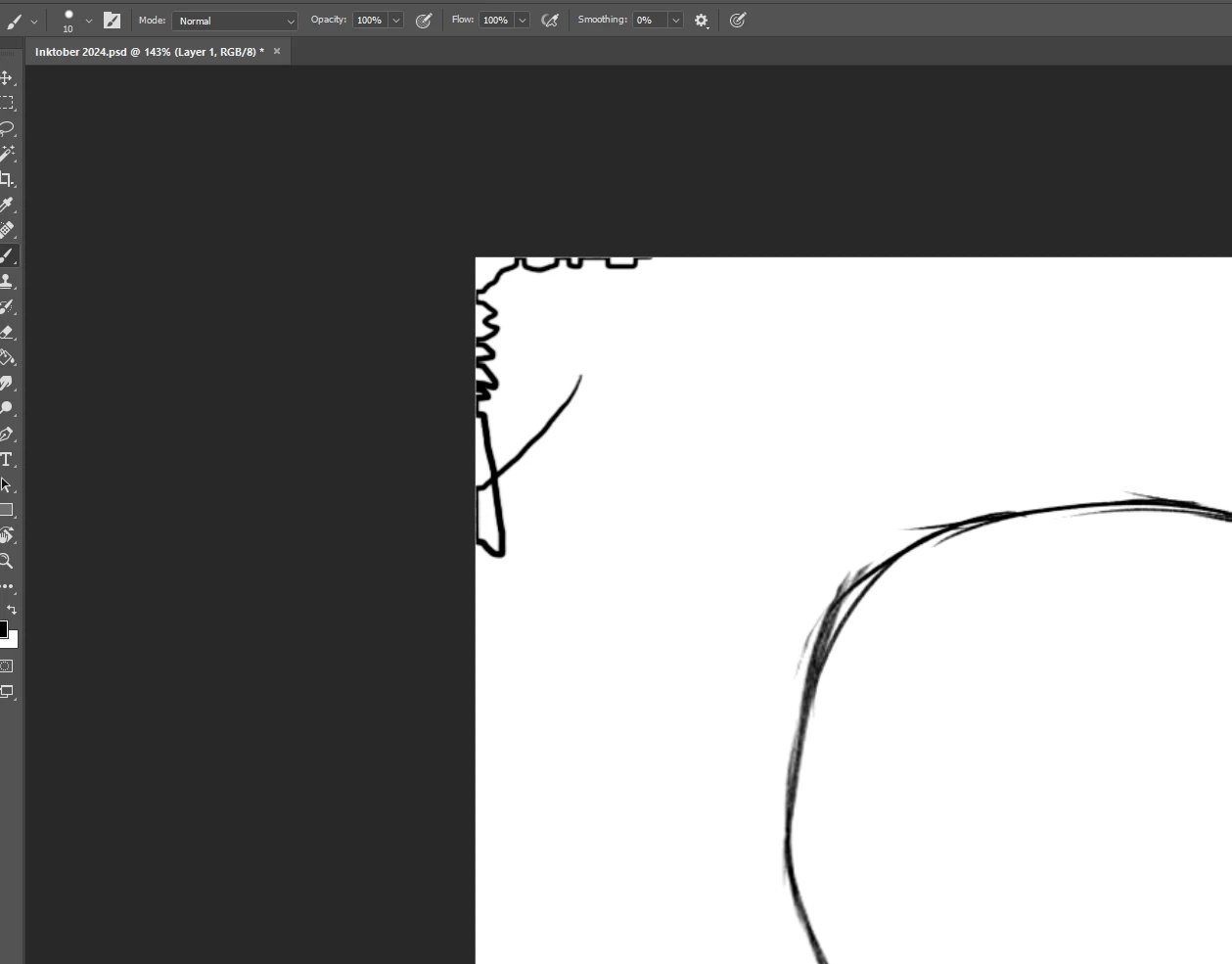
When painting near the edge of the canvas, the brush is pressed against this edge

  • October 8, 2024
  • 3 replies
  • 660 views

Коли я малюю біля краю полотна, пензель притискається до цього краю. Я виявив цю проблему, коли малював стилусом. Я спробував малювати мишкою, і результат той самий. Можливо хтось стикався з цим і знає рішення? Спасибі всім
 

3 replies

Peru Bob
Community Expert
Community Expert
February 9, 2025

Try resetting the tools and/or preferences.
To restore preferences quickly using a keyboard shortcut:

Press and hold Alt+Control+Shift (Windows) or Option+Command+Shift (Mac OS) as you start Photoshop. You are prompted to delete the current settings. The new preferences files are created the next time you start Photoshop.
Note: Using the keyboard shortcut, preference files for custom shortcuts, workspaces, and color settings will also be reset to default.

from here:

https://helpx.adobe.com/photoshop/using/preferences.html#restore_preferences

Trevor.Dennis
Community Expert
Community Expert
February 9, 2025
quote

When I paint near the edge of the canvas, the brush is pressed against that edge. I discovered this problem when I was drawing with a stylus. I tried to draw with the mouse and the result is the same. Perhaps someone has encountered this and knows the solution? Thank you all


By @??????_6282


It would be helpful if we could see the Layers panel.  The only way I can think of that would look like that, was if you were painting on a layer filled with white, and had transparency locked.  Nope.  Just tested and I can still move the cursor completely off the canvas.  I tried cropping without Delete cropped pixels checked, but no change.  I can't think of what would prevent the cursor moving outside the canvas.


creative explorer
Community Expert
Community Expert
February 9, 2025

@??????_6282 my first reaction would to expand the canvas if you truly need to write near the edge of the canvas. And when you need to close crop it you can if you wanted too? That's all I got for that! 

m