


Answered
Where can I edit my adjustment layer? The settings field is nowhere to be found.
I'm not sure if it's a bug or if they changed something but I've been using PS for over a decade, and whenever I added an adjustment layer it would send me right to the settings for that adjustment. Now I wanted to add a hue/saturation, and instead I'm always being shown the mask settings instead and have no idea where I can actually edit the hue or saturation. When I click the adjustment icon instead of the mask, I still see the mask settings but simply grayed out.
I tried it with other adjustments and they don't seem to have that issue, so far it only affects Hue/saturation - I cannot seem to edit it.
Photoshop 2025 version 26.8.1.
Mac OS seqoia 15.5
I hope the gif makes it clear what I mean. 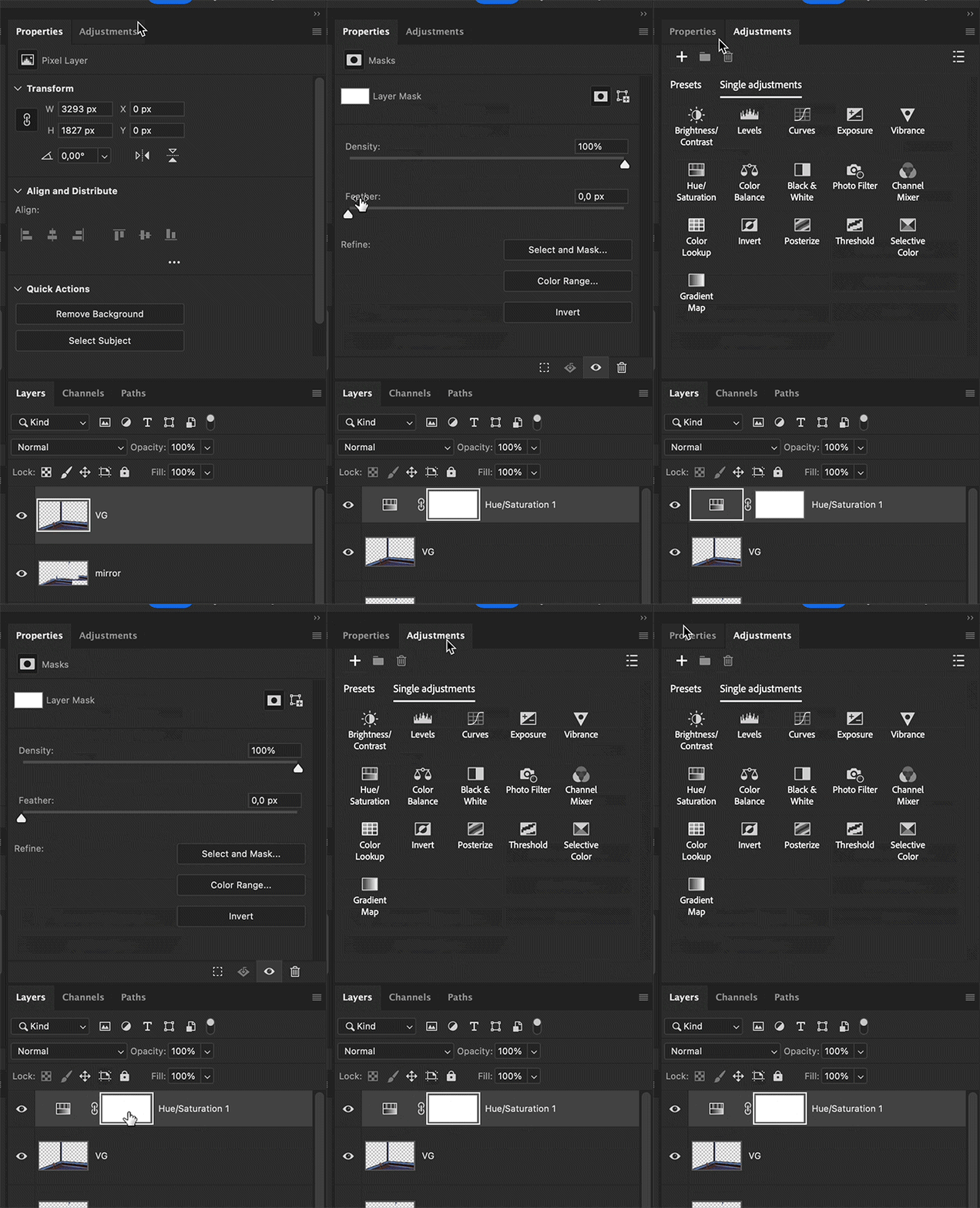
 AdChoices