Participant
October 1, 2026
Answered

Where can I find the exact breakdown of how and when Generative Credits are deducted in Photoshop and Lightroom?

  • October 1, 2026
  • 4 replies
  • 37 views

Every month, my 1,000 monthly credits run out within the first ten days. I'd like to see a breakdown of my credit usage so I can optimize how I use them, and understand when and how to buy extra credits if necessary.

    Correct answer creative explorer

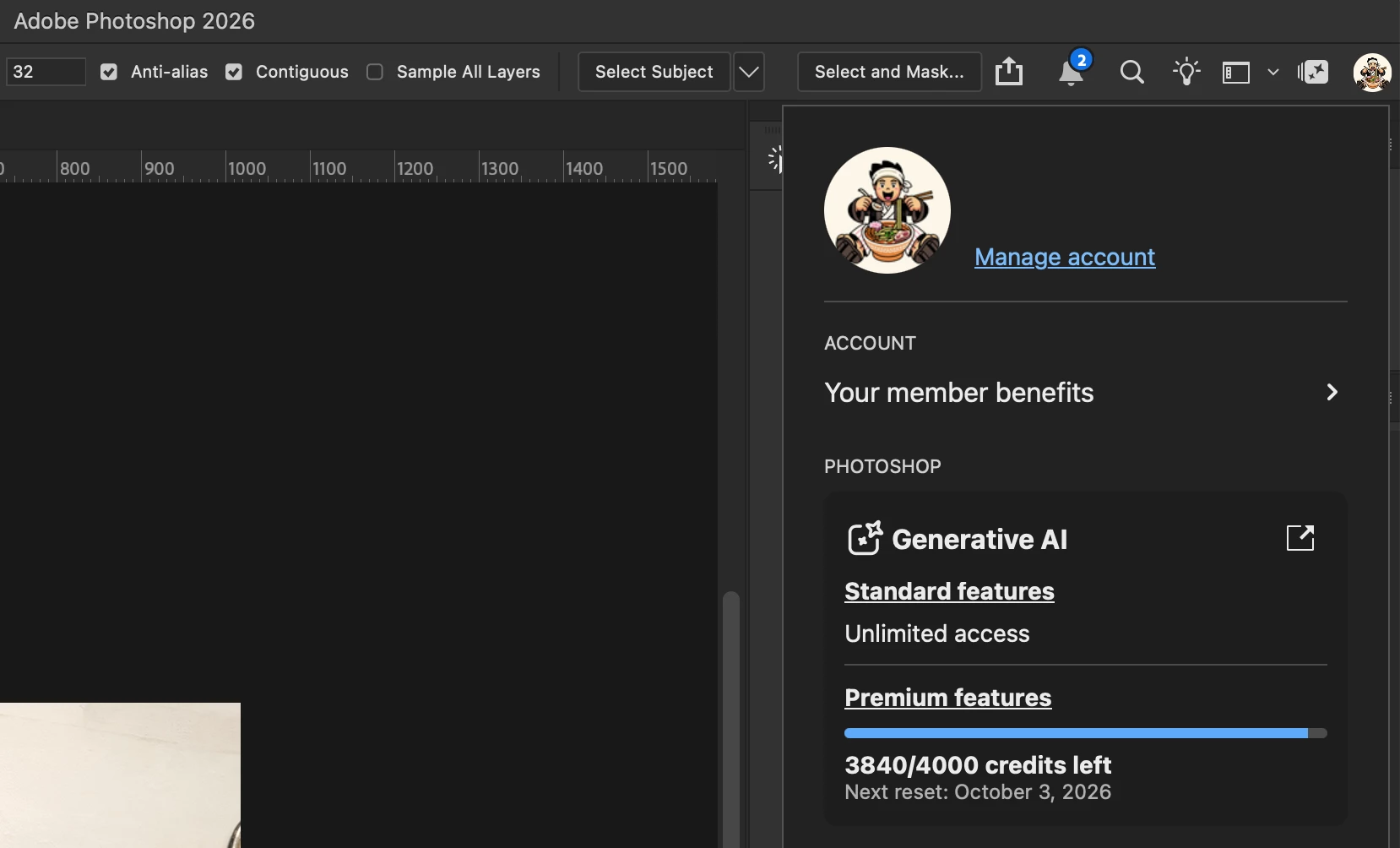
    ​@Sitebrouk if you go to account, https://account.adobe.com and click on your avatar in the top right corner, it should tell you how much cresdit is left:


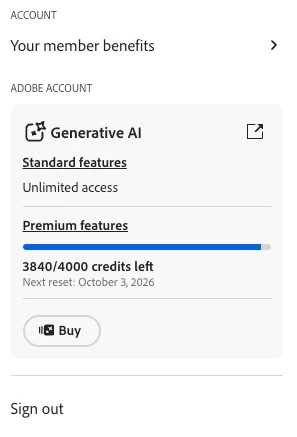
    It’s the same in PS or Lightroom, click on your avatar, and it should tell you what’s remaining:


    Unfortunately, Adobe does not currently provide a line-item transaction history or usage log. Since there is no back-dated log, the only way to track deductions for specific tasks is to check your running total before and after performing an AI action

    4 replies

    Trevor.Dennis
    Community Expert
    Community Expert
    October 3, 2026

    `This document is a few weeks old now, but is probably still valid.


    Participating Frequently
    October 3, 2026

    Good question—credits seem to vary based on actions like generating images or using AI tools, but it’s not clearly shown each time. A simple usage log or real-time breakdown would really help track where credits are going.

    Conrad_C
    Community Expert
    Community Expert
    October 1, 2026

    Although there’s no itemized log of our own usage, there is a sort of more specific list of how many credits various features use in different Adobe applications. The link below provides tables that itemize credits per feature, and also mentions which generative AI features don’t use any credits. That might at least give you a sense of which features you use, or which models, might consume the most credits.

    https://helpx.adobe.com/creative-cloud/apps/generative-ai/generative-credits-faq.html#generative-ai-features

    creative explorer
    Community Expert
    creative explorerCommunity ExpertCorrect answer
    Community Expert
    October 1, 2026

    ​@Sitebrouk if you go to account, https://account.adobe.com and click on your avatar in the top right corner, it should tell you how much cresdit is left:


    It’s the same in PS or Lightroom, click on your avatar, and it should tell you what’s remaining:


    Unfortunately, Adobe does not currently provide a line-item transaction history or usage log. Since there is no back-dated log, the only way to track deductions for specific tasks is to check your running total before and after performing an AI action

    m