Answered
Where has the "Liquify" filter gone???
My liquify filter is not listed in the drop down menu... How to I get it back??
I'm working on a regular file RGB 8bpc
Thank you!!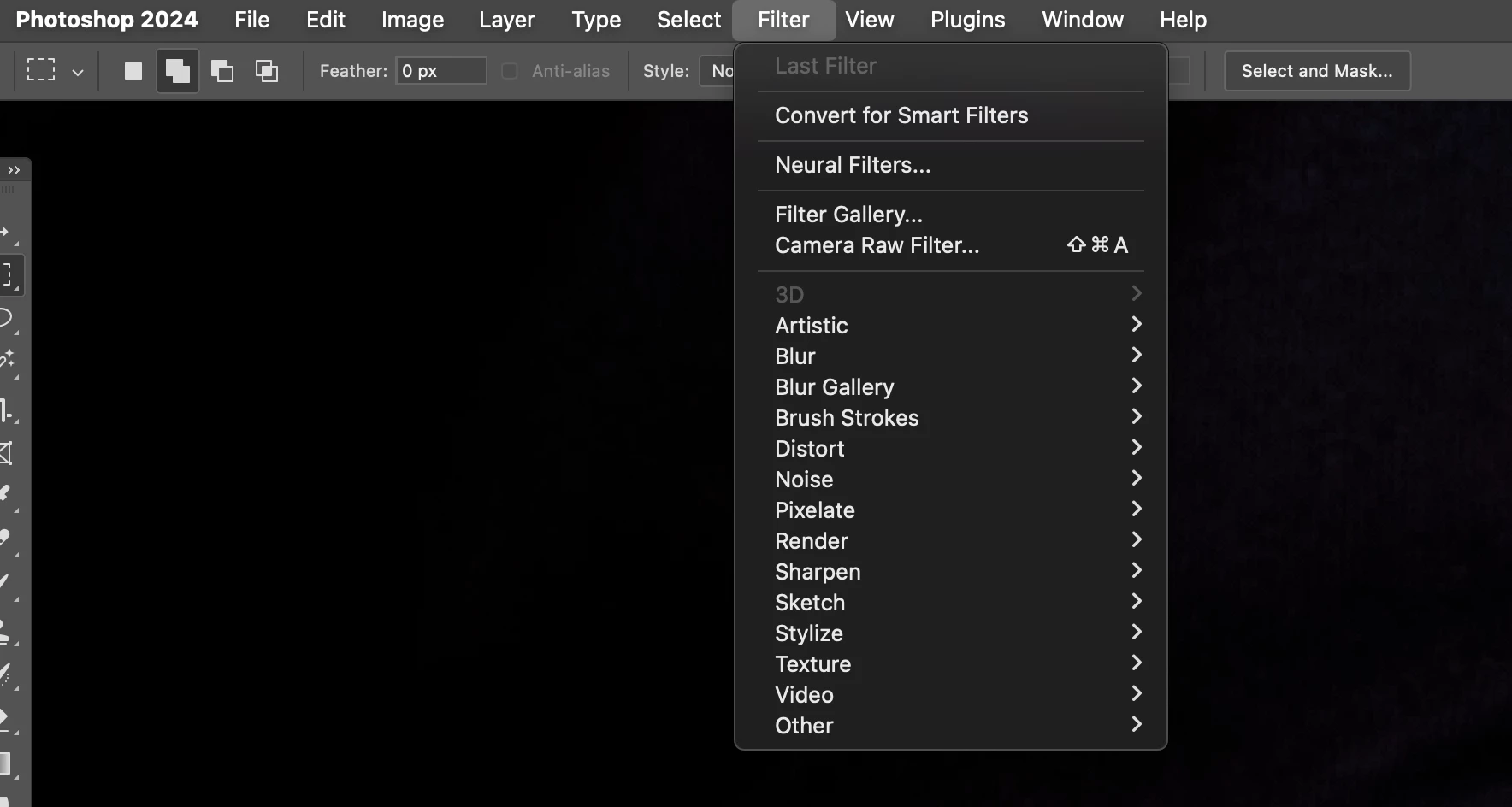

My liquify filter is not listed in the drop down menu... How to I get it back??
I'm working on a regular file RGB 8bpc
Thank you!!
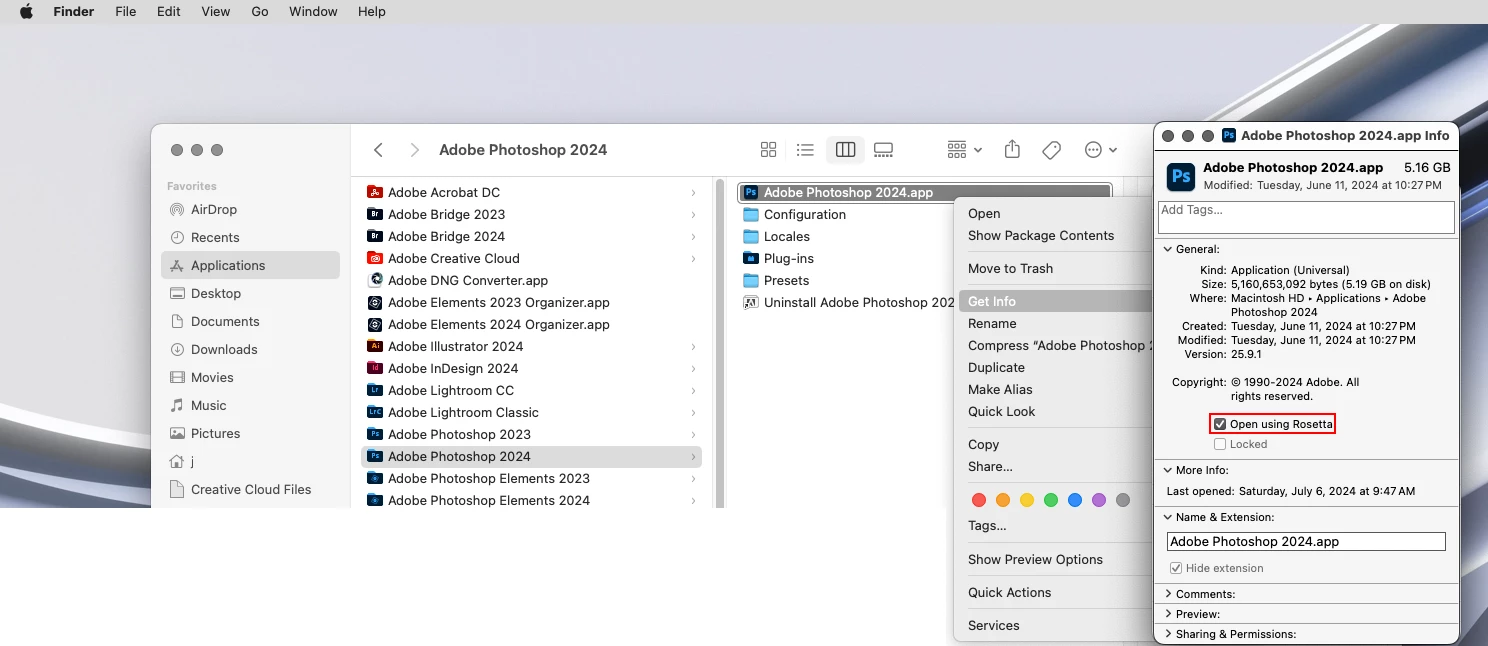
Are you running Photoshop under Rosetta?
Go to
Applications/Adobe Photoshop 2024
right click on the
Adobe Photoshop 2024.app
then click
Get Info
and see if
Open using Rosetta
is checked
Already have an account? Login
Enter your E-mail address. We'll send you an e-mail with instructions to reset your password.


 AdChoices