Participant
April 22, 2025
Answered

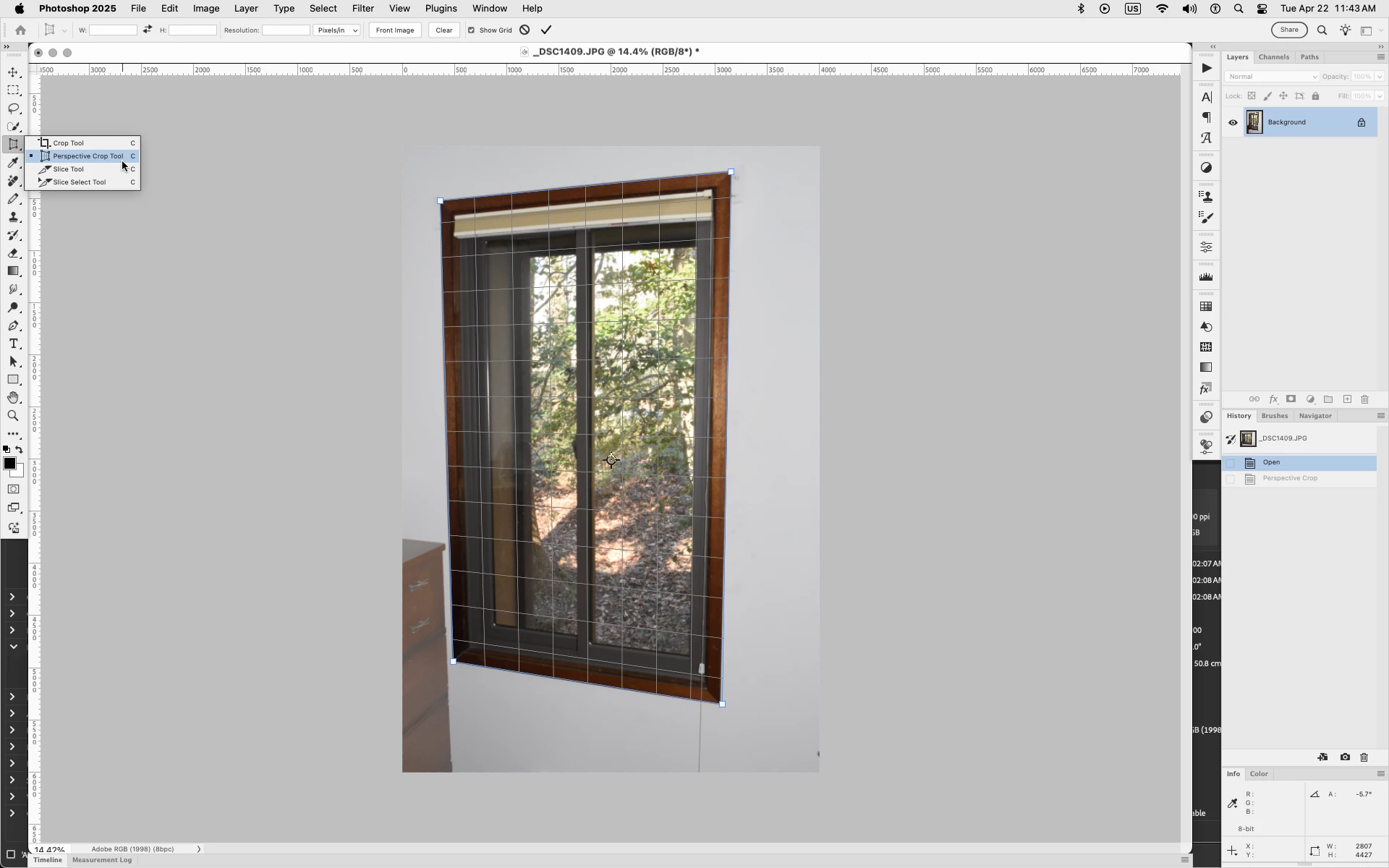
Where is perspective crop today?

  • April 22, 2025
  • 2 replies
  • 337 views

Where is perspective crop today?

Correct answer Jeff Arola

What version of Photoshop and operating system are you using?


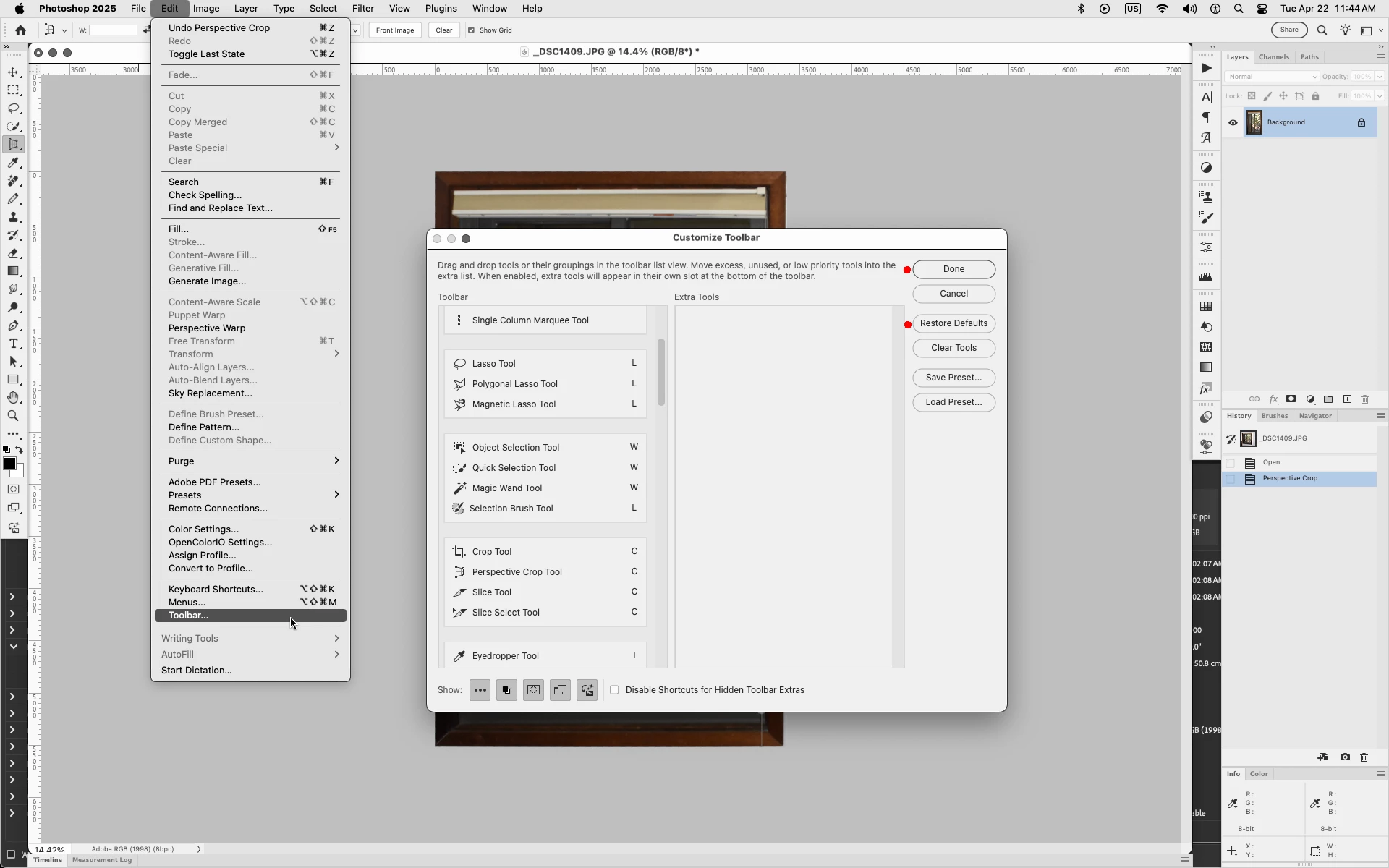
If you don't see the Perspective Crop Tool grouped along with the Crop Tool perhaps a reset of the Toolbar will bring back the Perspective Crop Tool.


In Photoshop go to Edit>Toolbar, click Restore Defaults then Done


2 replies

Jeff Arola
Community Expert
Jeff ArolaCommunity ExpertCorrect answer
Community Expert
April 22, 2025

What version of Photoshop and operating system are you using?


If you don't see the Perspective Crop Tool grouped along with the Crop Tool perhaps a reset of the Toolbar will bring back the Perspective Crop Tool.


In Photoshop go to Edit>Toolbar, click Restore Defaults then Done


Participant
April 30, 2025

Thanks so much for your help! This solved the issue 🙂

Community Manager
April 22, 2025

Hi @finnurj66729099,


Welcome to the Enterprise and Teams Community.

Thank you for reaching out. I am moving your query to the appropriate community, where subject matter experts will be better equipped to assist you.

In the meantime, you may find the following documentation helpful:
How to Crop and Straighten Photos
https://adobe.ly/4lGZmWh

Please feel free to follow up there if you have any further questions.

Regards, 
^AN