
Whole file vanished after hours of work although saved (5 Nov 2025)
I am not sure where to post this and ask.
Situation: Had been working for a few hours on a PhotoShop file which was from a template for Film&Video. I even had saved and named a preset for this when opening it.
I layered only Adobe PhotoShop Firefly generated stillimages from where I had made small selections cut out and made them into a one image-whole. I planned to use this composition in Adobe Firefly and Firefly Beta to see what it can make of it.
I am sure that I hade saved it. But did I save it for the first time only right after I crash dump report pop-up came in front of the PhotoShop view? Am not sure. It said PhotoShop crashed and need to be closed but I was still able to move the crash popup aside and started to save everything that I had open in the desktop app. And closed the tabs in a controlled manner. But, after a while the whole PhotoShop was completely frozen and did not react to anything. I could minimize and maximize it from Windows menu bar, nothing else. The file was not accidentally saved to the cloud, it would be seen in the Recent list.
What made this strange is that there are no traces of this file, not even in the recents list of my computer. The only time stamped file before it is from previous evening when I did the first composition. It should be found with at least one of the words that I made a search with.
It might have been changed to be saved as a .psb file and this was asked at the moment when I started to save the file and I was asked to make it a psb file instead because it was so large (I might remember this part wrong and mix to another file though).
I was not even able to send the report to Adobe because of the freezing and had to close the whole PhotoShop by force ending the task via the Task Manager.
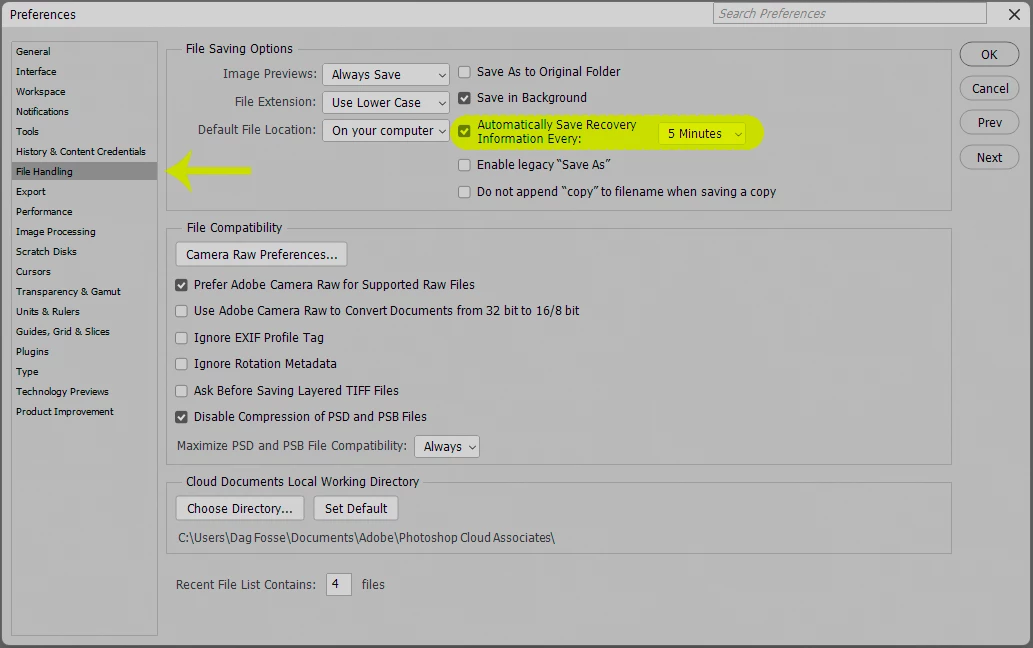
Does anyone know if there can via PhotoShops depths be found anything? Any Logs? From where to check what happened. I was lucky enough to have these as already prepared stillimages that I could then remake, although not completely in the same way which is sad.
Would like to know what to do to prevent files from vanishing like this because if it happens later on with any other file, then it is really bad.
One last observation! Adobe hoy, when hovering my mouse over the windows menu bar on top of the PhotoShop, it showedd a bar progressing which said something like "content credentials check or update or something something"(?). I was not sure should I have just waited instead although the app did not react in any way. I only use own Adobe Photoshop firefly generated material that are with content credentials that actually frequently vanish, even in exoported images where they become as if no content credentials have been made or will show missing content credentials, which is rather worrying. Due to that they are my own material and created/manipulated/modified/reused/further worked on and new created from etc.
All are with copyrights added in the file info and with Content Credentials (but BETA).



 AdChoices