


DaveMan1000
Participant
Sep 26, 2026 4:08 PM UTC
Question

Why are my Pop-Up windows smaller?

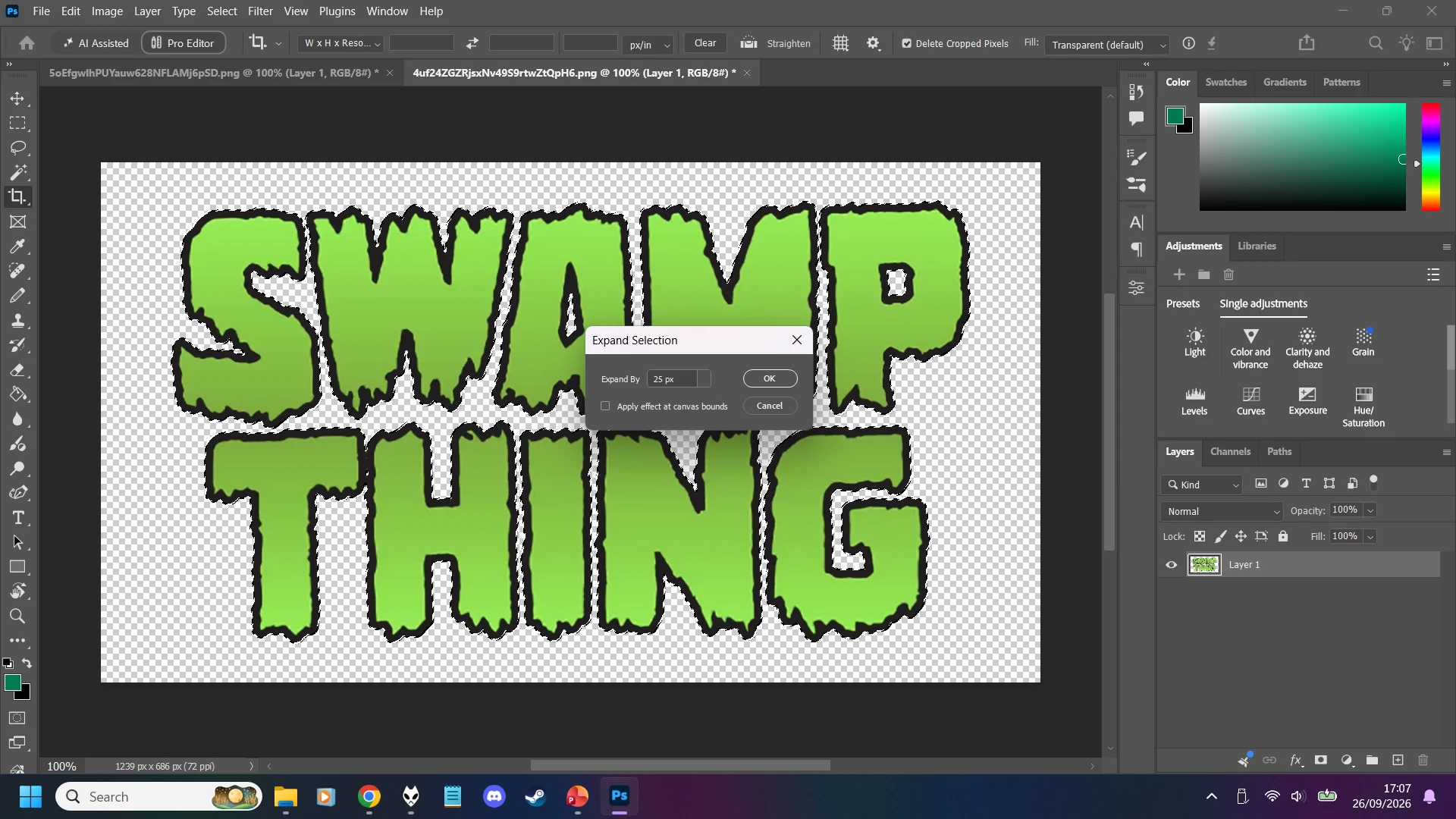
Just today, when I was editing and exporting in Photoshop, the pop-up windows suddenly shrunk; making it a hassle to click on things.

 

    3 replies

    Participant
    Oct 5, 2026 9:58 AM UTC

    If the pop up windows suddenly became smaller without you changing the Photoshop interface settings, I would first check your display scaling and resolution.

    On Windows, go to Settings > System > Display and check whether the Display resolution or Scale setting changed. A change there can make Photoshop dialogs appear much smaller even though Photoshop itself has not changed.

    If Windows scaling is unchanged, check Photoshop under Edit > Preferences > Interface and look at the UI scaling or font settings. After changing anything there, restart Photoshop.

    If only specific dialogs such as Expand Selection or Export As are smaller, a screenshot of another affected dialog would help. Some Photoshop dialogs have a fixed size, so the solution can be different from changing the general interface font size.

    Translate
    justlearn
    Community Expert
    Community Expert
    Oct 5, 2026 7:59 AM UTC

     ​@DaveMan1000 in addition with ​@LAMY2017 , are you asking about the ‘Expand Selection’ dialog pop-up box? I would be a fixed-size dialog and cannot be resized independently. 

    If you are asking about the Interface fonts, go to Photoshop Preferences - Interface and change the Presentation fonts: 


    Translate
    m
    Legend
    Sep 26, 2026 5:52 PM UTC

    Dave, man, I’d love to help but I’m confused. I can’t reproduce what I see in your posted image. especially ‘expand selection.’

    “editing and exporting in Photoshop” (I don’t see the export dialog; I see the Crop tool selected, one layer, marching ants around selected text)

    And it’s not a Text box judging by the thumbnail in the Layers panel -- no “T’. So it’s a file?

    Screen resolution + Settings = really small?

    More hints, please.

    Translate
    Larry