Known Participant
February 18, 2023
Answered

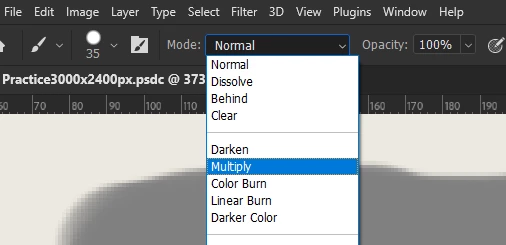
why brush multiplication mode doesn't work?

  • February 18, 2023
  • 2 replies
  • 3248 views

hi does anyone have any idea why brush multiplication mode doesn't work?
It seemed to work fine before,
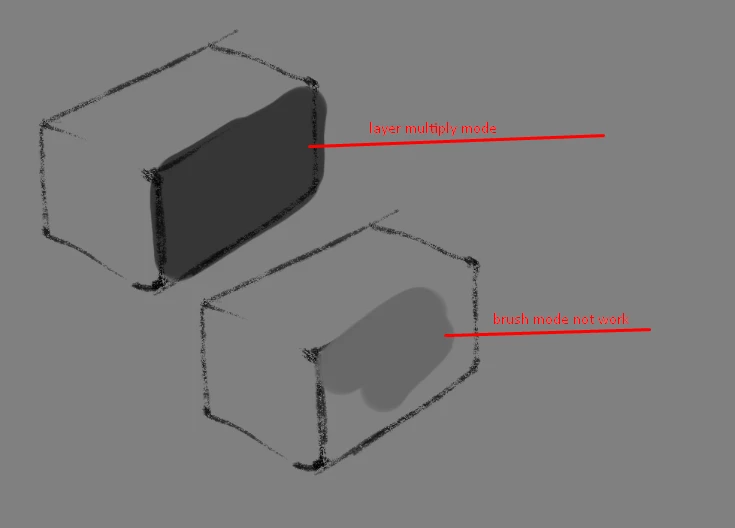
By the rules this mode should multiply the color of the selected paint in this example I select the background color neutral gray but the brush strokes appear chaotic and do not work to multiply the underlying layers.
I think I have a lot of experience in the application, but this is the first time I come across such a thing.
can anyone help?
Additional information the brush is standard.
 

This topic has been closed for replies.
Correct answer thejanebradbury

that I understood (knew),
So you can't paint on a blank layer in brush multiply mode?


You can if you set the Brush in the Tool Options to Multiply, but it doesn't affect the underlying layer as changing the Blend Mode of the actual layer does. With the Brush set to Multiply you can paint on that same layer and each brush stroke will multiply with the brush strokes already made on that layer. So, you could in theory paint in a shadow this way by repeating brush strokes set to multiply until you reach your desired effect. 


2 replies

PECourtejoie
Community Expert
Community Expert
February 18, 2023

Hi @mezimforte795FD1 @in your exampl, is the bottom shading done in multiply mode on an empty layer in normal mode?

Known Participant
February 18, 2023

blank layer

PECourtejoie
Community Expert
Community Expert
February 18, 2023

Yes, thank you, but is it in normal mode?

Jeff Arola
Community Expert
Community Expert
February 18, 2023

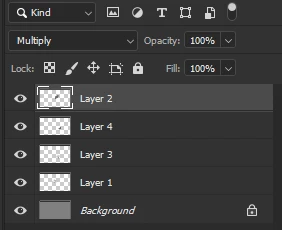
If you set the Mode of the Brush Tool in the Tool Options Bar to Multiply, then that only multiplies with pixels on the same layer and doesn't affect underlying layers.


If on the other hand you make a new blank layer, set the Layer Blending Mode to Multiply and paint on the layer then it does affect the underlying layers.

Known Participant
February 18, 2023

Clearly, but the question arises whether it is possible to bypass this restriction by using a blank layer to draw shadows.
as the merging of layers takes place without taking into account the multiplication layer
?