joeh87907460
Inspiring
November 20, 2025
Answered

Why do I not have the Harmonize button on the contextual task bar in version 27.0.0 of Photoshop?

  • November 20, 2025
  • 3 replies
  • 122 views

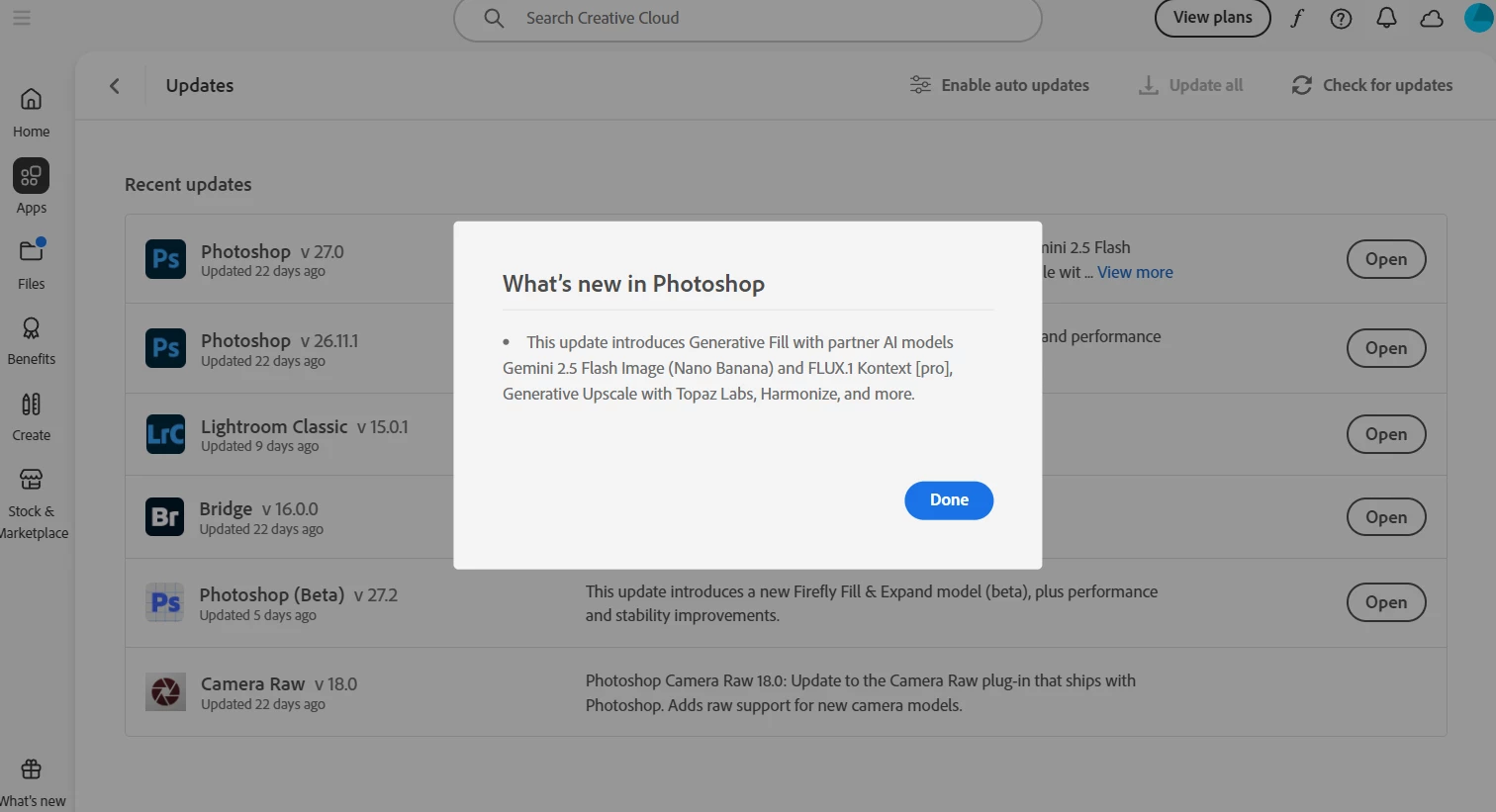
I have the latest update to Photoshop, version 27.0.0 and I still do not have the Harmonize button on the contextual task bar. It's not in any menu. Where the heck did they HIDE it? When I open the CC Desktop App and view Updates, then click on "View More" beside Photoshop, it shows it to be in the update. Yet it IS NOT THERE... 
 

I view youtube videos by Photoshop Cafe and Jesus Remirez and they are using the shipping version of Photoshop, one is using a Mac, the other is using Windows machine, and they both have the Harmonize button on the contextual task bar. WHY DO I NOT HAVE IT? I have the latest version and there are no more updates, I checked with the CC App for new updates, and there are none.


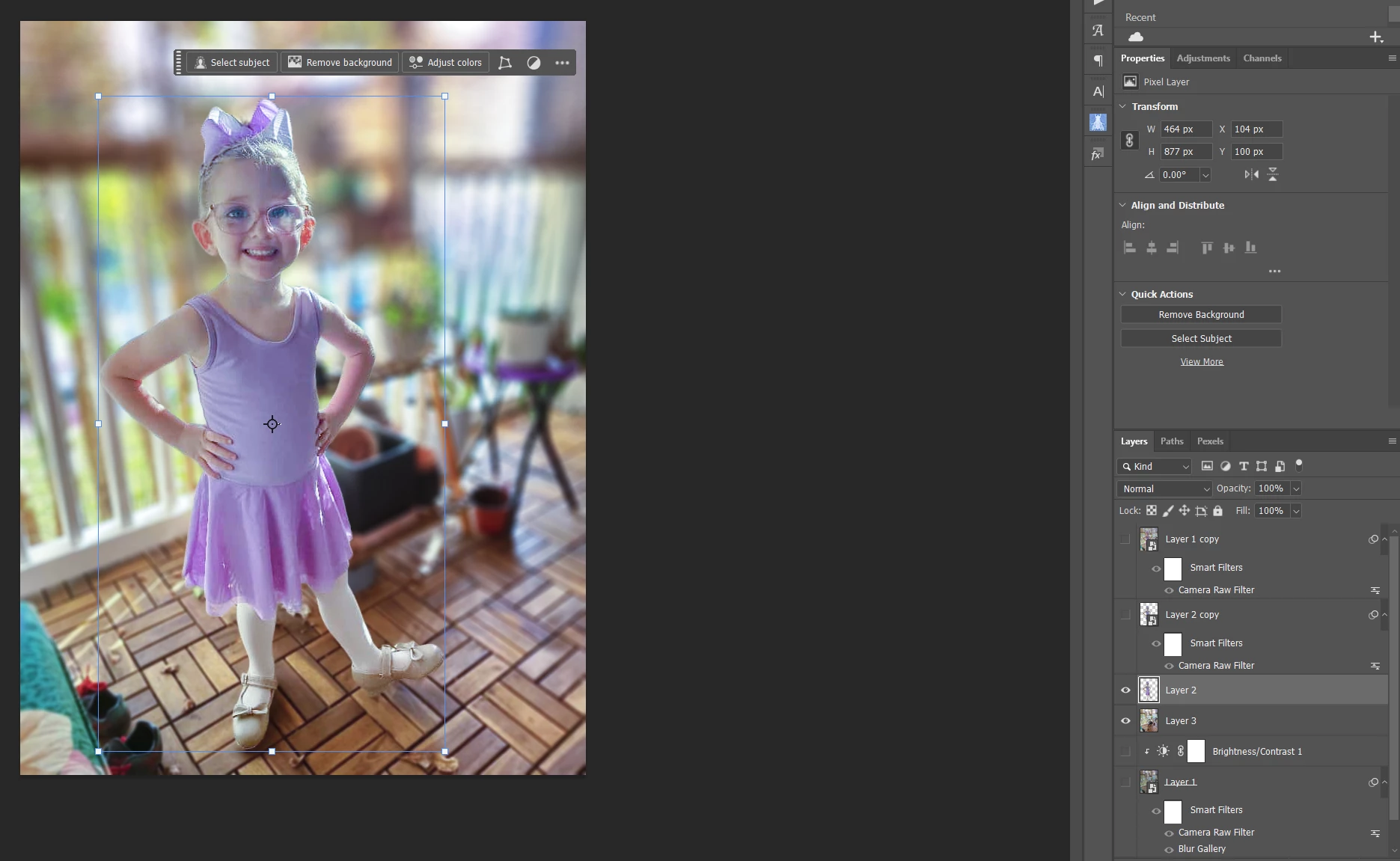
You can see that it is not in the toolbar like it is supposed to be in the screenshot of a picture I'm working on of my great neice. None of the layers are smart objects. Why do I not have this feature?
 

Correct answer joeh87907460

After installing the "update" that became avaliable shortly ago, the problem is still there... No Harmonize in the contextual taskbar...

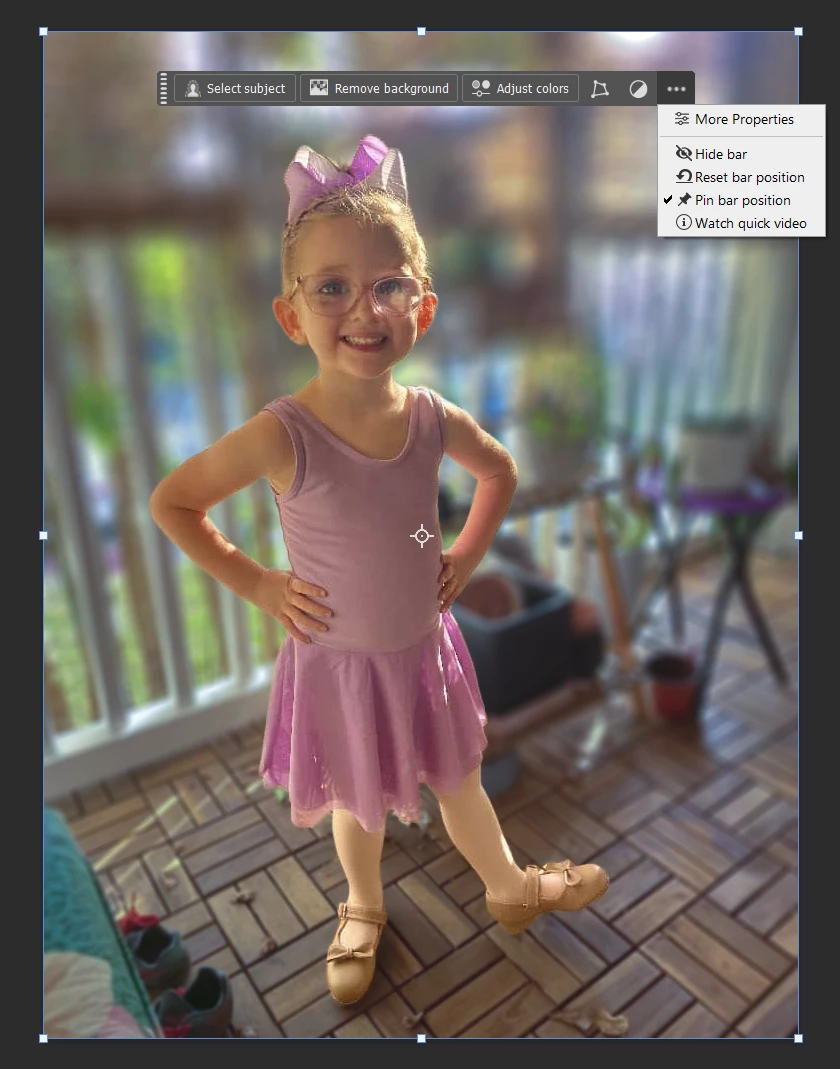
However, out of curiosity and trying everything under the sun (figuratively) to see if I could stumble upon some wierd and silly "workaround", I did this: I clicked on "Remove Background" for the layer with my neice and it generated a layer mask that is totally moot because there was NO background on that layer to start with. I had already removed it. Then the Harmonize button showed up on the contextual taskbar... 


I just have to ask, why. WHY would you have to "remove background" when there is NO BACKGROUND to remove? How totally UNINTUITIVE is that? Just why in the "HECK" would someone even think to "remove background" when there IS NO BACKGROUND TO REMOVE??? The only reason I did it was becasue I was trying random silly stuff in hopes of stumbling upon some kind of "workaround". There is absolutely NO LOGIC whatsoever to "remove background" when there is no background on an image to remove! 


Here is a screenshot after I removed the IMAGINARY BACKGROUND to make it work... Exact same layers, the only difference is there is a layer mask on the layer of my neice that "hides" an IMAGINARY BACKGROUND that wasn't there... That makes no senese whatsoever.


3 replies

joeh87907460
joeh87907460AuthorCorrect answer
Inspiring
November 20, 2025

After installing the "update" that became avaliable shortly ago, the problem is still there... No Harmonize in the contextual taskbar...

However, out of curiosity and trying everything under the sun (figuratively) to see if I could stumble upon some wierd and silly "workaround", I did this: I clicked on "Remove Background" for the layer with my neice and it generated a layer mask that is totally moot because there was NO background on that layer to start with. I had already removed it. Then the Harmonize button showed up on the contextual taskbar... 


I just have to ask, why. WHY would you have to "remove background" when there is NO BACKGROUND to remove? How totally UNINTUITIVE is that? Just why in the "HECK" would someone even think to "remove background" when there IS NO BACKGROUND TO REMOVE??? The only reason I did it was becasue I was trying random silly stuff in hopes of stumbling upon some kind of "workaround". There is absolutely NO LOGIC whatsoever to "remove background" when there is no background on an image to remove! 


Here is a screenshot after I removed the IMAGINARY BACKGROUND to make it work... Exact same layers, the only difference is there is a layer mask on the layer of my neice that "hides" an IMAGINARY BACKGROUND that wasn't there... That makes no senese whatsoever.


Kevin Stohlmeyer
Community Expert
Community Expert
November 20, 2025

@joeh87907460 one thing you can try. Select the original layer (without the background removal) and see if you see Harmonize in the Layers menu:


This was on a layer I dropped in with no background removal and it applied, but I did not have Harmonize as a shortcut on the Contextual Task Bar. 

joeh87907460
Inspiring
November 20, 2025

Thank you. I discovered that for Harmonize to be in the contextual taskbar, you are forced to first click the "Remove Background" button on the taskbar. It's pretty dumb for it to work that way, especially when an image is used that has no background. I just ran across that by trying everything that "didn't make sense" to see if something would make a difference. I mean, why in the world would anyone even think to removed the background when it had already been removed before? It's totally UNINTUITIVE and an unnecessary step that has no logic behind it whatsoever, why "remove a background" that isn't there in order to make something esle work? It's crazy, it's so stupid that it's actually funny. LOL

joeh87907460
Inspiring
November 20, 2025

I just checked, again, the CC Desktop app for updates and it is now showing there is an update with bug fixes for version 27.0.0. 

I'm going to install this update and see if it fixes this obvious bug. This update was not avaliable this morning, I checked on the CC Desktop app by clicking check for updates and there was no update this morning. Now there is so I will try it and see if it fixes the problem. I sure hope it does.

RosaPerry
Inspiring
November 20, 2025

@joeh87907460 

From Sameer K (Adobe Employee)
If you're looking for Harmonize in the Contextual Task bar, powered by Generative AI, you'll need to have suitable layers open in Photoshop. Meaning, you'll need to bring in another image over the base/background layer > If the layer has a background, use Remove Background > Harmonize.

Head here to learn more: https://adobe.ly/45UtlCW

Rosa
joeh87907460
Inspiring
November 20, 2025

Thank you for the response. I do have them on layers, both pixel layers, no smart objects. My great neice is on a seperate layer and the background is on a seperate layer. There is no other kind of "suitable" layer. Everyone seems to say you have to have "suitable layers" but they never state exactly what those "suitable layers" are, so just standard, rasterized pixel layers has to be what they mean by "suitable layers". And that's what I have. 


According to the information in the links Sameer K provided, I have the right laywers and everything I've done is correct. BUT, there is NO Harmonize in the contextual task bar, none whatsoever. 

Kevin Stohlmeyer
Community Expert
Community Expert
November 20, 2025

@joeh87907460 basedon your screenshot the layer highlight is much larger than your great neice - can you share a screenshot of the full image and layers panel?