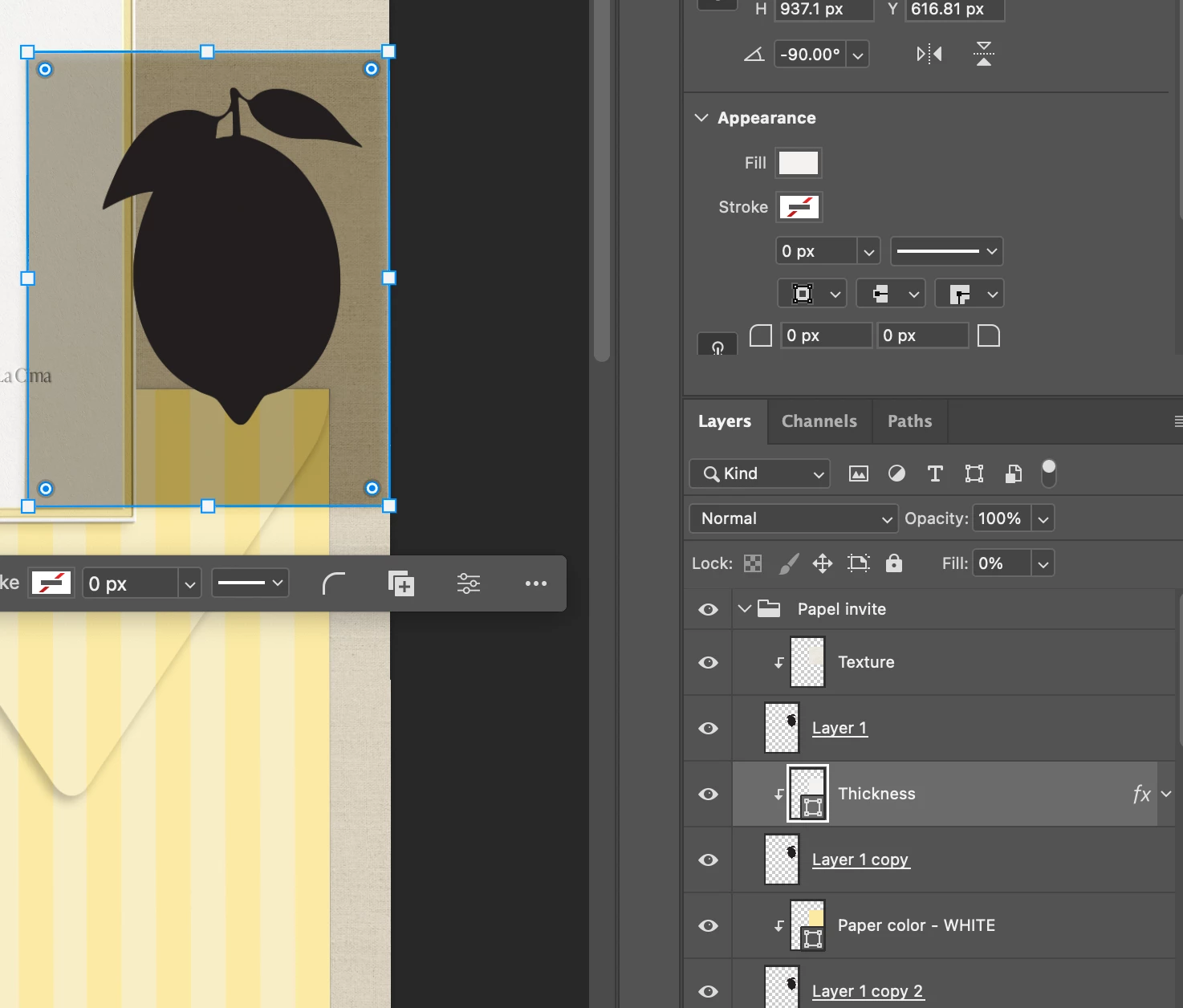
What is happening with that top texture layer? You have a bunch of clipping masks and different layers doing different things in the same spot on your canvas. The top layer - Texture should be the one you are seeing. If that layer has a blend mode applied, that could be the issue or opacity - it’s not selected so I can’t tell.
Melissa Piccone | Adobe Trainer | Online Courses Author | Fine Artist
Could you share a bit more info, like which version of Photoshop you’re using? From your screenshot, it looks like there might be another layer above the one you currently have selected that has the same shape but is filled completely black. That could be why it seems like the clipping mask isn’t working. Would you mind sending another screenshot with the layers above selected so we can take a closer look? Thanks so much! Alek
*(If you mention me with an @, like @Aleke, I’ll get a notification and can respond faster.)*




 AdChoices