Inspiring
June 6, 2025
Answered

Why is Photoshop now giving me sharp pixels instead of smooth pixels when I copy from Illustrator?

  • June 6, 2025
  • 1 reply
  • 287 views

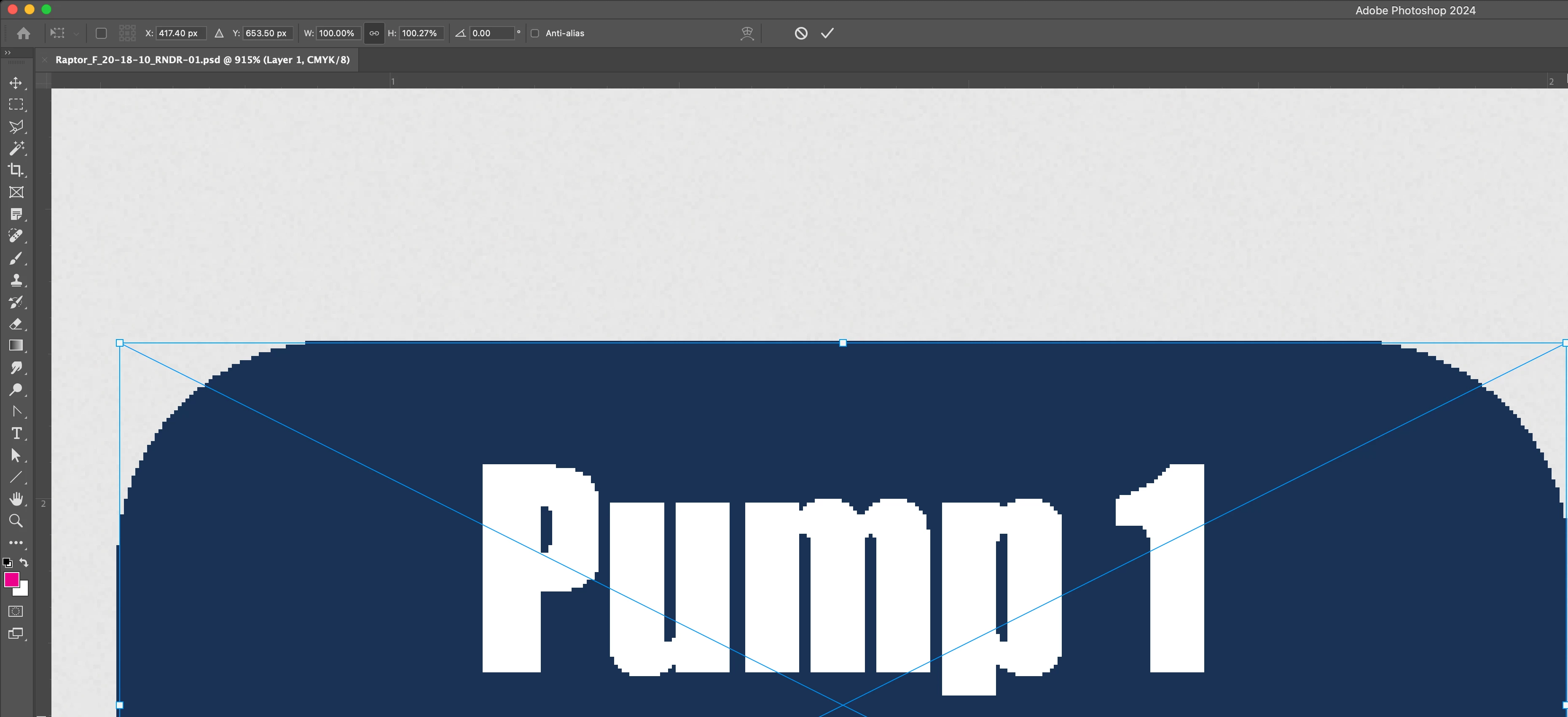
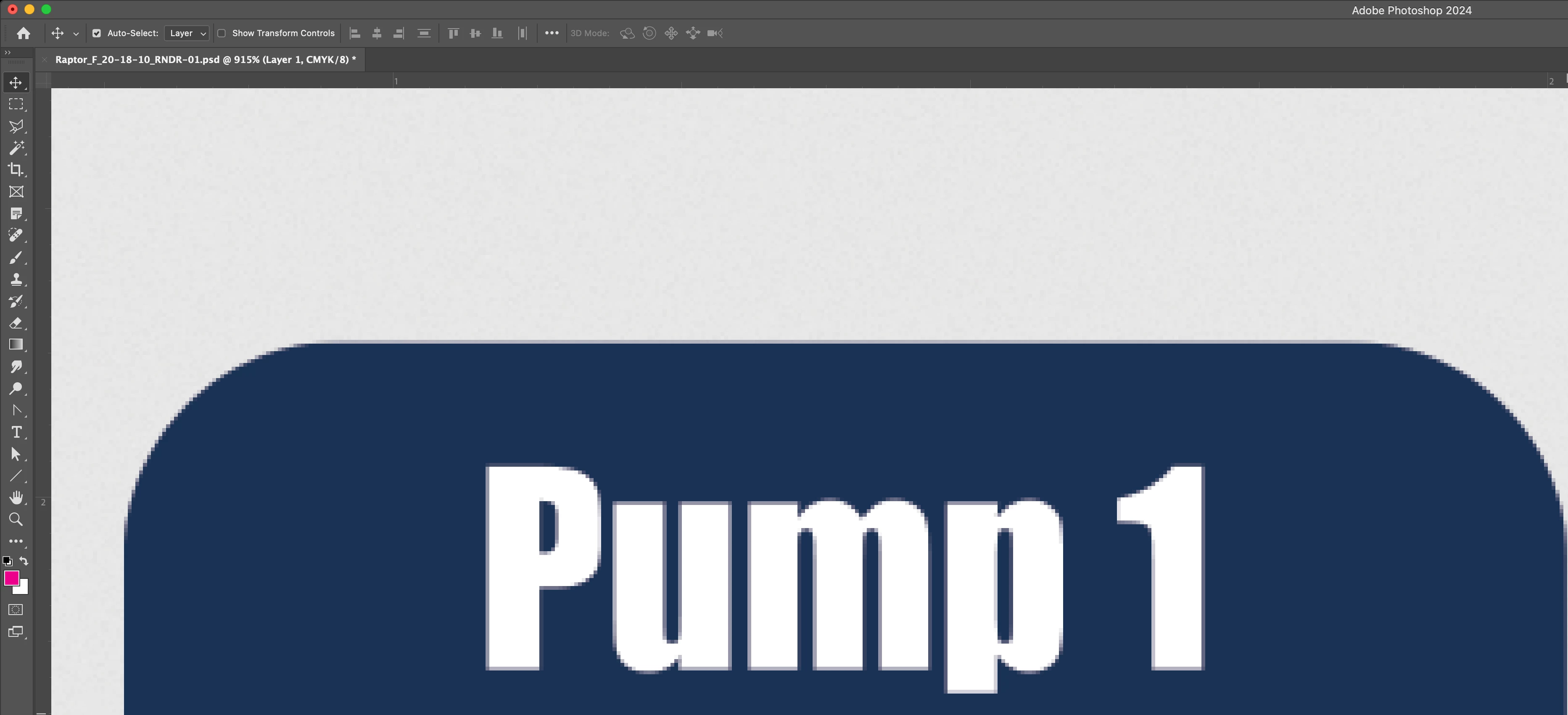
So I'm trying to copy objects from Illustrator and paste them into Photoshop. I've done this hundreds of times before, but now I'm having issues where the pixels are ending up super sharp and jagged instead of smooth like they used to be. Did I accidentally trip a setting somewhere? 


Thanks!

What I want:

What I am getting:

Correct answer Michael30621428f7dz

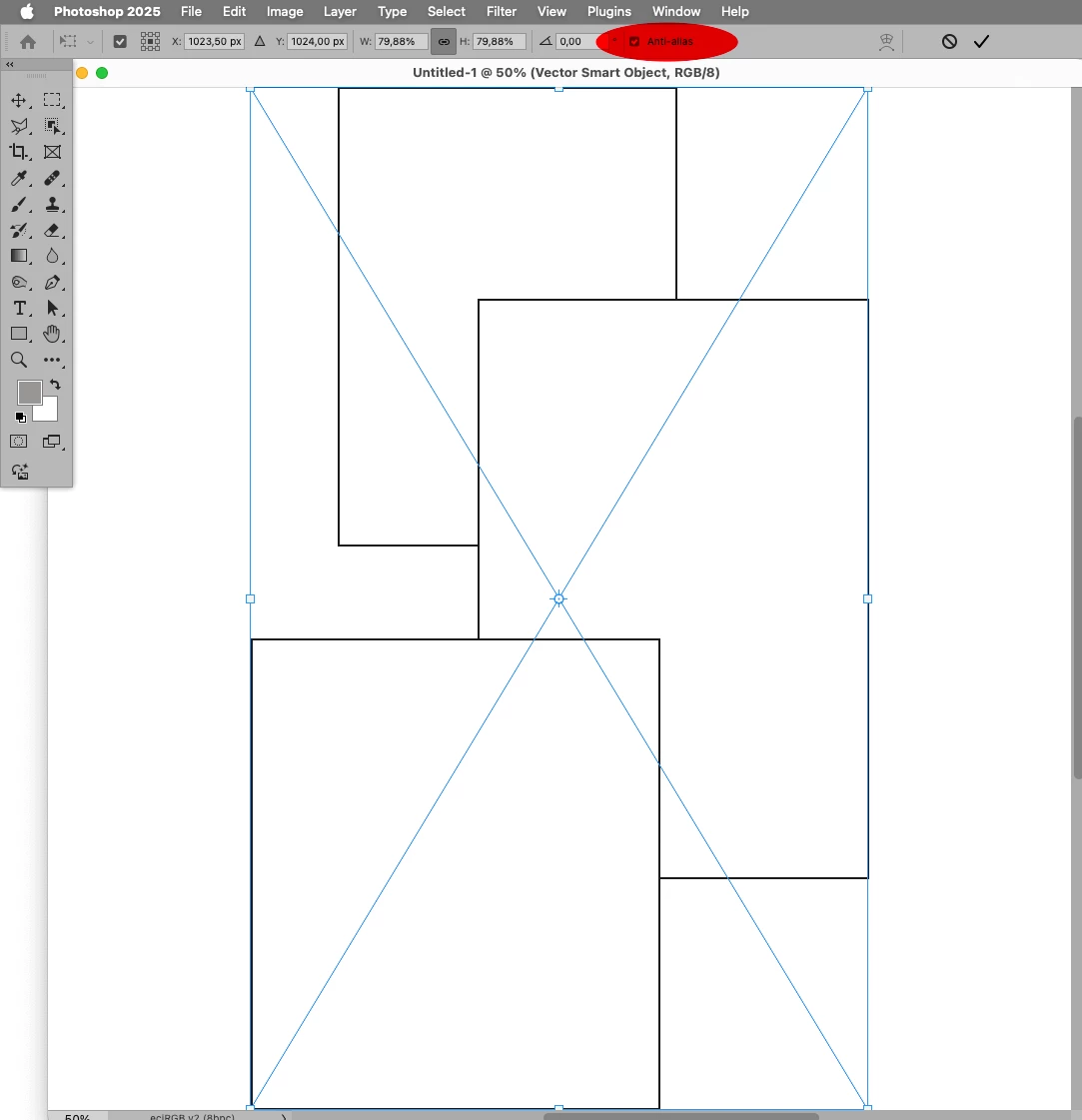
Please select »Smart Object«, click »OK« and post a meaningful screenshot. 


I see it now, thanks! I didn't know where the anti-alias setting was.


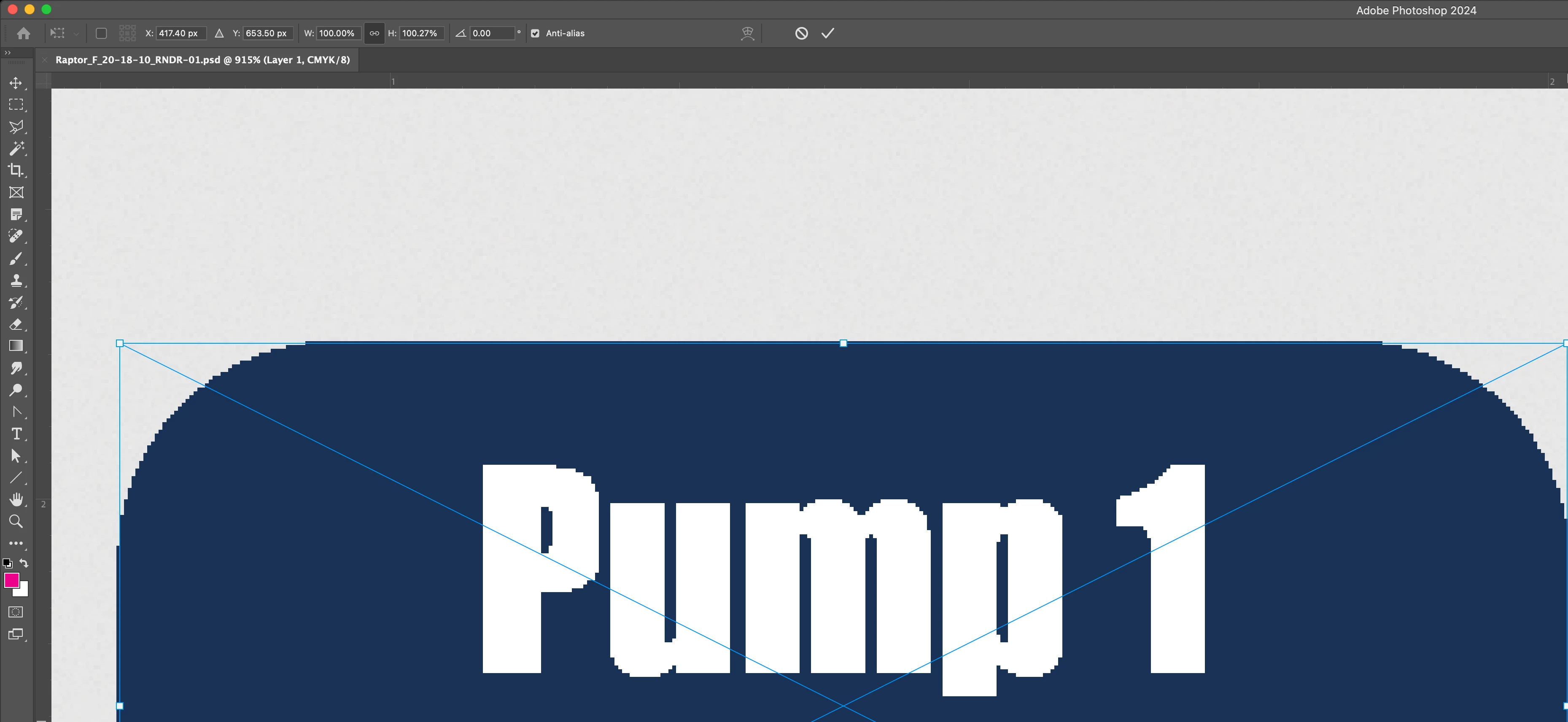
So the issue was that I had "Anti-alias" unchecked.

1. Paste the object from Illustrator into Photoshop

2. Select the desired option in the "Paste" menu

3. In the options bar, check the "Anti-alias" option

4. Then click the checkmark to complete


1 reply

jane-e
Community Expert
Community Expert
June 6, 2025

@Michael30621428f7dz 


Please show your options bar. It might be the anti-alias is turned off and needs to be turned on.

Inspiring
June 6, 2025

I'll show the paste options too 


c.pfaffenbichler
Community Expert
Community Expert
June 7, 2025

Please select »Smart Object«, click »OK« and post a meaningful screenshot.