
anthonyhague
Known Participant
September 27, 2025
Answered

Why is PS 26.11 doing weird previews

  • September 27, 2025
  • 2 replies
  • 97 views

Im using PS 26.11 on the new Mac OSX Tahoe 26.0 but the problem was also on previous OSX.

Photoshop is doing freaky previews on PSD layered files as you can see in the pic below, its like a combination of layers on the PSD file.   The real problem is photoshop Droplets no longer work so I bought an app called RetroBatch to make high and low jpegs for my clients, but the jpegs look like these crazy preview images.  Its really effecting my business as my work looks corrupted.   Anyone have any clues for a fix?


I suggest Adobe fixes Photoshop completely or put its pricing back down -50%, sure the AI is cool but if it can't deliver basic layered PSD's what are we paying for.
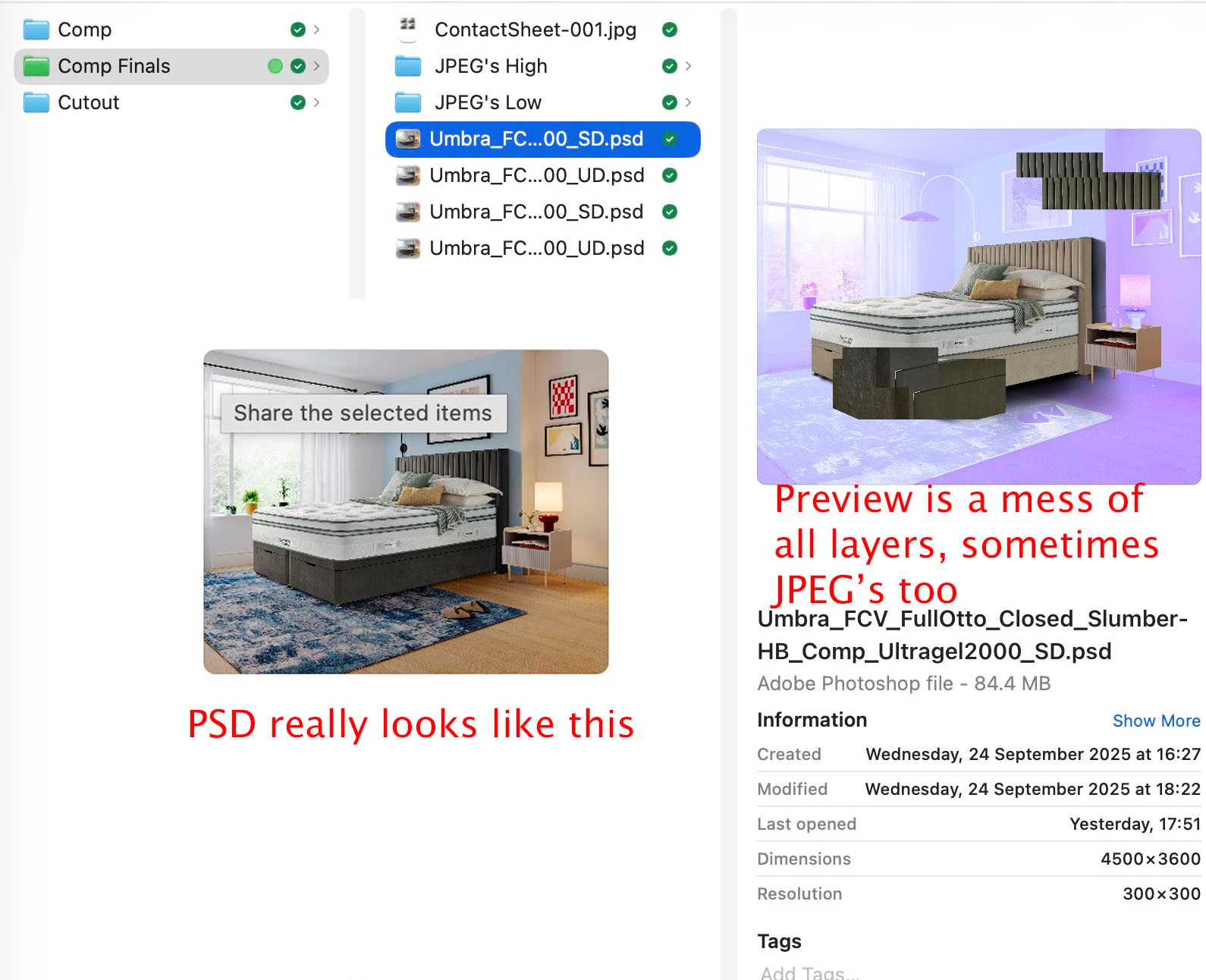
 

Correct answer Sameer K

Hey, @anthonyhague. Welcome to the Photoshop Community. I'll help you figure this out. 


The current release of Photoshop (beta) has the fix included for the Droplets issues: https://adobe.ly/4mND5VX


Please use Photoshop's workflow and check if the issue exists.


Thanks!

Sameer K

(Type '@' and type my name to mention me when you reply)

2 replies

SwearingDad
Inspiring
February 6, 2026

Try changing your PSD Settings > File Handling preferences and ensuring “Maximise File Compatibility” is checked. When I re-save images this has resolved the corrupted icon issue for me.

Sameer K
Community Manager
Sameer KCommunity ManagerCorrect answer
Community Manager
October 8, 2025

Hey, @anthonyhague. Welcome to the Photoshop Community. I'll help you figure this out. 


The current release of Photoshop (beta) has the fix included for the Droplets issues: https://adobe.ly/4mND5VX


Please use Photoshop's workflow and check if the issue exists.


Thanks!

Sameer K

(Type '@' and type my name to mention me when you reply)