

2Charlie
Inspiring
December 18, 2025
Question

Why is the Contextual Task Bar not showing?

  • December 18, 2025
  • 2 replies
  • 179 views

I'm running on MacOS 15.6.1 (24G90) with Photosho 27.2.0. Any idea how I would go troubleshooting this issue?
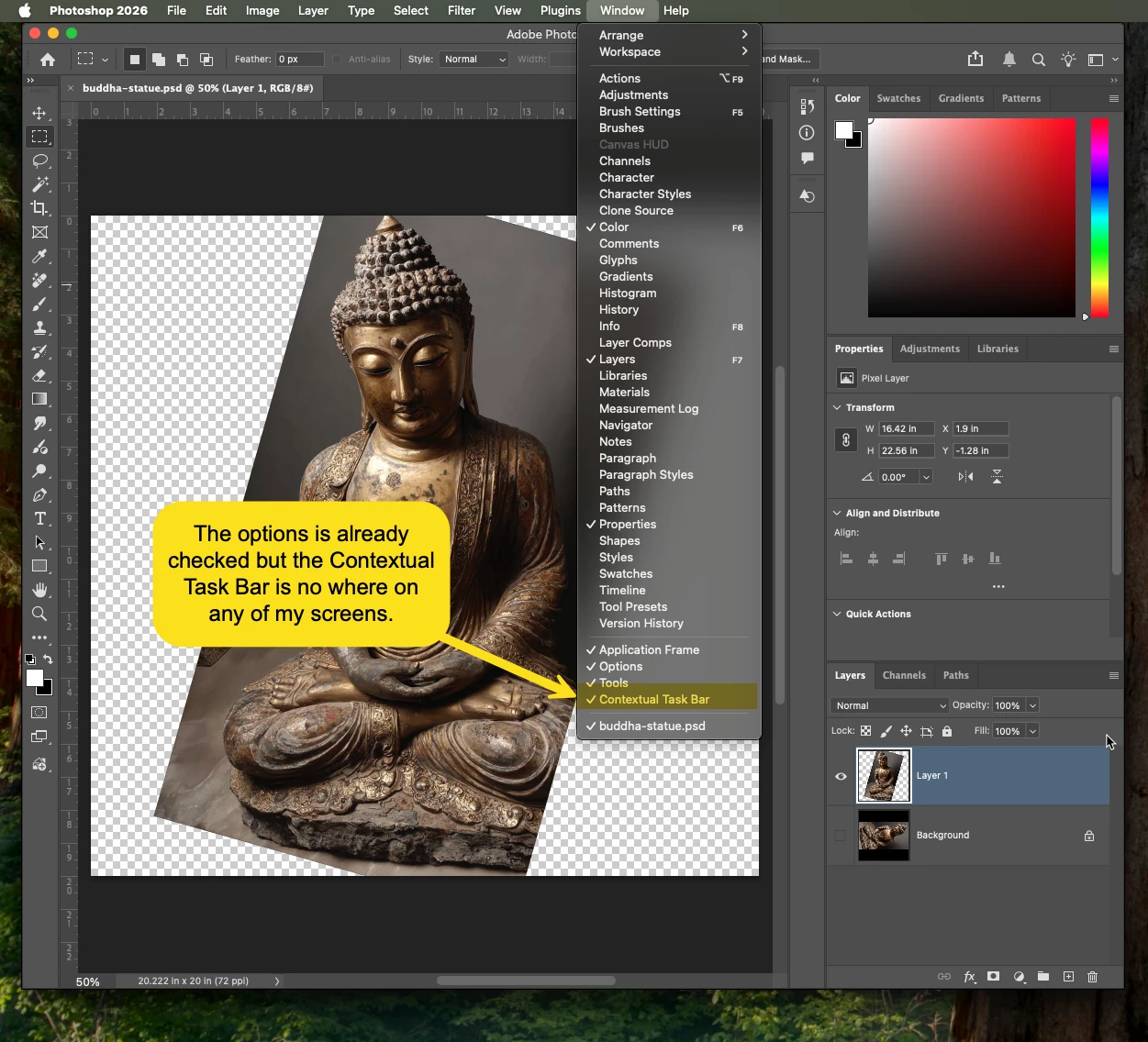
2Charlie_0-1766096415580.png


2 replies

Trevor.Dennis
Community Expert
Community Expert
December 19, 2025

That's quite a small screen.  I wonder if the CTB is outside that screen area.

Do you remember if it is set to be Pined?  It is only visible when relative tool etc is selected, plus a layer is selected.  If it is not pined, select a layer and do something like  make a selection.   It is supposed to return to its defgault position if you reset your workspace, but IME that does not work.


Good luck.

2Charlie
2CharlieAuthor
Inspiring
January 20, 2026

No, I've tried check and uncheck that option and nothing happens. I have tried uninstall and re-install Photoshop but it's still not working. On the other hand, the contextual task bar does work on the Photoshop Beta though. So, there's something definitely not right.

creative explorer
Community Expert
Community Expert
December 19, 2025

@2Charlie I wonder if it's a slight glitch? Maybe try resetting Photoshop preferences? Quit Photoshop. Hold Command Option Shift while relaunching Photoshop. A message will confirm the prompt to reset preferences. Click OK. This likely will resolves your glitch. 


m
