
Participant
October 21, 2023
Question

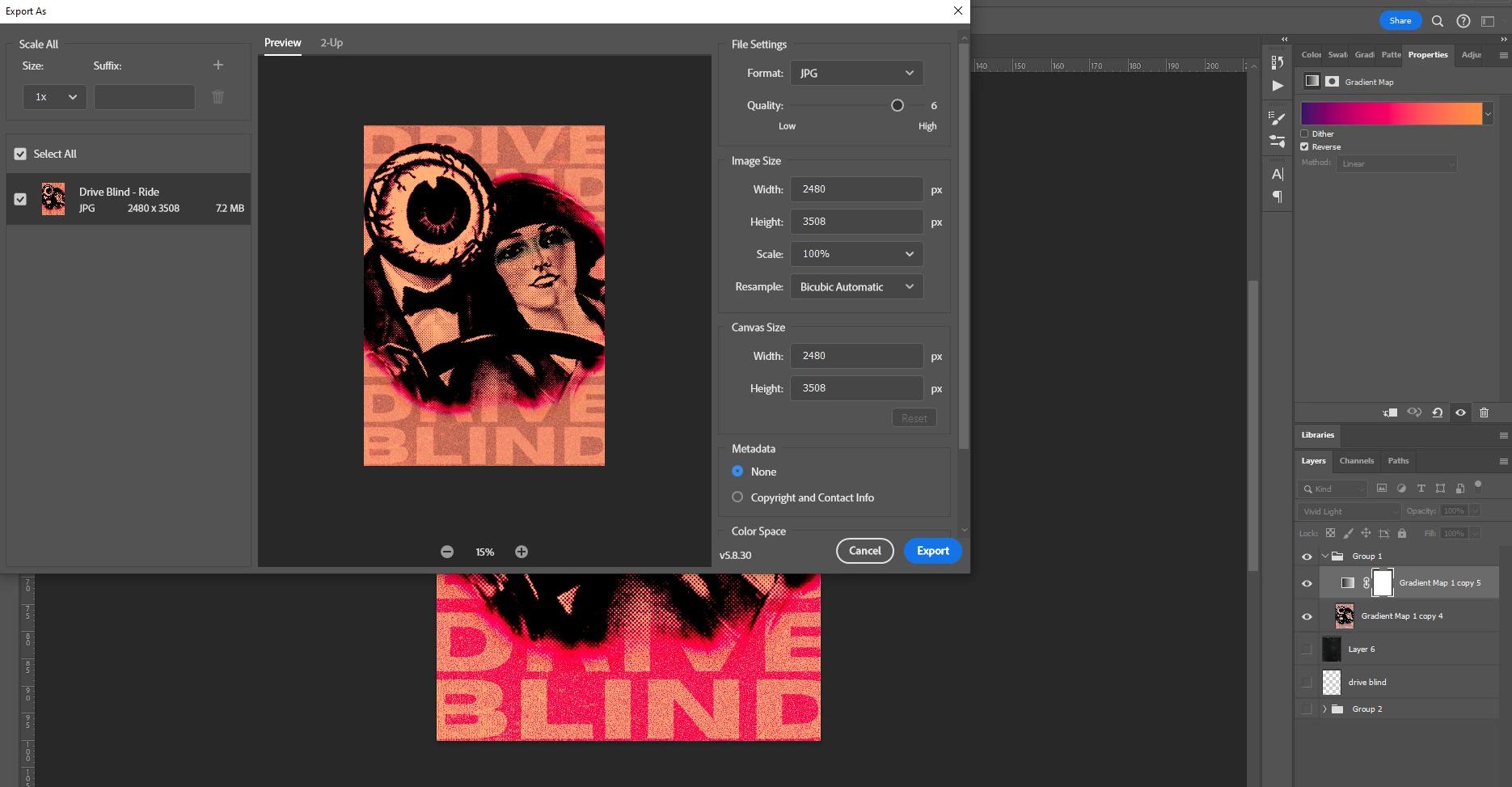
Why isn't my gradient map working on export?

  • October 21, 2023
  • 3 replies
  • 813 views

I've got a gradient map placed above one of my layers, set it to vivid light and it won't show up upon the preview screen when exporting. Please could someone help? It's probably something easy that's I'm just missing. Thanks



This topic has been closed for replies.

3 replies

Earth Oliver
Legend
October 26, 2023

because Export As has been bugged for years now and Adobe doesn't appear capable of fixing it.

Trevor.Dennis
Community Expert
Community Expert
October 25, 2023

Is there a reason you are using Export As instead of Save As?

Something to try is adding a Copy Merged layer to the top of the layer stack before saving/exporting.  (Shift Ctrl Alt T) that usually fixes issues around flattening.  Also try saving anyway, and opening up in another app to see if the gradient took?

Earth Oliver
Legend
October 26, 2023

or they could just finally fix all the EA bugs that have been around for years and years?

Myra Ferguson
Community Expert
Community Expert
October 25, 2023

Maybe try selecting the gradient map layer with your content layer, converting that selection to a Smart Object, and then using Export As on the Smart Object.