


Alex_R84
Inspiring
October 13, 2025
Question

Window resize zone: too small?

  • October 13, 2025
  • 1 reply
  • 127 views

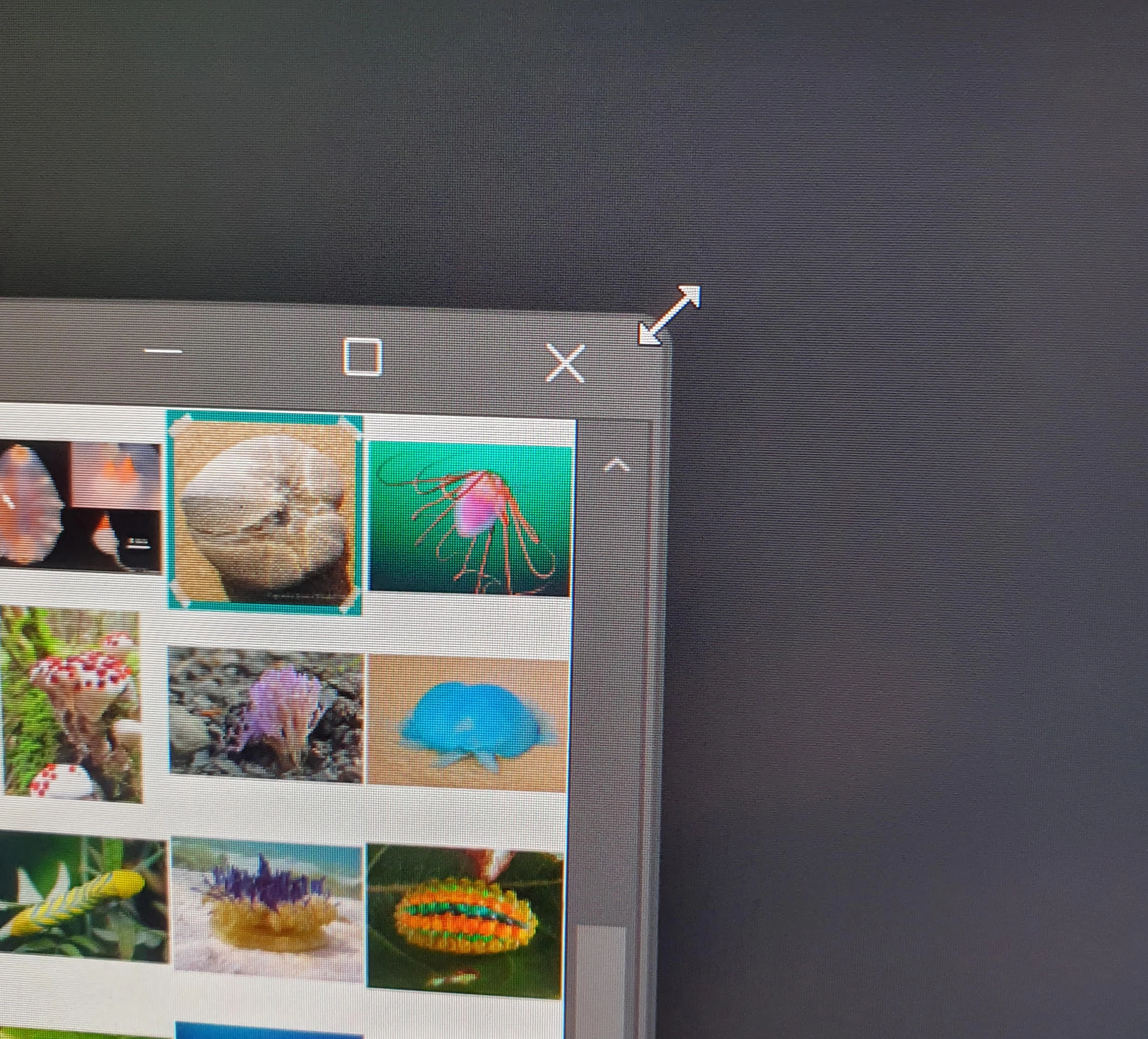
I have noticed that with current versions of PS that it is VERY fiddly to resize windows at the upper right corner. If you miss it by a pixel, it doesnt bring up the resize icon.


Is there a workaround? If possible, I would like to suggest the active area for resizing be expanded if not.


Thank you.
 

1 reply

Anshul_Saini
Community Manager
Community Manager
October 28, 2025

Hi @Alex_R84,


Thank you for the clear explanation and the screenshot. It really helps illustrate what you’re seeing. I understand how tricky it can be when the active resize zone near the top-right corner is too narrow, especially if you frequently resize or multitask between windows.


Here’s what we can do and check further:
 • The resize area sensitivity is managed at the framework level, and feedback like yours helps the team identify where usability tweaks can make a real difference. I’ll forward this to the product team for review, but before that, it would be very helpful to gather a few comparison visuals.
 • Could you please share a screenshot showing how the resize zone behaves in other Adobe apps (for example, Illustrator or Lightroom Classic) and, if possible, in a few third-party applications on the same system? This will help us determine whether the behavior is unique to Photoshop or consistent across other software using similar window frameworks.


Once you share the comparison screenshots, I’ll include them with the notes to the product team so they can review it.


Best,

Anshul Saini

Alex_R84
Alex_R84Author
Inspiring
November 2, 2025

Thank you for the response. I am afraid I dont have another other Adobe apps for comparions. I am using Windows 11.


The resize zone on apps like Discord seems to be more forgiving, as there is more inactive space around the close button.


By comparion, Photoshop floating windows seem to only have a few pixels forgiveness to resize Right/Vertically 

Sameer K
Community Manager
Community Manager
November 3, 2025

Hey, @Alex_R84. Thanks for raising this. This has been the consistent for versions going back to Photoshop 2021. 


I understand it is too small, and it's almost 1 or 2 pixels of padding. You can resize from the 3 other edges of Photoshop. 


Thanks!
Sameer K
(Type '@' and type my name to mention me when you reply)