Known Participant
December 9, 2018
Answered

Windows 10 - CR3 Files. Can't associate CR3 files to Photoshop 2019

  • December 9, 2018
  • 1 reply
  • 5402 views

.When I click on a .CR3  file, to open it,  it always asks "what I want to open it with" Even when I tell it to "always open with Photoshop" it will not associate the files type with Photoshop.

(No problem with CR2 or JPEG)

Window 10 64 bit Home and Pro.

Photoshop 2019    20.0.1.

Is there a work round for this.  
This topic has been closed for replies.
Correct answer richardz39488504

I have tried both methods but each time it offers Photoshop CC 2019, but it

just will not accept it and leaves the setting dissociated.

Looking in the registry under CR3, there is nothing in the folder.

I think I don't have the knowledge to change the registry, so I think I

will have to accept I can not do this

BUT

thanks for trying to help me.


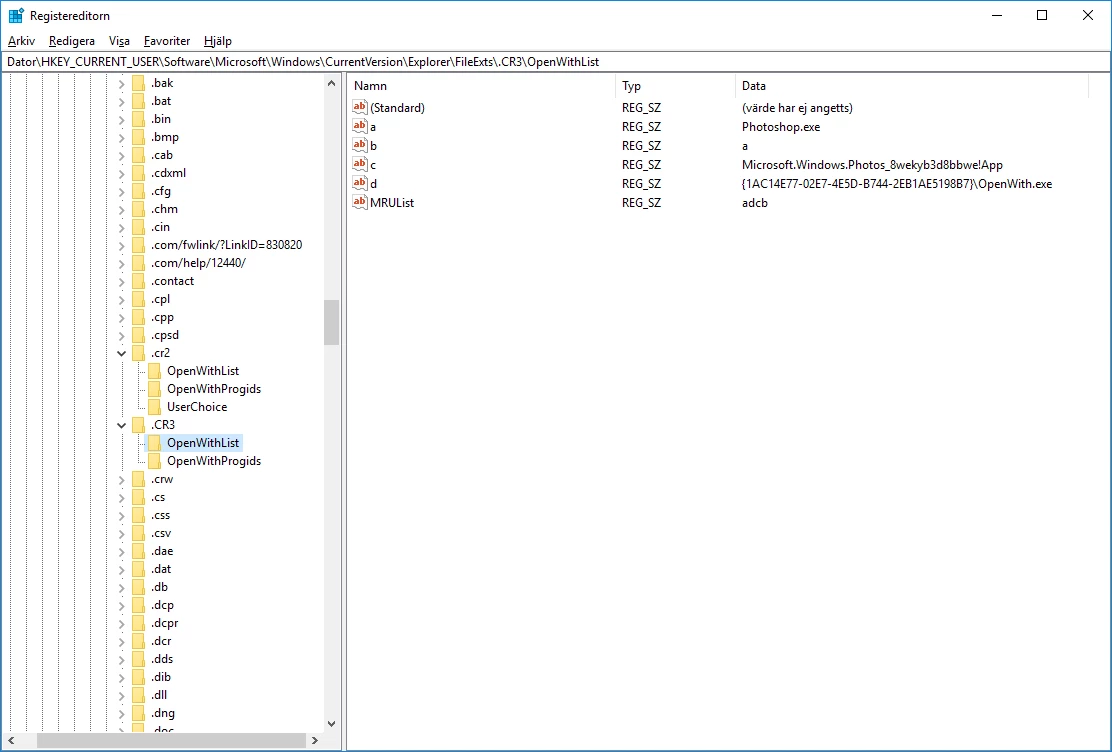
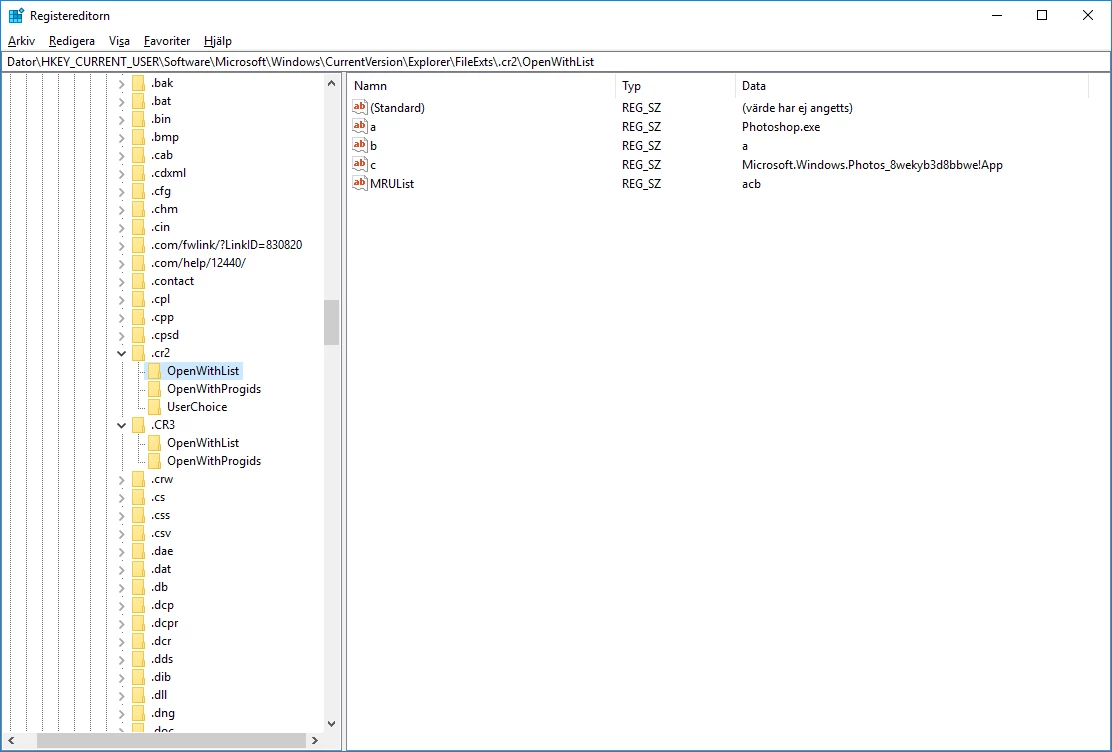
I had exactly the same problem and I solved it by adding some values in the registry
I copied the keys and values under "OpenWithList" from the .cr2 entry to the .cr3 entry.

(The OpenWith.exe value was added by Windows.)

I can now open a .cr3-file in the Explorer or from within Bridge without having to select an app.

The files are not recognized as being image files by Windows, but that requires some update to Windows.

1 reply

JJMack
Community Expert
Community Expert
December 9, 2018

From Which Camera  Has your ACR been update to version 11?

JJMack
Known Participant
December 9, 2018

Dear JJMack,

I use Canon EOS M50.

It had to go back to Canon recently and when it came back the software had

been updated to firmware Ver. 1.0.1

Thanks you for helping me.

JJMack
Community Expert
Community Expert
December 9, 2018

ACR 11? is that installed on you machine?? It should be and it should process your CR3 raw files.

CS3 file should be associated with Photoshop  like CR2 are on my machine you may see both CR2 and CR3 my machine has never seen a CR3 file

JJMack