


Participating Frequently
August 9, 2016
Question

Windows taskbar don`t hide in the full screen mode!

  • August 9, 2016
  • 21 replies
  • 34255 views

Hi, friends. After Windows anniversary update (1607) I see a problem with the Photoshop full screen mode. Windows taskbar always stay on the top, and never

disappears. Here, how it looks:
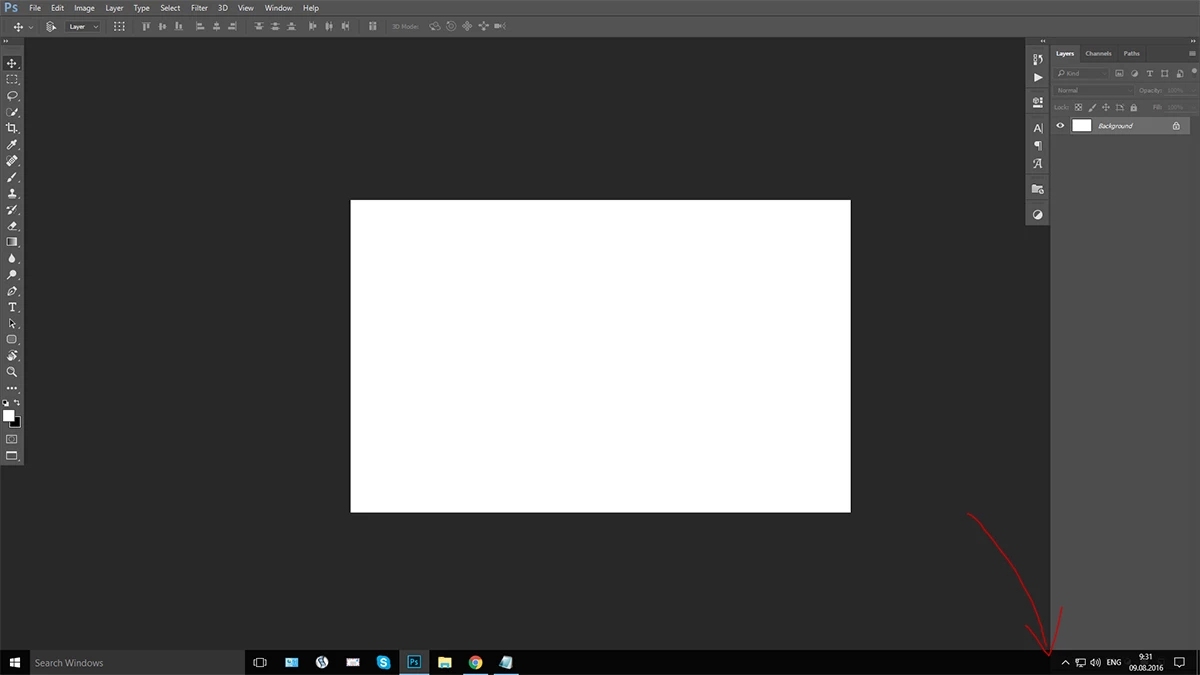
No matter, what full screen mode is chosen, the windows taskbar is always on, after any click. It disappeared after first pressing "F", and then appeared after any click.
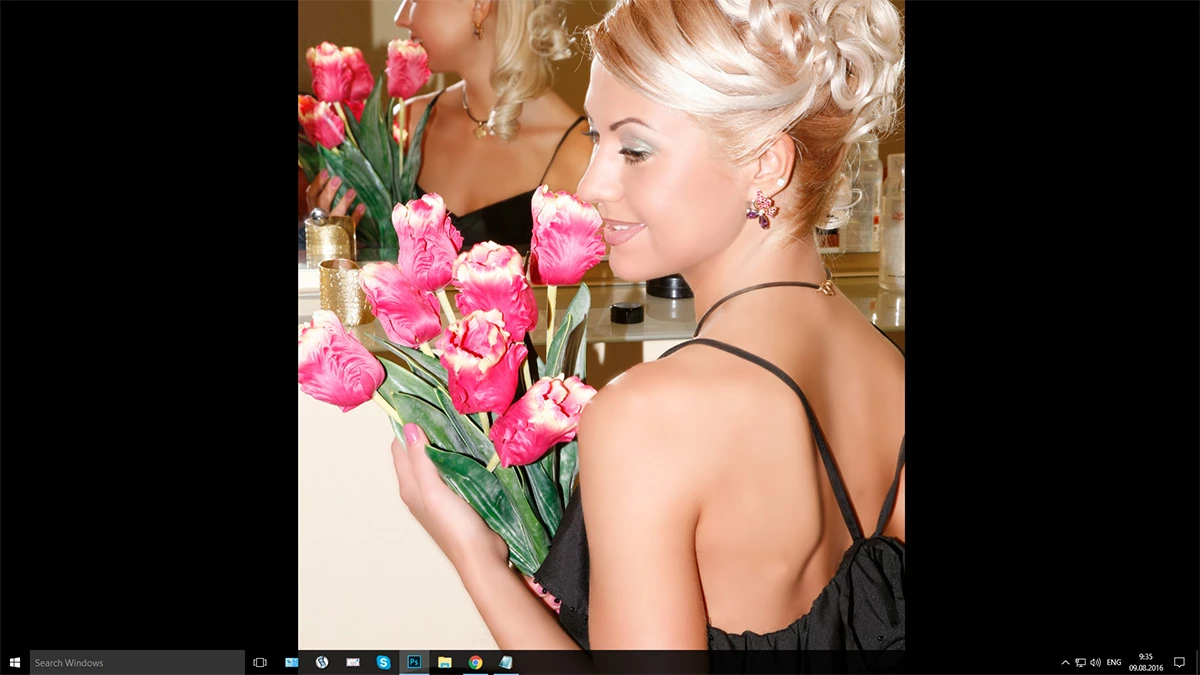

Please, help!

    This topic has been closed for replies.

    21 replies

    Inspiring
    June 23, 2018

    By any chance do you have your mouse set to snap to menu in windows!

    Participant
    June 18, 2018

    This is happening currently for me in the Adobe programs.

    Jeff Arola
    Community Expert
    Community Expert
    June 18, 2018

    ericvberry,

    What version of windows 10 and version of photoshop are you using?

    Participant
    June 19, 2018

    Photoshop 19.1.4 - I am running the latest updates from all Adobe programs.

    Windows 10 Pro Version 1803. OS Build 17134.112

    domenicoalessi
    Participant
    December 5, 2017

    All our company has the same issue we tried CC2015.5, CC2017 and CC2018 on  Windows 10 v1607 (Build 14393.1770) but the taskbar still hides the Photoshop palettes.

    JohnVo
    Inspiring
    July 20, 2017

    hi

    what do you mean?

    the last version of photoshop 2017 is buggy for me but at leat hide the taskbar ,but is so buggy at least for me that i use cc 2014 and lucky me i bought cs6

    Participant
    September 24, 2017

    Hi guys.
    I have experienced the same problem and found something like a workaround.

    When you open the preview try to hide manually the taskbar. Then whenever you click for previous pages or next pages it disappears.
    Hope that helps.

    Participating Frequently
    November 10, 2016

    Well. CC 2017 it is no 100%

    Sometimes after a alt+tab the task bar come back and i need to get out an in of full screen mode to hide task bar

    sweetdonAuthor
    Participating Frequently
    November 2, 2016

    So, the topic is closed. The problem is really solved in version 17.

    Jeff Arola
    Community Expert
    Community Expert
    November 2, 2016

    Using photoshop 2017 on windows 10 seems to solve the taskbar issue here, but you should try it for yourself and see if it works on your end.

    JohnVo
    Inspiring
    November 3, 2016

    R_Kelly ha scritto:

    Using photoshop 2017 on windows 10 seems to solve the taskbar issue here, but you should try it for yourself and see if it works on your end.

    Hi

    thanks

    but when does adobe release 2017? i will try as soon as i can , but will uninstall cc 2015 and cc 2014?

    i have still them installed , cc 2014 is my favorite

    Jeff Arola
    Community Expert
    Community Expert
    November 2, 2016

    This should be fixed in the new photoshop cc 2017, although older versions probably need a microsoft fix.

    New features summary: Photoshop CC 2017 release

    Scroll down to Fixed customer-reported issues

    JohnVo
    Inspiring
    November 2, 2016

    R_Kelly ha scritto:

    This should be fixed in the new photoshop cc 2017, although older versions probably need a microsoft fix.

    Hi

    but microsoft won't release never a fix for cc 2015 or 2014 (one of my favorite version)

    thanks

    Jeff Arola
    Community Expert
    Community Expert
    November 2, 2016

    Some people reported that the windows preview of the next major win 10 update seemed to fix the problem, so most likely microsoft will fix it.

    JohnVo
    Inspiring
    November 1, 2016

    hi

    does somebody installed the new windows updates to see if they fix the issue?

    thanks

    Legend
    November 1, 2016

    Installed all windows updates. they not fix the issue.

    JohnVo
    Inspiring
    November 1, 2016

    hi

    i have installed the preview insider update , it did fix , afte i restore the normal update...no luck

    Participant
    October 20, 2016

    I just thought I'd mention that I have the same problem as described.

    I have a few workarounds:

    1. Keep the taskbar on top or the left of the screen (as already mentioned by somebody else). If it's a the bottom, as I prefer, then:
    2. Make sure "Open documents as tabs" is unchecked under Edit-->Preferences -->Workspace
    3. The issue still occurs if I zoom into the photo, but once I hit "F" three times to come back to the same full screen mode (in my case, full screen with menu bar), the taskbar disappears again.

    I only wanted to put this up here in case anybody else has the same problem and these workarounds help.

    Adobe, it's been months since the Anniversary update. I hope this will be fixed soon!

    Participant
    October 18, 2016

    I noticed that the Windows 10 taskbar only hides if all other applications showing on the taskbar are closed. When I did this the taskbar hid just as it should when entering full screen mode. If I did have an application open on the taskbar, whenever I went into full screen mode the taskbar would not hide. Still hoping there will be an update soon as this is a bit irritating.

    JohnVo
    Inspiring
    October 19, 2016

    hi

    i created an image , i enabled preview insider update , i updated windows 10 pro 64bit and it works

    but microsoft will fix it in the next updates ,seeing with the preview insider update i have no issue

    maybe could be usefull for someone