


Participating Frequently
August 9, 2016
Question

Windows taskbar don`t hide in the full screen mode!

  • August 9, 2016
  • 21 replies
  • 34255 views

Hi, friends. After Windows anniversary update (1607) I see a problem with the Photoshop full screen mode. Windows taskbar always stay on the top, and never

disappears. Here, how it looks:
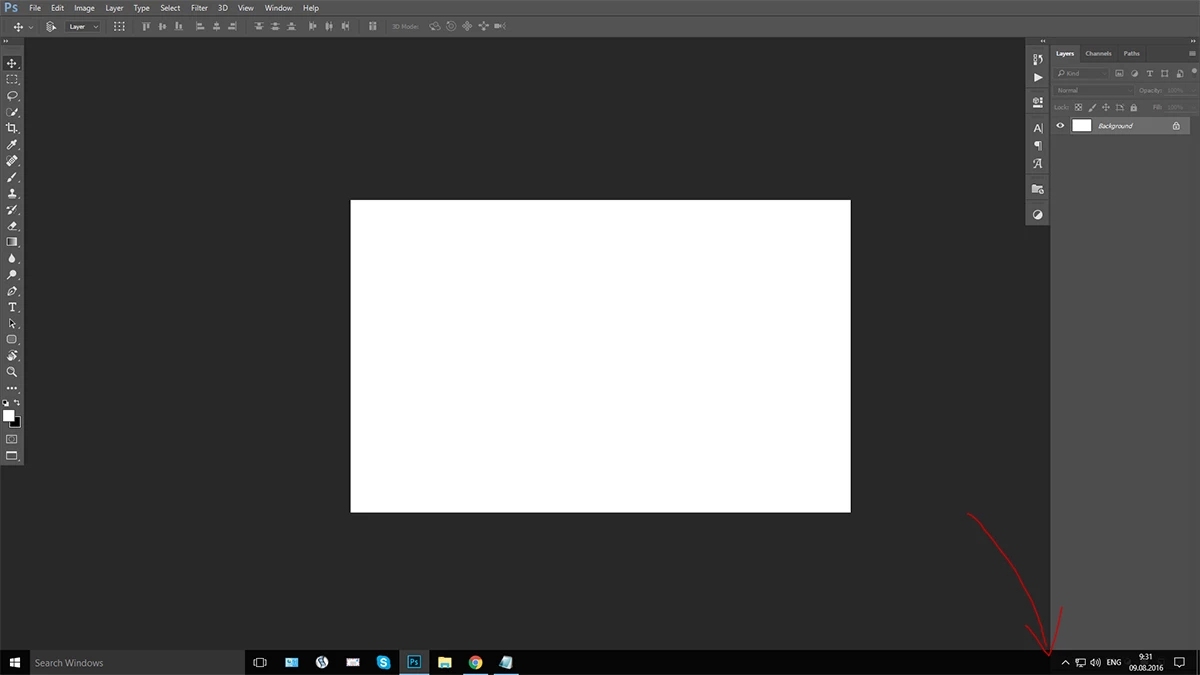
No matter, what full screen mode is chosen, the windows taskbar is always on, after any click. It disappeared after first pressing "F", and then appeared after any click.
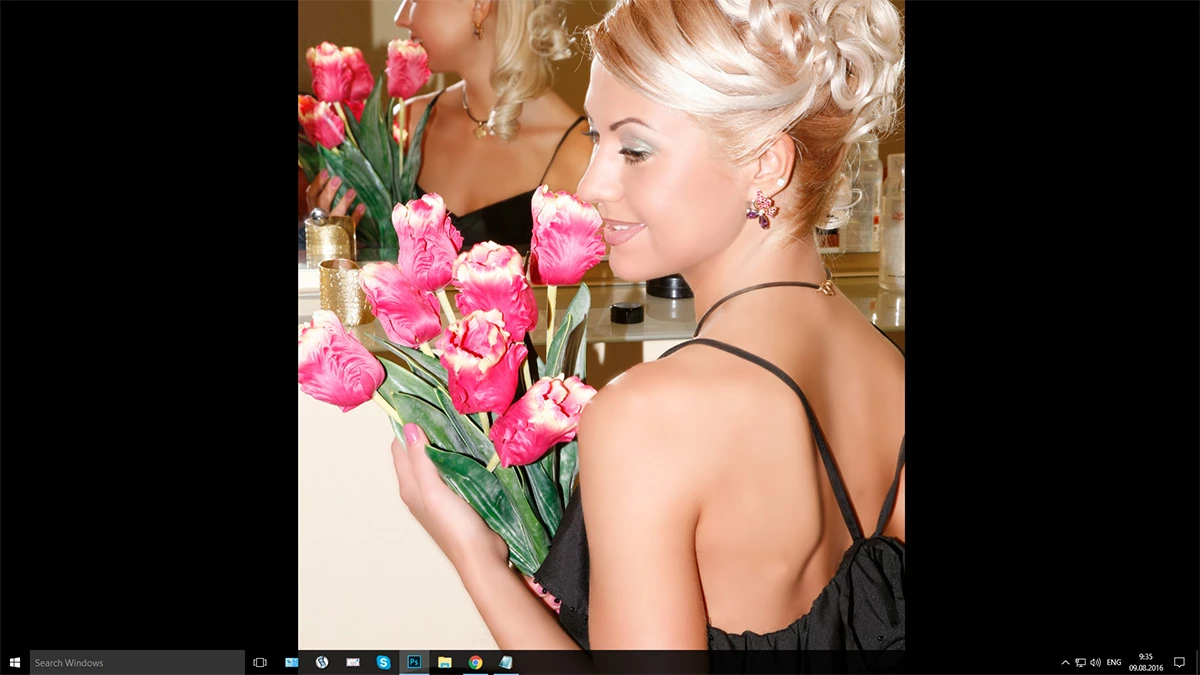

Please, help!

    This topic has been closed for replies.

    21 replies

    Mohit Goyal
    Community Manager
    Community Manager
    August 9, 2016

    Hi sweetdon,

    If you have not done any major changes in the layout of Photoshop, then you can try reset the Photoshop setting back to default.

    Refer: Preferences in Photoshop

    To re-create the preferences files for Photoshop, start the application while holding down Ctrl+Alt+Shift (Windows) or Command+Option+Shift (Mac OS). Then, click Yes to the message, "Delete the Adobe Photoshop Settings file?"

    Let us know if that helps.

    Regards,

    Mohit

    sweetdonAuthor
    Participating Frequently
    August 9, 2016

    Hi, Mohit! Thanks for your attention. Unfortunately, resetting the preferences of Photoshop made nothing. I can say more: i made clean install of Windows. After  that - 1st move i install photoshop, and see this bug. If I move the windows taskbar on the top, and then press :F: in PS - the fullscreen mode is on, but after any click the windows taskbar appears again....
    The bug appears after windows anniversary update is on. The previous windows version works correct. I use Wacom Intuos 3

    Updated: 5 min ago i tried to record video with this bug, but when screen recorder (Icecream Screen Recorder)is on the fullscreen mode start to work correct. And when the record stop - the bug returns.

    Participant
    August 9, 2016

    We've confirmed the change in behavior, which is the result of a change on the OS/Windows side -- i.e. in Windows 10 Anniversary Edition. It does not happen with Windows 10 prior to that update, or on earlier supported Windows versions.