
Workspace changed since upgrade.
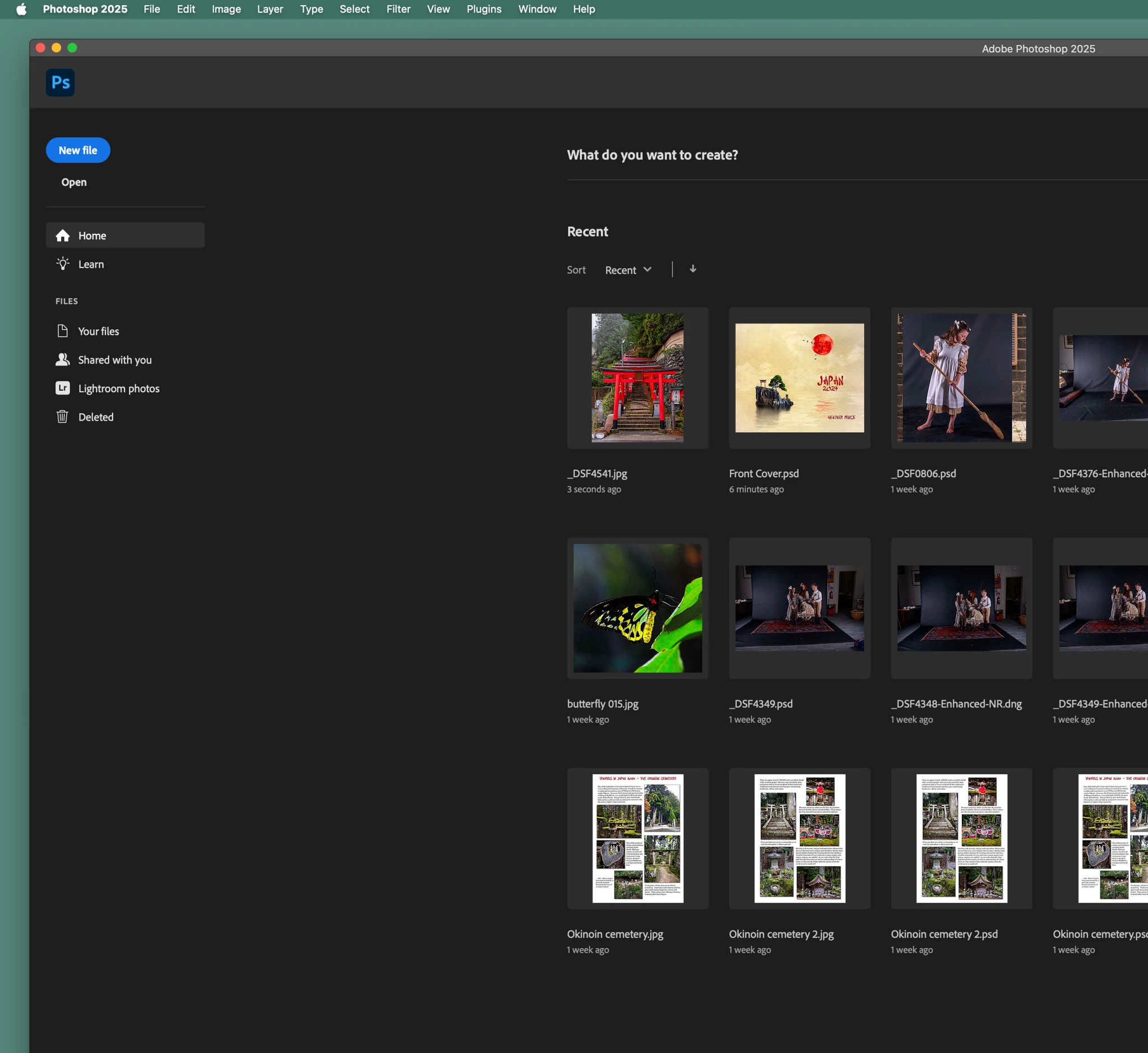
I have been away for a week and had shut my computer down. I have just arrived home and started the computer up and opened PS. The whole workspace has changed. (I updated to latest version just before I went away - 26.3.0). When I first installed the upgrade the first thing I did was to go to 'application frame' in 'Window' to clear the workspace fill and make it transparent. so I could see my desktop. (I'm using a Mac)
Now the application frame is floating in the screen, filled with black, yet the menu bar at the top is fixed on my desktop, seemingly unattached to the main application frame. If I maximise the application frame I can't see the menu bar!!!
Does that make sense? I'm not sure how to descibe this. I've never seen this before. I've attached some screenshots to help explain!


 AdChoices