
Known Participant
June 24, 2025
Question

Wrong file name by saving a picture

  • June 24, 2025
  • 1 reply
  • 179 views

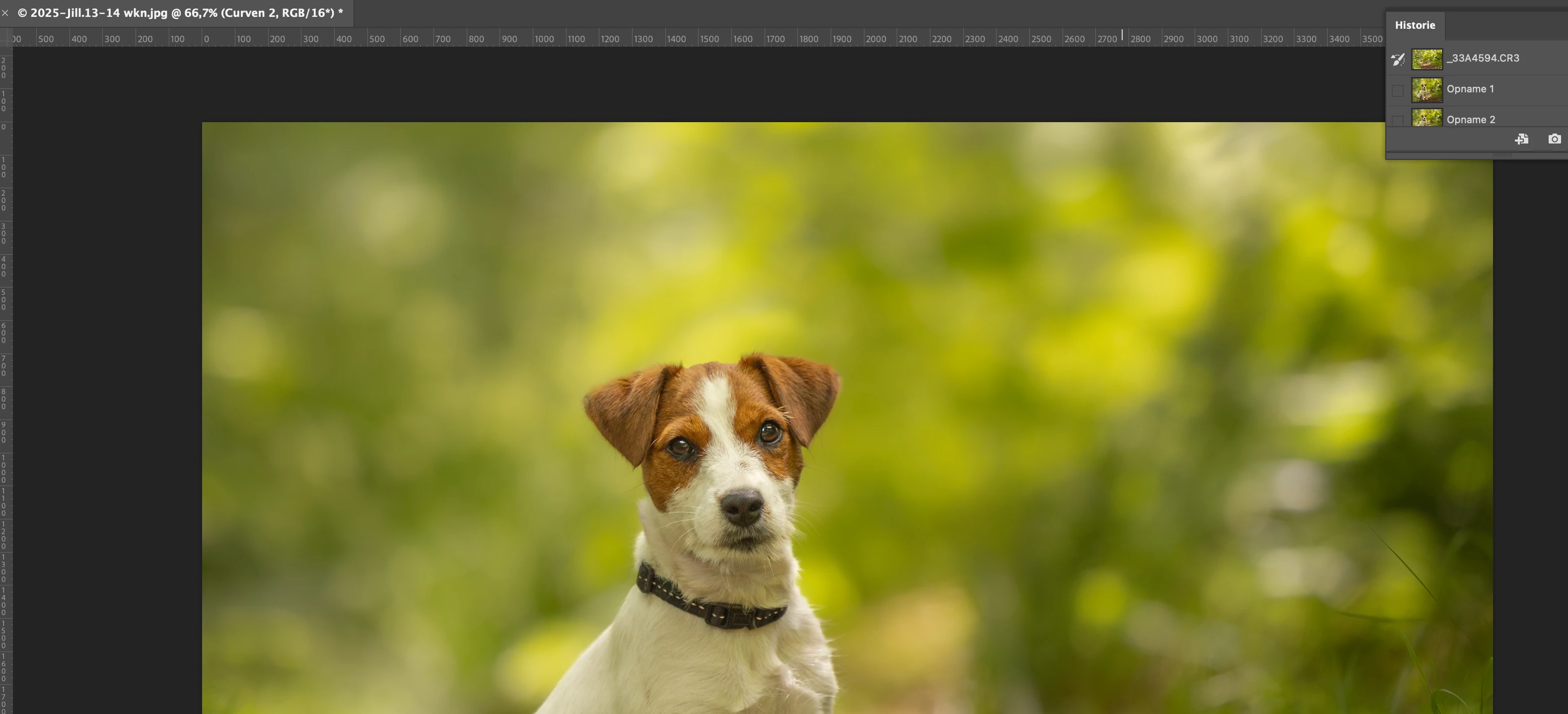
Who knows how I can solve this. When I open a photo from LR in Photoshop it still has the original file name. (_33A4587) But when I want to save it, it suddenly gets the name of a folder (c 2025-Jill-14wkn.jpg@ 50% (RGB/8). Who knows how I can solve this, now I have to manually rename all the photos
 

1 reply

Legend
June 24, 2025
quote

When I open a photo from LR in Photoshop it still has the original file name. (_33A4587)

But when I want to save it, it suddenly gets the name of a folder (c 2025-Jill-14wkn.jpg@ 50% (RGB/8).

Who knows how I can solve this, now I have to manually rename all the photos


By @immetjek44967065


How are you opening the file in Ps? Photo>Edit in>edit in Adobe Photoshop 2025 (or command-e shortcut)?

[filenames should be retained in the folder, not all changed]

Or are you exporting files from Lr to a folder en masse, in which case all files selected for export would suffer the name change? 

are all files changed to the same name, "c 2025-Jill-14wkn.jpg@ 50% (RGB/8" or are they incremented?


Look at LrC>Export>File Naming>Rename To; is there anything in the field?

Look at Import>File Naming>Rename Files>Custom Text;  is there anything in the field?

Larry
Known Participant
June 26, 2025

Hello Larry

I export the photo from Lightroom to Photoshop: edit photo in photoshop 2025. The photo opens in photoshop and then has the original name.
Only when I want to reduce the photo for facebook after editing, the file name changes to (C@2025-jill.13-14 wkn.jpg @50%(RGB/8) I have also reset the settings but it keeps changing to " Jill"

Legend
June 26, 2025

A better description, but please expand on the part where you want to reduce the photo for facebook after editing, that the file name changes.

Are you using Save, Save As, Save A Copy, Export>Quick Export as JPG; Export>Export As; Export>Save For Web?

Once you select a save method, I assume the next dialog should have the original filename -- is it as this point that the name appears as  _Jill_?

[a screen capture would help]

I saw no possibility for unintentional renaming in any of the six dialogs.


Larry