
Participant
June 19, 2026
Question

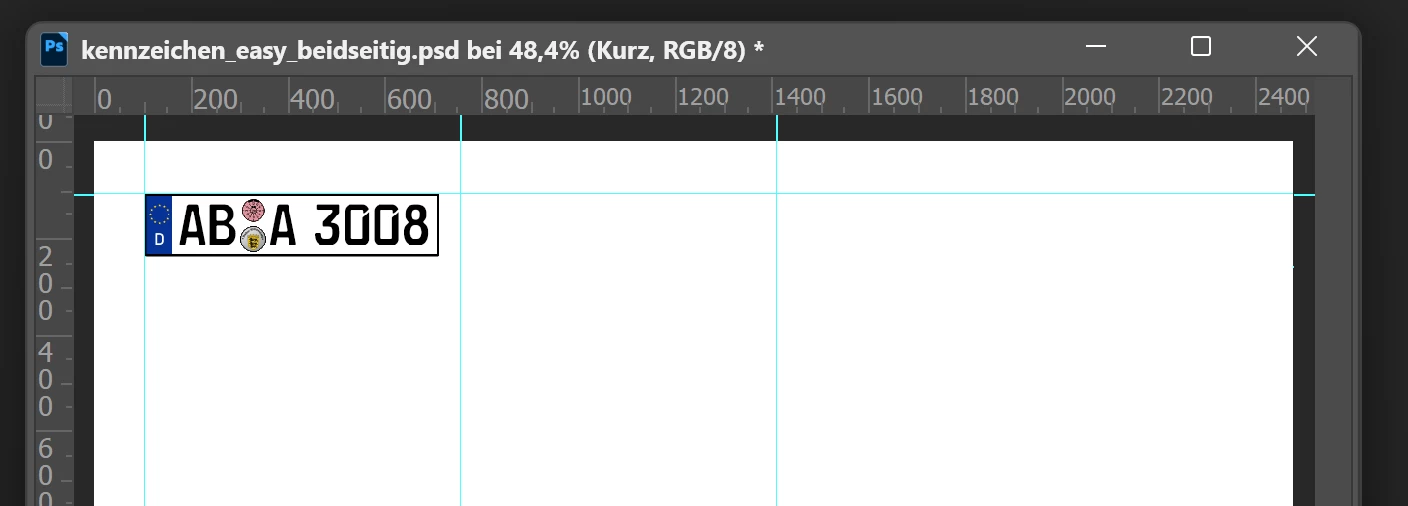
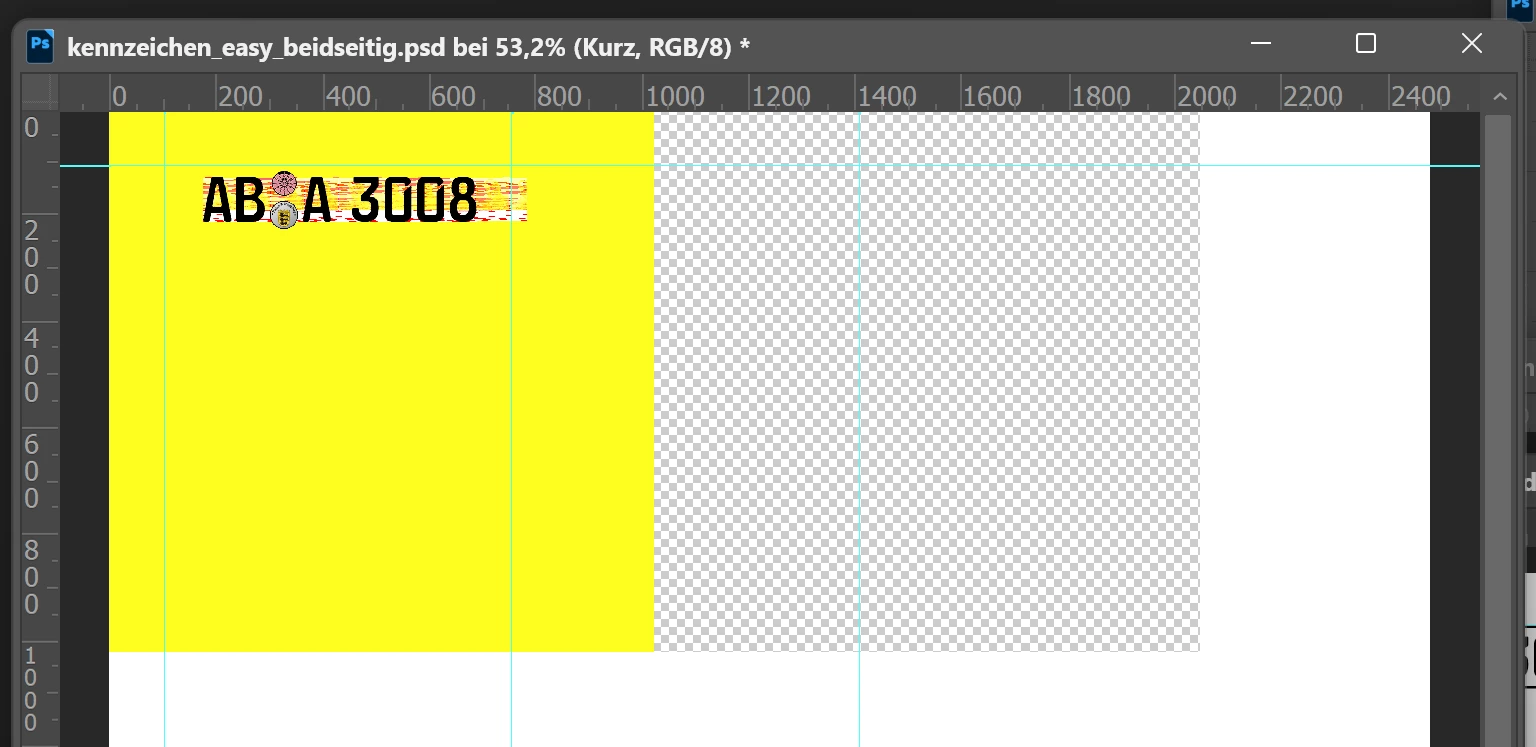
Zooming past 50% causes severe visual glitches (colored blocks/lines/grids). Started ~10 weeks ago after an update. Affects multiple files with similar content. Older Photoshop versions work perfectly fine
  • June 19, 2026
  • 1 reply
  • 61 views

Zooming past 50% causes severe glitches (colored blocks/lines, see error1.png vs error2.png). Started ~10 weeks ago after update. Affects multiple similar files. Older versions work fine.

    1 reply

    Participant
    June 19, 2026

    Bug Report: Severe Visual Artifacts and Glitches When Zooming Beyond 50%


    Overview

    When zooming into a document past 50%, Photoshop displays major visual rendering glitches, including random solid colored blocks (e.g., bright yellow patches), corrupted textures/lines, and unexpected transparency grids cutting through the picture. Switching or using a tool sometimes forces a redraw that clears the glitches, but most of the time they persist.

    This issue started occurring a few weeks ago. Previously, everything worked perfectly. The issue does not happen on older versions of Photoshop, which I am currently forced to use as a workaround. This affects multiple different files with similar graphic content.

    D Fosse
    Community Expert
    Community Expert
    June 19, 2026

    You need to provide system info.

    Participant
    June 19, 2026

    Thank you! I hope that's enough?
     

    • Adobe Photoshop Version: 27.8.0 20260610.r.13 4081857  x64 (final, Release)
      Number of Launches: 1002
      Operating System: Windows 11 64-bit
      Version: 11 or higher 10.0.26200.8655
      System Architecture: Intel CPU Family:6, Model:7, Stepping:2, AVX2, AVX-VNNI, HybridCPU(8:4), Hyper-Threading
      Physical Processor: 12
      Logical Processor: 20
      Processor Clock Speed: 3610 MHz
      Built-in Memory: 65349 MB
      Free Memory: 50893 MB
      Memory Available to Photoshop: 51255 MB
      Memory Used by Photoshop: 85 %
      Crash Handler: Adobe
      DCX Version: 9.22.0
      SAM SDK Version: 15.1.0
      ACP.local Status:

      SDK Version: 5.11.0

      Core Sync Status: Unknown

      Core Sync Running: Unavailable

      Min Core Sync Required: 4.3.66.28
      Live Edit Client SDK Version: v6.1.1
      Adobe Firefly: Use any generative AI feature to view the latest version.
      OpenColorIO Version: 2.5.2
      C2PA Library Version: Adobe CAI SDK: adobe_api/1.64.0
      NGL Version: 1.42.0.5
      Canvas: Disabled.
      Create Document Canvas: Disabled.
      D3D12 Warp Renderer: Disabled.
      Precise Color Management for HDR Display: Disabled.
      Alias Layers: Disabled.
      High Beam: Enabled.
      Image Tile Size: 1024 KB
      Image Cache: 4
      Font Preview: Medium
      HarfBuzz Version: 11.0.0
      Text Engine: ATE 7.11.0 (9f0ecee)
      ======= GPU
      Native API Stable: True
      OpenCL API Stable: True
      GPUDeny: 0
      GPUForce: 0
      useGPU: 1
      useOpenCL: 1
      isGPUCapable: 1
      isGPUAllowed: 1
      GPUName: NVIDIA GeForce RTX 3060
      GPUVendor: NVIDIA
      NVIDIA GeForce RTX 3060 UNKNOWN, NVIDIA
      IsNativeGPUCapable: 1
      IsOpenCLGPUCapable: 1
      HasSufficientRAM: 1
      GPU accessible RAM: 12,108 MB
      Required GPU accessible RAM: 1,500 MB