
Participant
April 6, 2025
Answered

16 bit colour limited suppor

  • April 6, 2025
  • 2 replies
  • 284 views

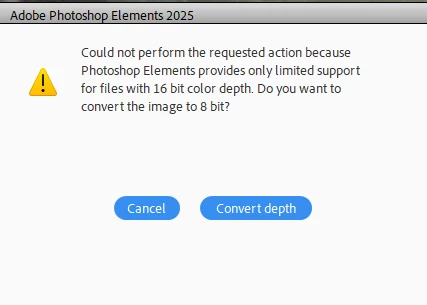
Hi, I have resently updated to Elements 2025. Now when I'm editing it comes up with a message below. This has not been an issue in previous versions. If I click Convert I'm able to continue but if I don't. I there something I need to change?
 

Correct answer Jeff Arola

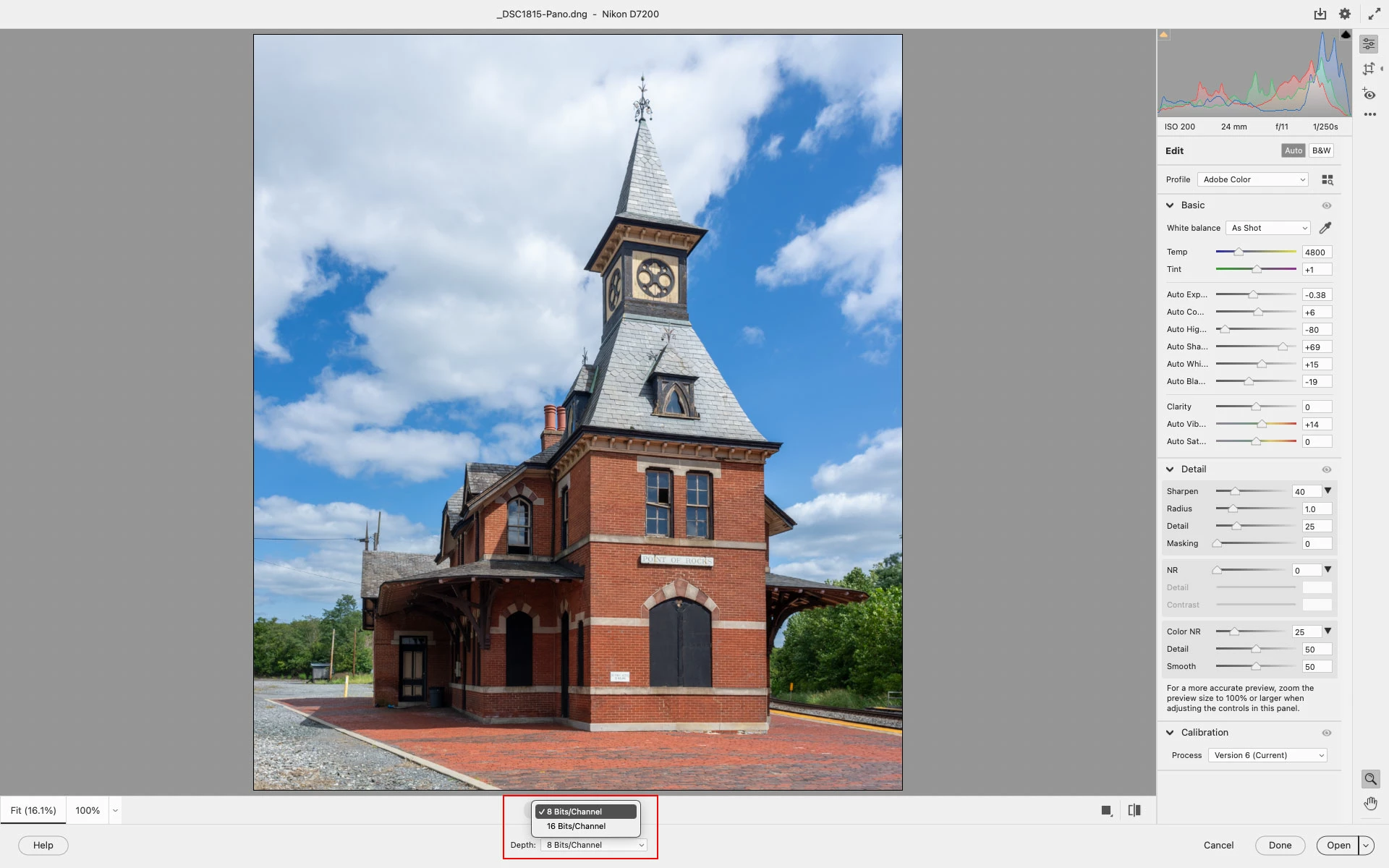
Are these images from a camera and went through the Camera Raw dialog before being opened in the Photoshop Elements editor?


If so, at the bottom of the Camera Raw dialog change the Depth to 8 Bits/Channel


2 replies

Jeff Arola
Community Expert
Jeff ArolaCommunity ExpertCorrect answer
Community Expert
April 6, 2025

Are these images from a camera and went through the Camera Raw dialog before being opened in the Photoshop Elements editor?


If so, at the bottom of the Camera Raw dialog change the Depth to 8 Bits/Channel


Participant
April 7, 2025

Thank you Jeff. That was it. I have just upgraded my Photoshop. Don't don't remember having to do that in previous versions. Again thank you, all good now.

Participant
April 6, 2025

"Is there something I need to change?"