


Inspiring
Jan 8, 2024 7:18 PM UTC
Answered

2022 Photoshop Elements: Color Picker has gone weird? Or am I the problem??

Has my Elements gone bad, or is it just me from not using it regularly this year??
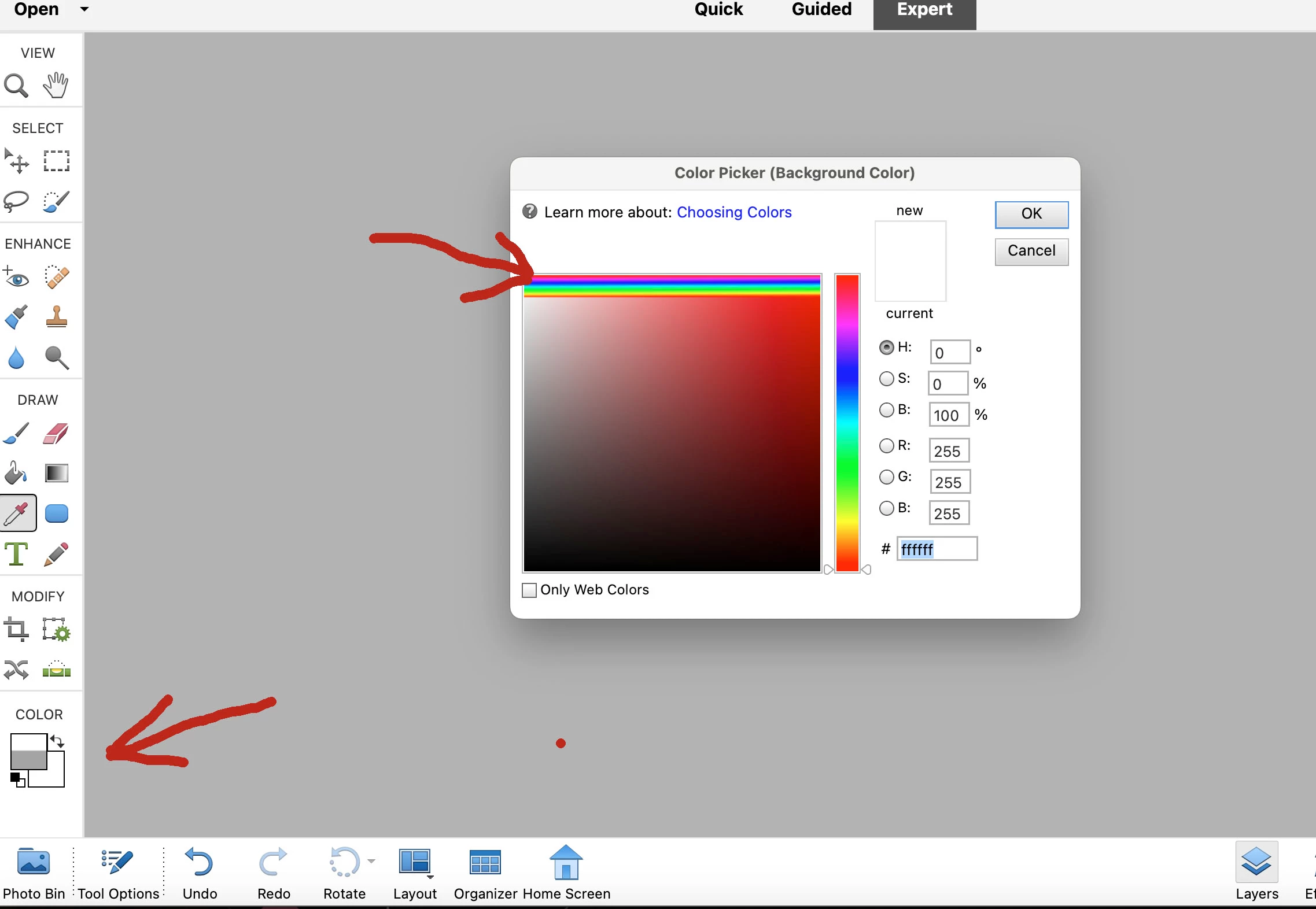
1) The bottom left Color blocks for foreground/background: they only half fill with a color
2) The color picker box in the middle: what are the stacked lines of rainbow colors on top?



This topic is closed to new replies. Start a new post to keep the conversation going.
Jeff Arola
Jeff ArolaCorrect answer
Community Expert
Jan 8, 2024 8:28 PM UTC

Yes the macOS Sonoma 14.2.1 update should fix the issue.


Apple>System Settings>General>Software Updates

4 replies

Jeff Arola
Community Expert
Jeff ArolaCommunity ExpertCorrect answer
Community Expert
Jan 8, 2024 8:28 PM UTC

Yes the macOS Sonoma 14.2.1 update should fix the issue.


Apple>System Settings>General>Software Updates

Translate
Inspiring
Jan 8, 2024 10:23 PM UTC

Oh duhh on me. I forgot General. Updating now. 


Translate
Greg_S.
Community Expert
Community Expert
Jan 8, 2024 7:25 PM UTC

You are describing what happens when you are using an earlier version of Elements with the latest Mac OS.  I know nothing about Macs, but I understand that the latest update to the OS will fix the problem with some(?) earlier versions of Elements.  If this doesn't cover your case, we need more details about your version and OS.

Translate
Inspiring
Jan 8, 2024 10:20 PM UTC

Greg, you are right! I should have given more info. My Mac is Sonoma 14.0 (23A344) from Sept, '23. I do see there was another Dec. '23 update for macOS Sonoma 14.2 .  I should be able to update it by going to System Settings > Software Update, but not finding "Software Update".  Irritating.  My browser is Brave. 


For my Elements, I've always had it set to get the latest update. 

Translate