

Glenn 8675309
Legend
December 23, 2025
Question

Add photos from organizer while in quick mode

  • December 23, 2025
  • 3 replies
  • 304 views

About an hour ago I was somewhere in the adobe online help looking up information on panels in PSE.  

During the same time I stumbled across something I saw for the first time, ever.

I mad a screenshot of what I saw once it got started.

Anyone else ever see such an interface, in any version? 

You will see it if you add photos from organizer while in quick mode.
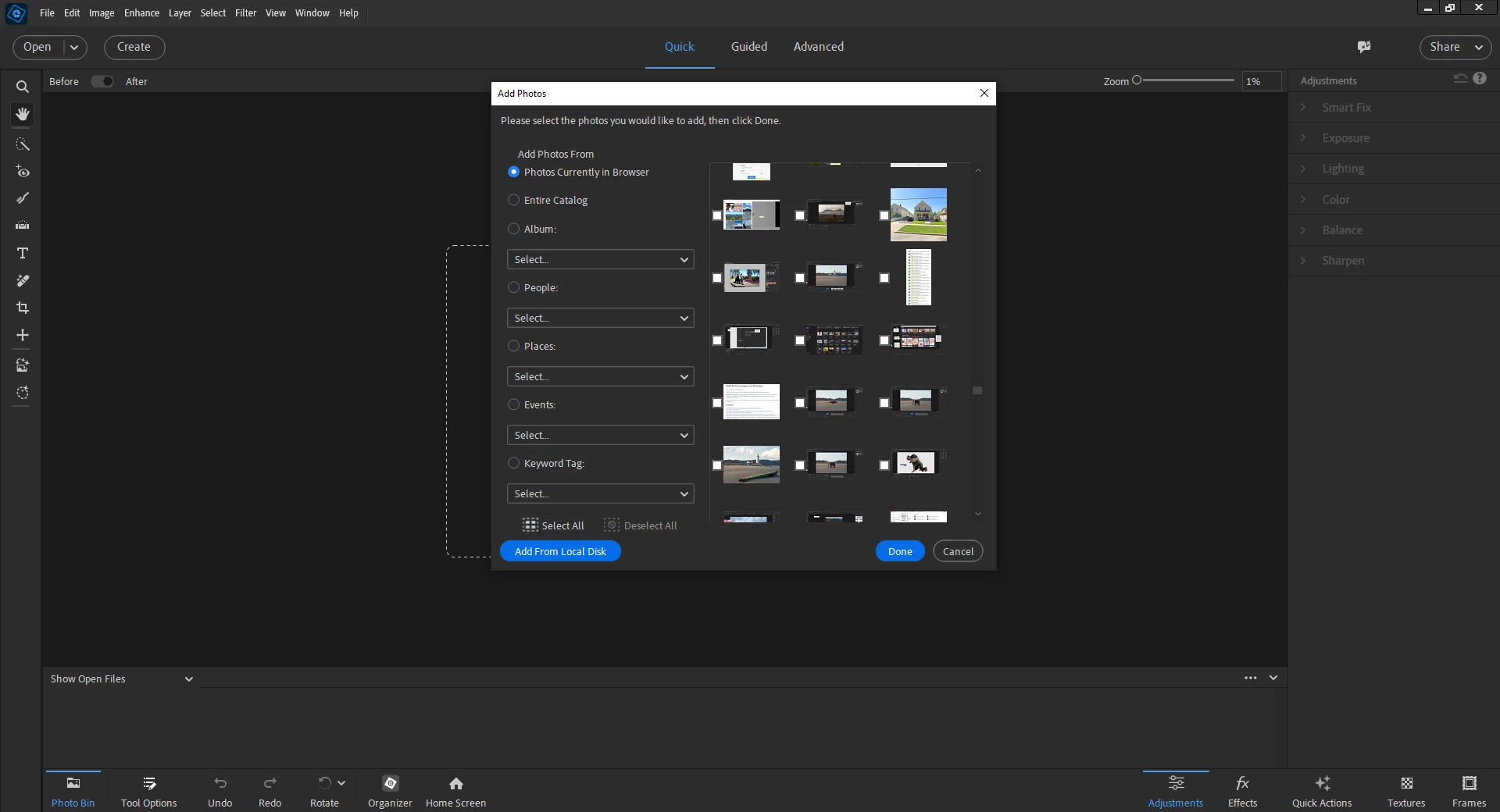
2025-12-22_152409.png


3 replies

Greg_S.
Community Expert
Community Expert
December 24, 2025

A similar dialog appears when adding media from the Organizer in the Slideshow dialog:


6722025.12.24.png

99jon
Legend
December 23, 2025

 Yes Glenn this is a regular dialog. I usually see it as part of a Guided Edit workflow e.g. Combine Photos where there is a choice to add images from Computer, Organizer or Stock.


Screenshot 2025-12-23 100535.png

Glenn 8675309
Legend
December 23, 2025

I have never ever seen it before yesterday.  I will have to play more in quick mode.

Glenn 8675309
Legend
December 23, 2025

I also stumbled across this this afternoon.   Don't know why it's still called "Beta"- it's been around for a year or two. 2025-12-22_153704.png


99jon
Legend
December 23, 2025

Cloud storage is still available with a new QR Code interface from the Editor, for getting images from a phone.  This works with an iOS or Android browser without the need to install a mobile App.

Walter_H
Legend
December 24, 2025

John, the Open From Mobile feature does not work for me. I have a new Pixel 10 Pro XL, and when I scan the QR code, nothing happens. The scan QR code feature on my phone works all other times I use it.

--Walter in Davie, FL