Participating Frequently
January 8, 2020
Answered

Adobe Elements 2019 organizer tag area can't scroll to bottom

  • January 8, 2020
  • 2 replies
  • 515 views

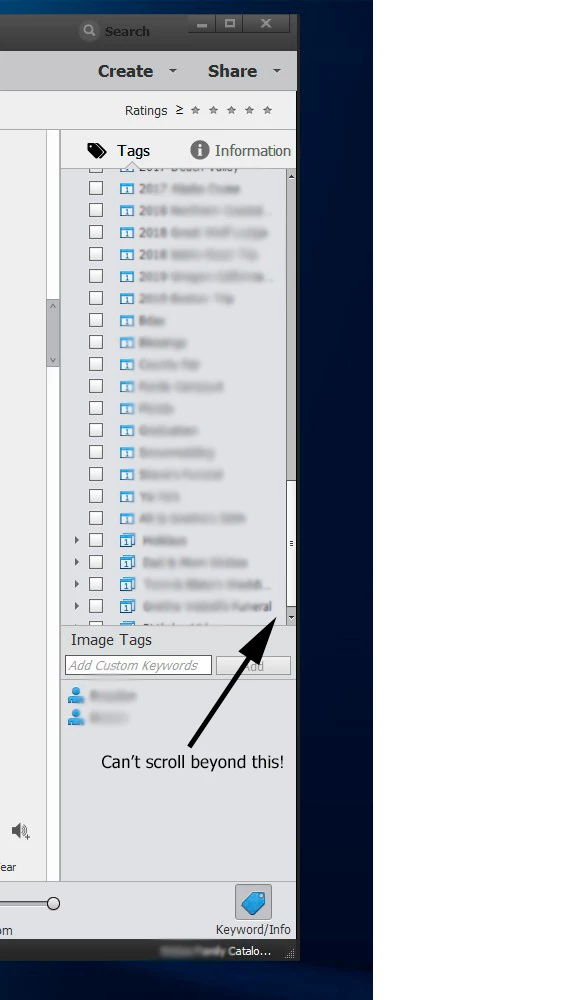
On my work space panel in Photoshop Elements Organizer I can't scroll to the last event in my list.  I'm running on the Windows version. The attached image shows the problem.

This topic has been closed for replies.
Correct answer Greg_S.

I once had a similar problem but I don't remember how it was fixed.

Try changing the sort orders in Edit>Preferences>Keyword Tags and Albums dialog. 

Other things to try:

  • Collapse and expand the Events category
  • Reset the default in the Prefrences>Keywords Tags and Albums dialog
  • Delete the program preferences file.  See here for instructions.

2 replies

Inspiring
August 29, 2020

I see this is an old post but I am having the same problem. I am running elements 2020 and I imported the catalog from PSE 9. Everything has been working fine but now all of a sudden I can't scroll to the bottom of Event tags. I have tried the fixes described above to no avail. I quit the program and restarted to no avail. I haven't deleted the preferences file. That seems rather drastic. HELP

MichelBParis
Legend
August 29, 2020

I can't reproduce that issue myself, in all my tests I always could use the right vertical slider to display the bottom of the list. Maybe you have much more items in the list than I do? In such a case I would recommend creating categories and subcategories to keep the list not too long.

When I have very long lists of tags,  I do use the smart search (magnifying glass) blue button top right to open the dialog. You only have to type the beginning of the keyword/tag and you are prompted the existing tags, just like when assigning new keywords in the bottom of the tags panel on the right.

Greg_S.
Community Expert
Greg_S.Community ExpertCorrect answer
Community Expert
January 8, 2020

I once had a similar problem but I don't remember how it was fixed.

Try changing the sort orders in Edit>Preferences>Keyword Tags and Albums dialog. 

Other things to try:

  • Collapse and expand the Events category
  • Reset the default in the Prefrences>Keywords Tags and Albums dialog
  • Delete the program preferences file.  See here for instructions.
TomS75Author
Participating Frequently
January 8, 2020

Thanks for the quick response.  The Collapse and Expand did the trick and I'm thankful that it did (didn't want it to rearrange all my tags!).  Just a note, I have my preferences for the keyword tags and albums all enable to manual sorting.