
Answered
Adobe Elements 2022
I recently bought a copy of Adobe Elements 2022 which I purchased for £51 using a Groupon voucher.
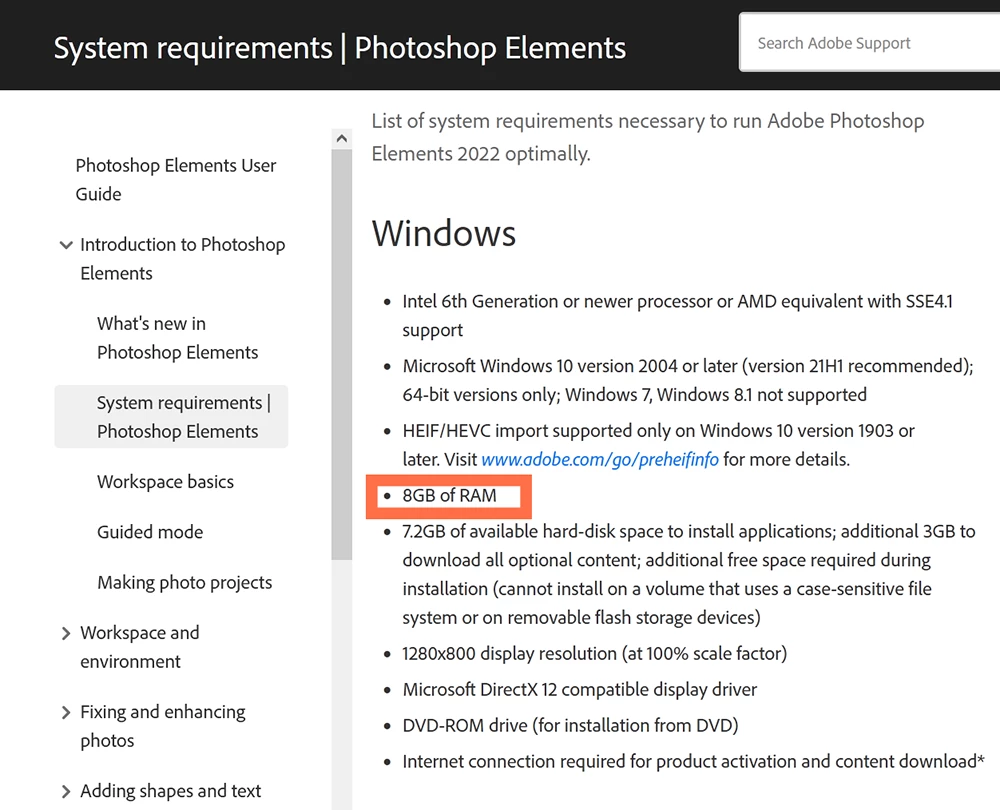
I tried to install this on an ACER Aspire 5733Z laptop. The installation took around 45 minutes and seemed to complete successfully - at least there were no error messages. The laptop then took around two further hours to copy the photos and videos from the previous software (which was Adobe Photoshop 2003 version).
Adobe Elements 2022 opens successfully (though it takes about two minutes to do so). When I launch the Organiser, the laptop says "Loading Organiser Workspace” but then it hangs and becomes wholly unresponsive for a while. Then I get a message saying “Application is busy. Please finish the current operation and try again”, even though no operation is in progress. When I press “Close the dialog”, I am in Adobe Elements 2022.
When I highlight a folder and press “Slideshow”, the laptop hangs again for a while then says “Generating Preview”. Then I get “Microsoft Windows. The application is not responding. The program may respond again if you wait. Do you want to end this process?” If I wait, I eventually get back to “Generating preview” and the laptop hangs again.
Once I got a message which said "Adobe Elements 2022 has encountered a problem and needs to close”. I took up the offered option of sending an error report to Adobe.
Does anyone have any advice on how I can get Adobe Elements 2022 to work? Or am I better off approaching Groupon and asking for my £51 back?
Stephen Sharp
| Order summary: | |||||
| Thank you for your order (removed by moderator), placed on 31 January 2022. | |||||
| View Order Status | |||||
| Description | Quantity | Price | |||
|
1 | £51.00 | |||
| Subtotal: | £51.00 | ||||
| Total: | £51.00 |




 AdChoices