
Michael B. UK
Inspiring
November 15, 2018
Question

Adobe Organizer 2019, Use Graphics Processor for Video Playback issue

  • November 15, 2018
  • 2 replies
  • 599 views

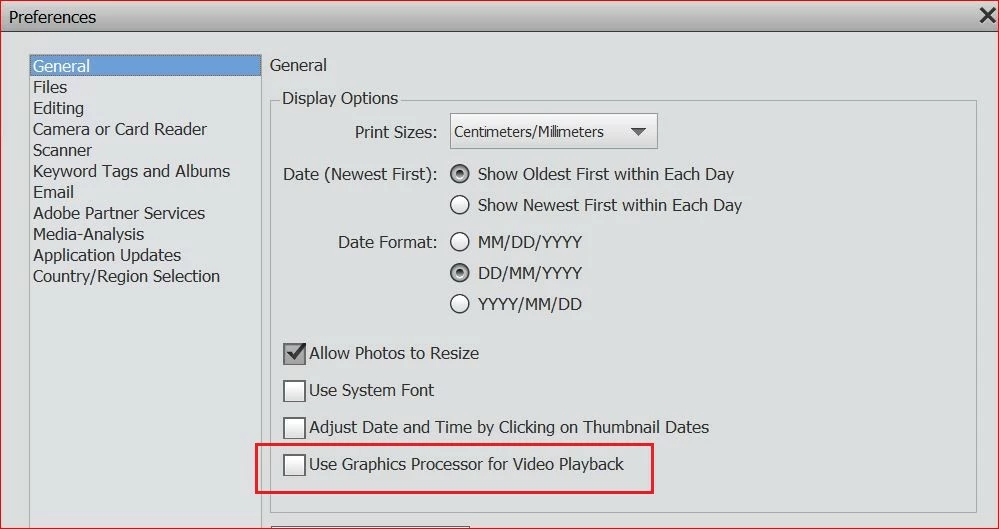
Adobe Organizer 2019. under Edit > Preferences > General I can tick the box ‘Use Graphics Processor for Video Playback’.

I do that, but the option never sticks, when I check that option again the box is unticked.

I ‘ve rebooted, closed apps etc. Nothing I’ve done keeps that box ticked. I have a Nvidia 1060 6GB using the latest drivers. Any suggestions?

System:
Operating System Name: Windows 10
System Architecture: Intel i7 CPU Family:6 Model:13 Stepping:7 with MMX, SSE Integer, SSE FP, SSE2
Built-in Memory: 15.9GB
Free Memory: 10.6GB
SSD Hard drive
    This topic has been closed for replies.

    2 replies

    Adobe Employee
    November 16, 2018

    Hi,

    This is a known issue at our end and we are working on resolving this. You can use the following workaround if that helps you:

    Play any video or slideshow in Elements Organizer once. After this, the "Use Graphic Processor for video playback" preference becomes sticky. You would need to do this everytime Organizer is launched.

    So simply saying, when you launch Organizer, playing a video would set this preference correct until the application is closed.

    Let me know if you have further queries.

    Thanks

    Arshla Jindal

    Michael B. UK
    Inspiring
    November 15, 2018

    I've just found this..

    I'll do a clean install of the latest driver and report back

    Michael B. UK
    Inspiring
    November 15, 2018

    Latest driver, same issue.