


Inspiring
November 20, 2020
Answered

Adobe Photo Downloader is not working in PSE

  • November 20, 2020
  • 3 replies
  • 1439 views

I am using PSE 2021 on a Mac running Big Sur 11.0.1 and am unable to download photos from my Camera Card using  File - Get Photos and Videos - From Camera or Card Reader. 


As I only installed PSE2021 last month and Big Sur this week I'm not sure which is the culprit as I have not downloaded any photos since before installing both. 


When I choose this option absolutely nothing happens, no error messages at all. I can see the SD Card in Finder and can copt the photos from it. I usually do this by plugging the Camera card into the SD slot on my macbook. I have tried using a card reader and get the same fault.  


Can anyone help me with this
This topic has been closed for replies.
Correct answer bstonehouse

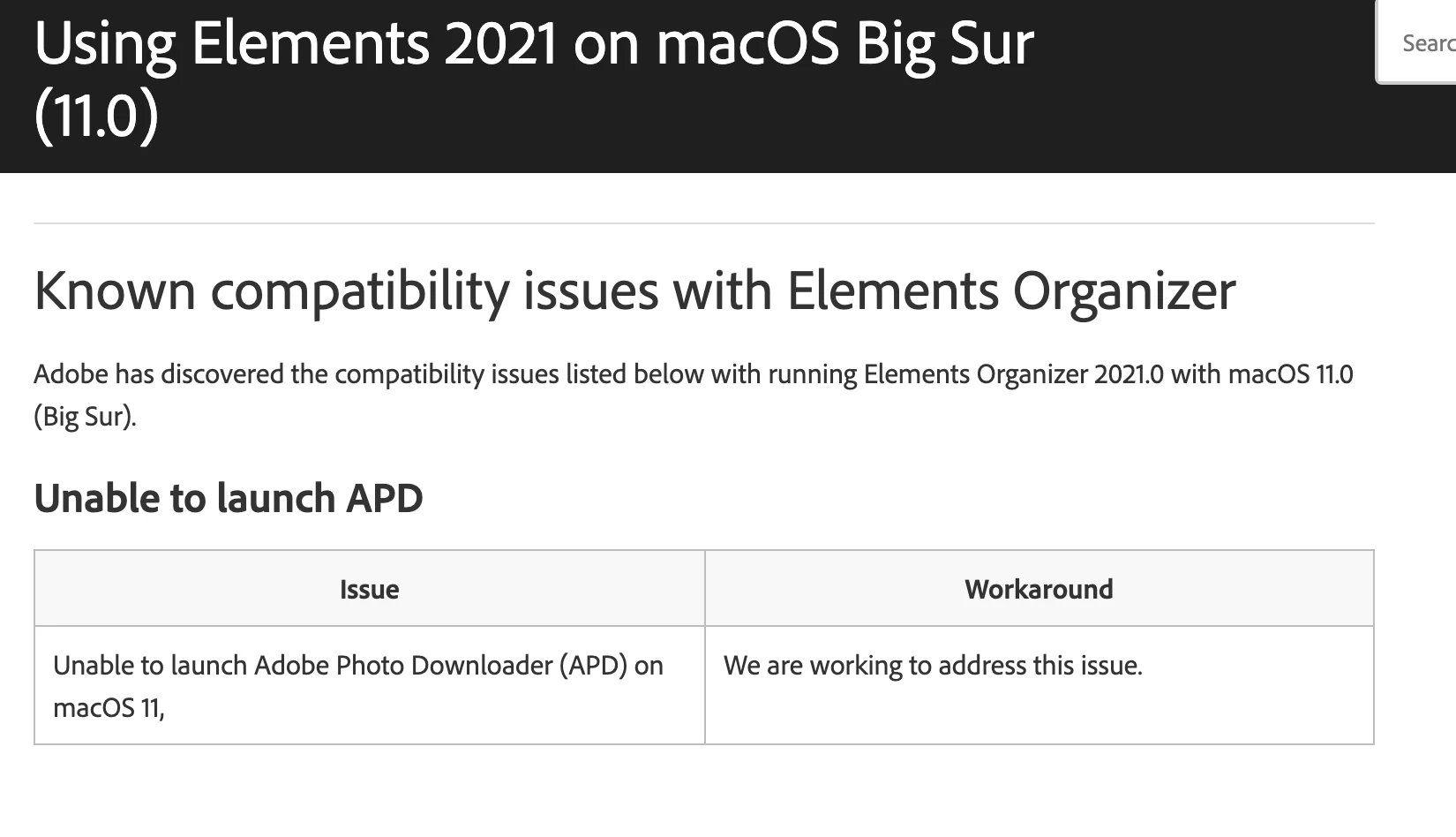
Just seen this on the Adobe support website - Thanks for your help Greg, guess I have to wait to see if Adobe fix it.


3 replies

Greg_S.
Community Expert
Community Expert
November 21, 2020

Thanks for pointing this out.  Yet another reason not to own a Mac.  😜

Greg_S.
Community Expert
Community Expert
November 21, 2020

Is it possible that you have the APD set to Automatic Download?

Try going to Edit>Preferences>Camera or Card Reader.  In the dialog, click on the Edit button and see what choice is selected.  Try changing it to one of the Show APD Dialog (Standard or Advanced).


Again, I know nothing about Macs but changing the options may trigger something.

Inspiring
November 21, 2020

Thanks Greg


I don't have all these options in my Preferences just this


bstonehouseAuthorCorrect answer
Inspiring
November 21, 2020

Just seen this on the Adobe support website - Thanks for your help Greg, guess I have to wait to see if Adobe fix it.


Greg_S.
Community Expert
Community Expert
November 20, 2020

First, let me say that I know nothing about Macs.


When you say nothing happens, does the APD recognize that the card is installed?  In other words, can you select the memory card device or drive from the dropdown list? 


Since you installed Big Sur after installing Elements, I would suggest uninstalling and reinstalling Elements.

Inspiring
November 21, 2020

Thanks, I tried to reinstall PSE and makes no difference.

I do not get the screen to select a device - The option is there to download from Card or Camera, it is not greyed out but when I choose it nothing at all happens. I can choose Files and Folders and this works OK.


I can see the SD card and contents on the Mac and can copy from the SD card to folder and then use Files and Folders option to import into PSE so I have a workaround but it would be easier to use the Card or Camera option. 

Participant
December 6, 2020

same exact issue.  Support probably spent 6 hours on my mac trying to resolve.