
pradeenk13392270
Participant
July 25, 2017
Question

Adobe Photoshop 2017Can't type Text's

  • July 25, 2017
  • 1 reply
  • 191 views

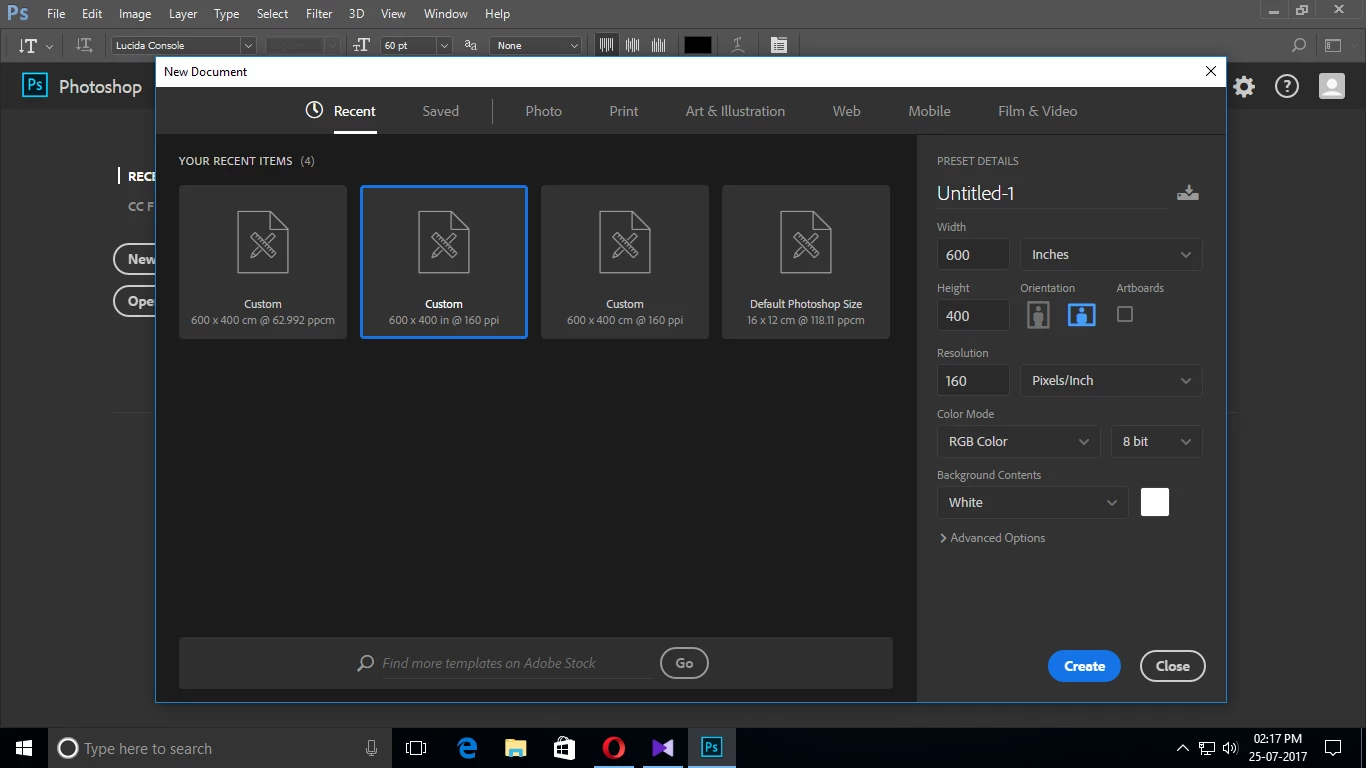
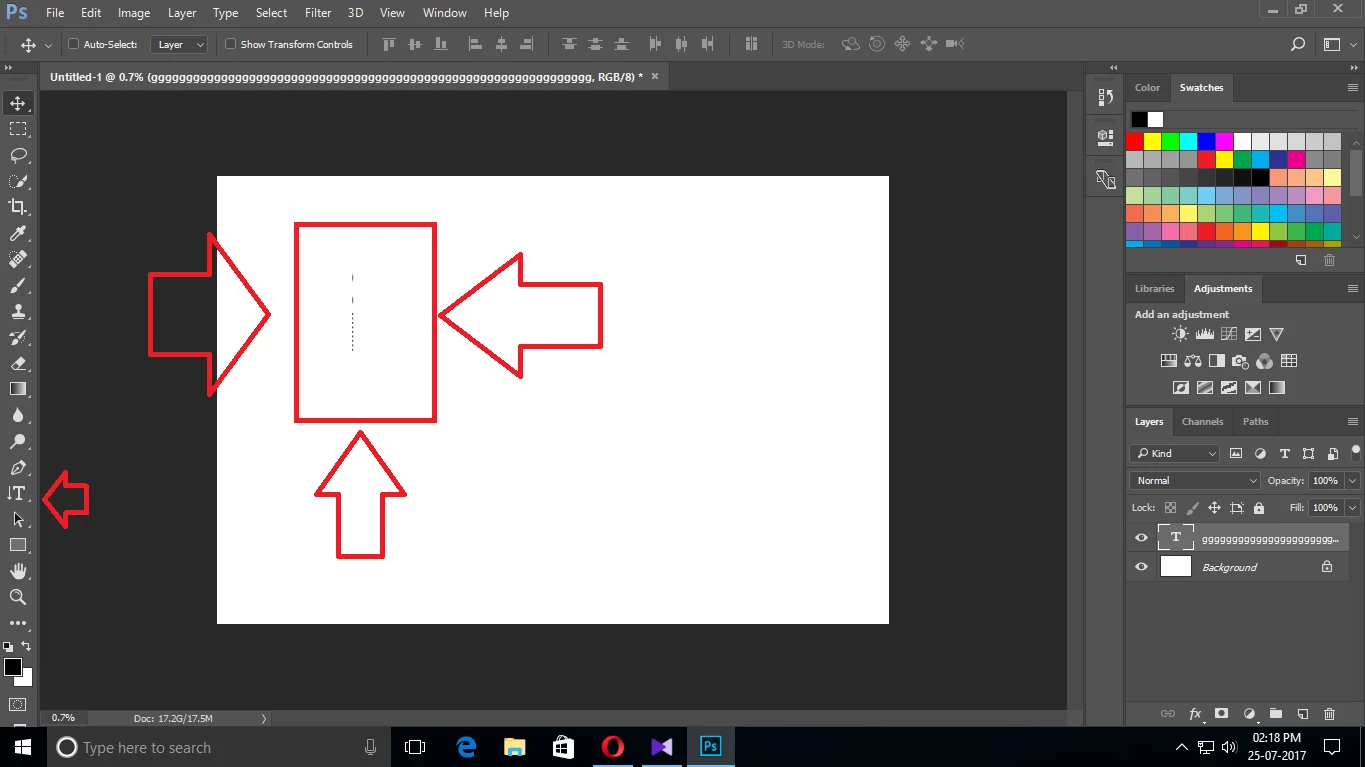
After choosing this preset first time i use Adobe PS 2017 When i try to  type text on PS 2017. My text seems to be extremely smaller and i tried to increase the font size no  change for the text. see the 2nd image the Text i entered seems to really too small. Pls help me to fix this
    This topic has been closed for replies.

    1 reply

    Jeff Arola
    Community Expert
    Community Expert
    July 25, 2017

    That's because you created a huge document 600 inches x 400 inches.

    Roughly 96,000 pixels x 64,000 pixels or 1500 cm x 1000 cm

    Try creating a 600 pixels x 400 pixels document and see the difference in the text size.