
Participant
June 4, 2020
Answered

Adobe Photoshop Elements 10 not supported on my Mac

  • June 4, 2020
  • 3 replies
  • 1108 views

Hi There,

I have previously purchased Adobe photoshop elements 10. I had to update my MacBook Pro in order to use my device efficiently. 

Now my Photoshop does not work. I have the CD's and tried to reinstall but the below error continues to pop up. Surely I wont have to repurchase this again? Please help, Thank you kindly in advance.
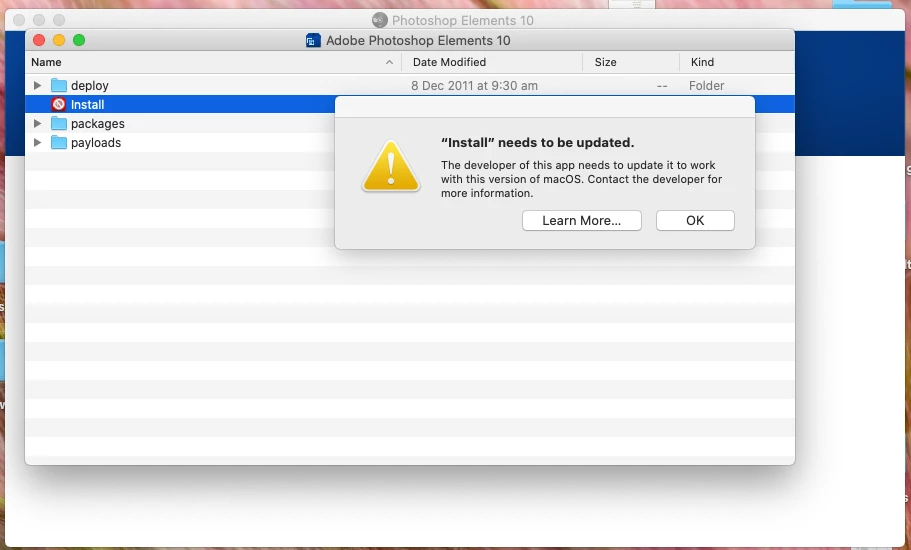


This topic has been closed for replies.
Correct answer John Waller

>>> had to update my MacBook Pro in order to use my device efficiently. 


If you've upgraded your operating system to Catalina then you'll have to upgrade to the current version Elements 2020 which is the only version of Elements supported on Catalina.

3 replies

Nancy OShea
Community Expert
Community Expert
June 4, 2020

John is correct.  Catalina does not support older 32-bit software. 


MODERN OPTIONS:

Photoshop Elements 2020 (approx $100, no subscription needed)
https://www.adobe.com/products/photoshop-elements.html

Creative Cloud Photography Plan (approx $10/month for 1 year subscription)

Includes: Photoshop CC, Lightroom CC, Lightroom Classic + 20GB of Cloud storage + other apps & services.
https://www.adobe.com/creativecloud/photography.html

Nancy O'Shea— Product User & Community Expert
John Waller
Community Expert
John WallerCommunity ExpertCorrect answer
Community Expert
June 4, 2020

>>> had to update my MacBook Pro in order to use my device efficiently. 


If you've upgraded your operating system to Catalina then you'll have to upgrade to the current version Elements 2020 which is the only version of Elements supported on Catalina.

Community Expert
June 4, 2020

Photoshop Elements 10 is quite an old software, the max OS version officially recommended for it is 10.7. The only option for you is to rollback your OS to the recommended version. Other option is to create a VM with the recommended OS.

https://helpx.adobe.com/photoshop-elements/system-requirements.html


-Manan

-Manan