
Adobe Photoshop Elements 13 Where is the option to change setting?
- January 26, 2024
- 2 replies
- 540 views
I have an older Adobe Photoshop Elements [version 13]
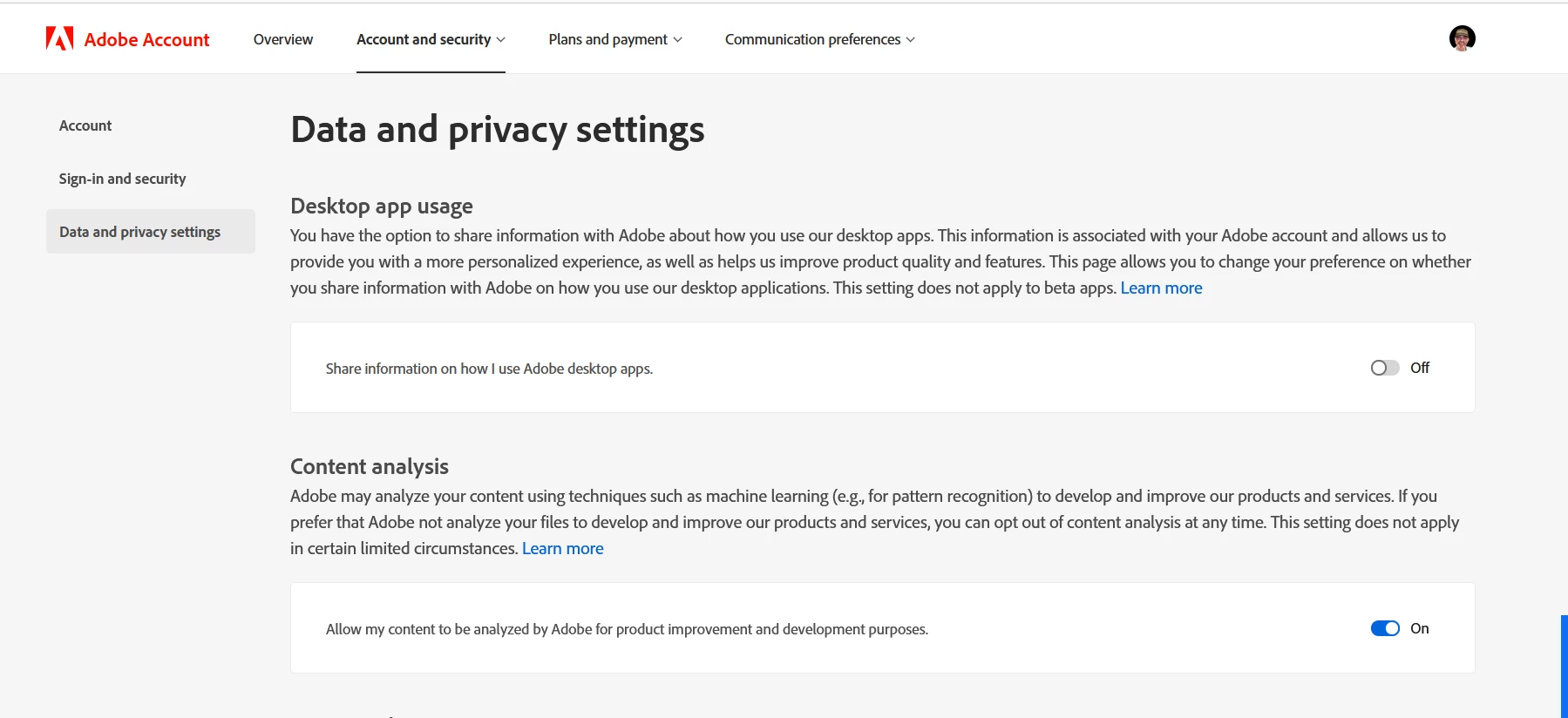
It works well. It still has more years on it. Something changed in the last update. Whenever I open the application on my computer, a WELCOME to Photoshop Elements window pops up. I have attached that image to view. I clicked on "To change preference now" click here and it takes me to my account's data and privacy settings. There are NO options for settings. Image attached.
How do I get to SETTINGS for Adobe Photoshop Element 13? I want to turn off sharing. Where is the option to change the setting? I am advanced in my computer skills but for some reason This application is not showing me it's list of settings. Please if you have a moment to share your knowledge with me. I would be most grateful. Thank you!! 🙂
64 bit PC Windows 10 Pro


 AdChoices