

Jeff Arola
Community Expert
Community Expert
October 11, 2025
Question

Adobe Photoshop Elements 2026 Editor does not fit on screen

  • October 11, 2025
  • 2 replies
  • 190 views

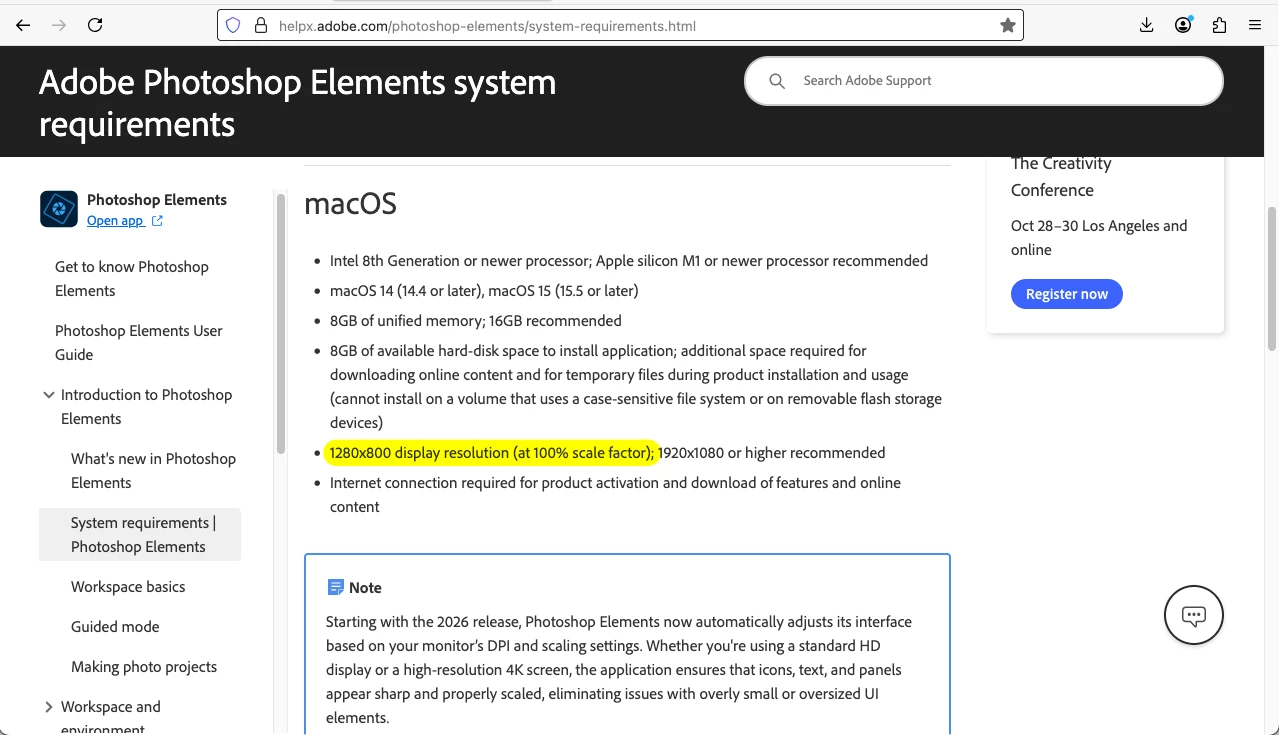
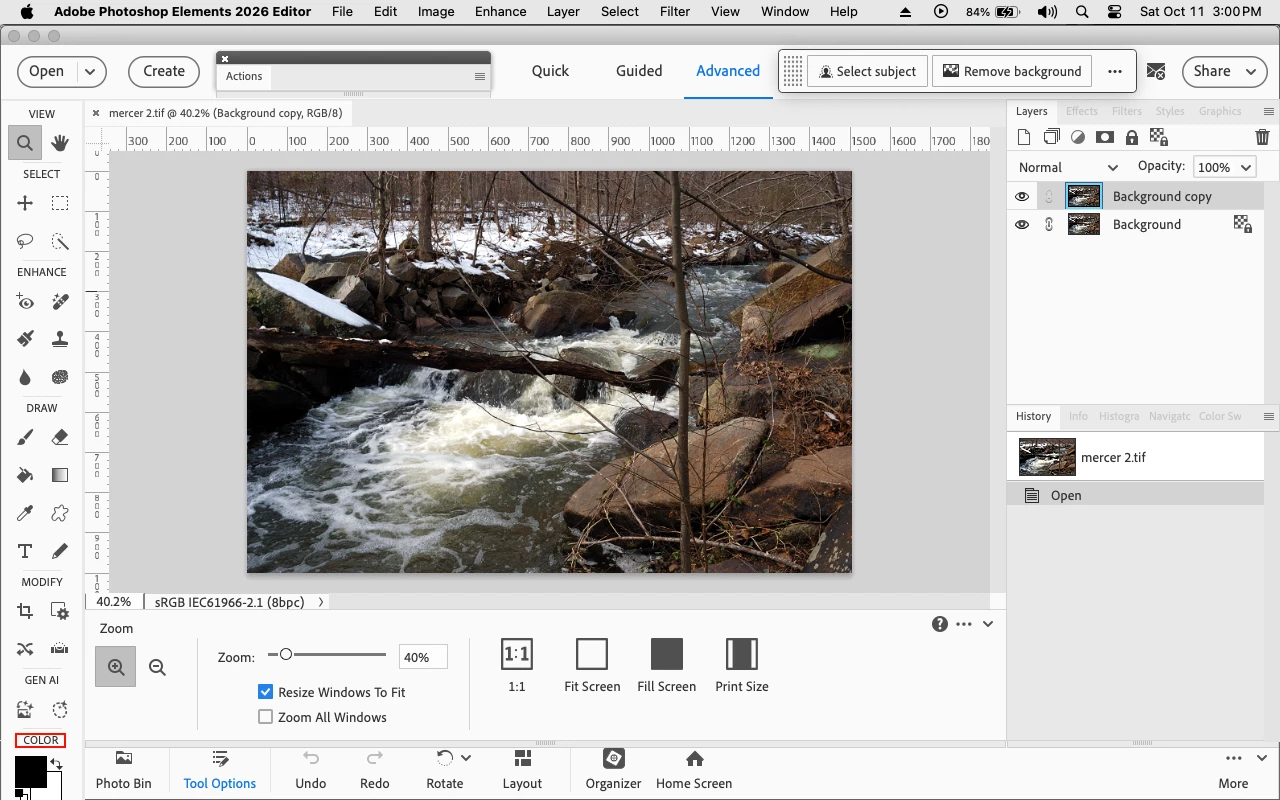
The system requirements for Photoshop Elements 2026 clearly state that the minimum screen resolution is 1280 x 800, yet as shown in the screenshot below the Tools panel color chips are cut off at the bottom.


Photoshop Elements 2026 system requirements page

https://helpx.adobe.com/photoshop-elements/system-requirements.html


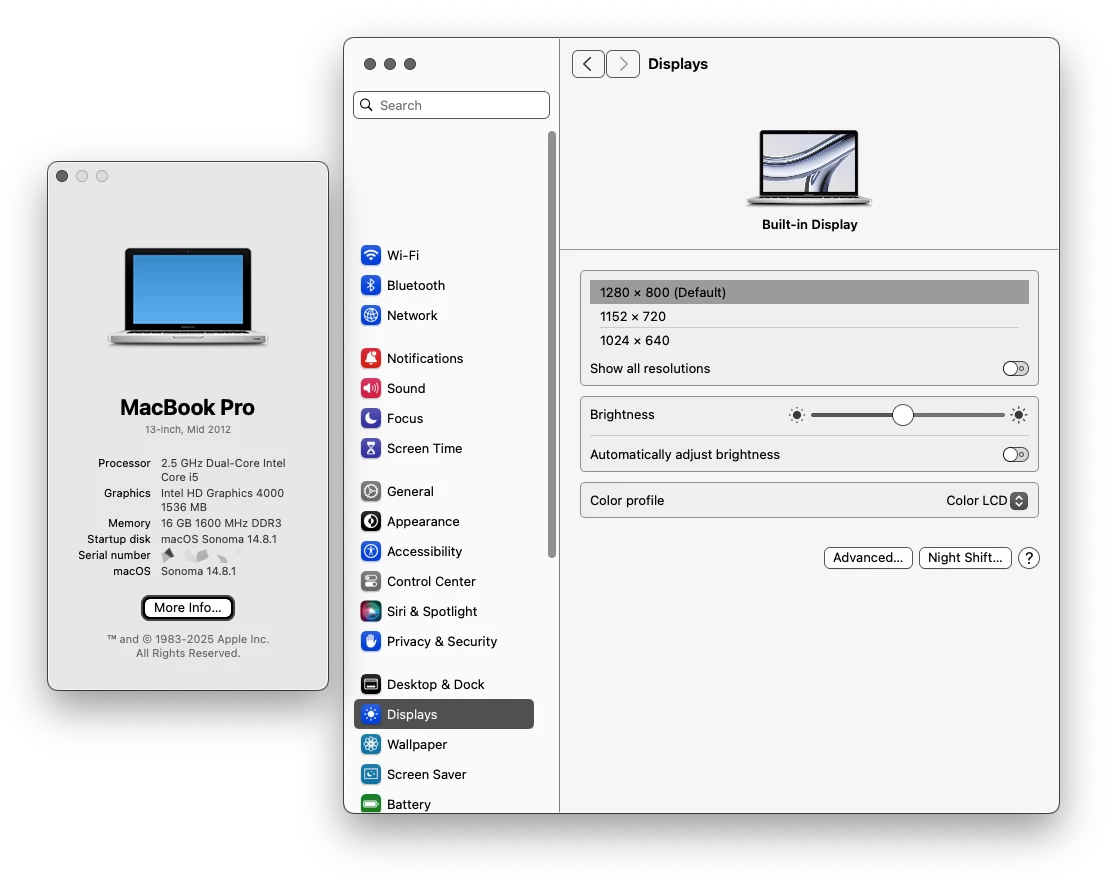
PSE 2026 running on a 2012 MacBook Pro with macOS Sonoma 14.8.1 and the

default screen resolution of 1280 x 800


PSE 2026 Editor with Tools panel color chips cut off at the bottom
 

2 replies

Jeff Arola
Community Expert
Community Expert
October 12, 2025

On the Mac side there is no preference for UI Scale Factor, since that is handled by the operating system.


On Macs one can adjust the screen resolution to have the similar results as in Windows systems under  Scale and layout.


Depending on the actual pixel dimensions of the Mac's Retina screen, one of the choices may be the equivalent of 1280 x 800 as shown in the screenshot below.


Glenn 8675309
Legend
October 12, 2025

That's a really tiny screen, suprized you haven't had more  problems.   Change what is in you preference file from pse 2026 what the arrow is pointing to and you should be fine.  I'm guessing you have the scaling factor set above 100% and not to automatic or 100%.