


Participant
September 19, 2017
質問

Adobe Photoshop Elements 9 - Unable to continue because of hardware or system error. Sorry, but this error is unrecoverable

  • September 19, 2017
  • 返信数 4.
  • 1296 ビュー

Hi everyone,

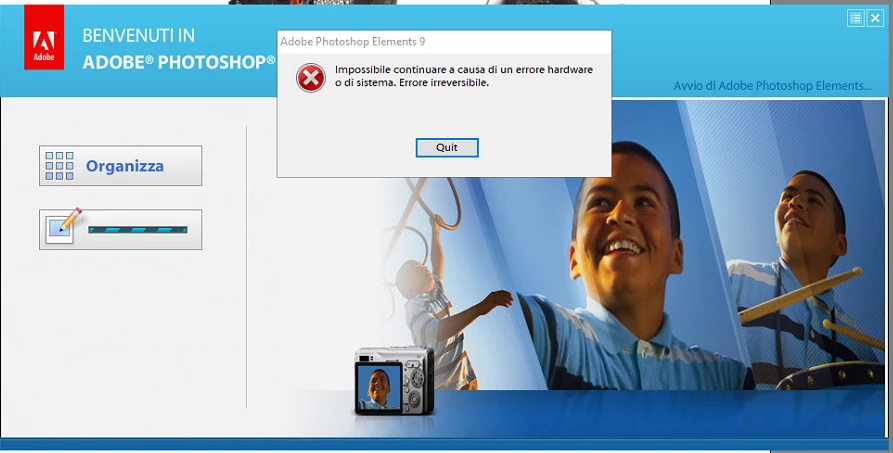
I have a big problem with my Adobe Photoshop Elements 9 because, when I try to run the program, the following message appears:

"Unable to continue because of hardware or system error. Sorry, but this error is unrecoverable"
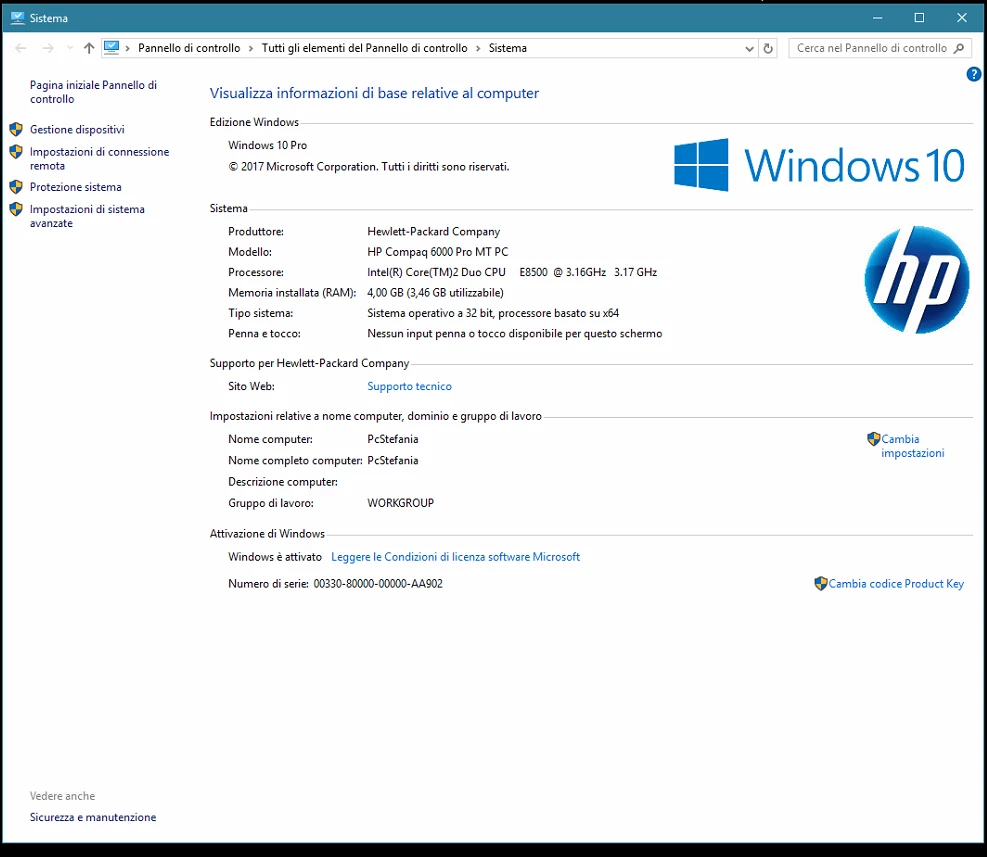
My OS is Windows 10:
I tryed to hold on CTRL+ALT+SHIFT for reset the preference but don't solve the issue.

Can someone help please?

Thanks!

このトピックへの返信は締め切られました。

返信数 4

welshlew
Participant
December 4, 2017

hi I've got the same issue on my mac? any solutions to this yet? I have uninstalled and re installed and get the same issue? and the new version doesn't seam to offer the same stuff as the old to looks more like a photo editing program not like what pSE offers.

Participant
October 17, 2017

I have been having this error recently.  I think I have solved it but I don't know the reason for the fix. 

I run the most recent version of  ccleaner and then restart my laptop and the error goes.  It seems that I'm going to have to do this every time I want to Elements, as rebooting the laptop the next day the error message returned, but after running ccleaner again then rebooting a second time and Elements works.

Participant
October 17, 2017

Same issue with Elements 10. It started when Windows 10 upgraded.

Community Manager
September 20, 2017

Hi,

Sorry for the inconvenience.

Can you please try re-installing the application once.

Thanks,

Anwesha

Participant
September 20, 2017

I tried 3 times but I still to have the problem.

Have you any suggest?