
Adobe Photoshop Elements Version 14.1
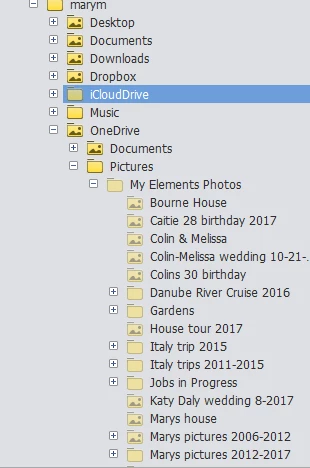
I have a Dell Inspiron 15 5000 series running windows 10. I use photoshop elements primarily for organizing my pictures. I have been trying to learn the program on my own. I had a problem with my computer and after restoring it I found that my pictures are under ' Pictures"(below and to the left) but not where I used to have them. The folders are there but they are dull looking in color. I have attached 2 screen shots. Need someone to explain why the icons are different colors and also I had my pictures stored on my desktop then to Pictures and then in the folders there. Now they are under Pictures as you see in:" Photoshop picture" snip. How do I get them back to where they were see " Photoshop my desktop" snip. I would like to have them were they were orginally (Where the icons of the folders are dull looking)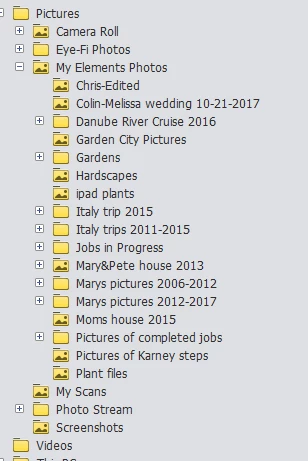


 AdChoices