


Known Participant
July 13, 2021
Answered

Aerial infrared photo image conversion to natural

  • July 13, 2021
  • 5 replies
  • 882 views

Is anyone aware of a quick way (or a filter) to allow me to convert an aerial survey photo taken with infra-red film to natural colours? 

Specifically this.... 

This topic has been closed for replies.
Correct answer Greg_S.

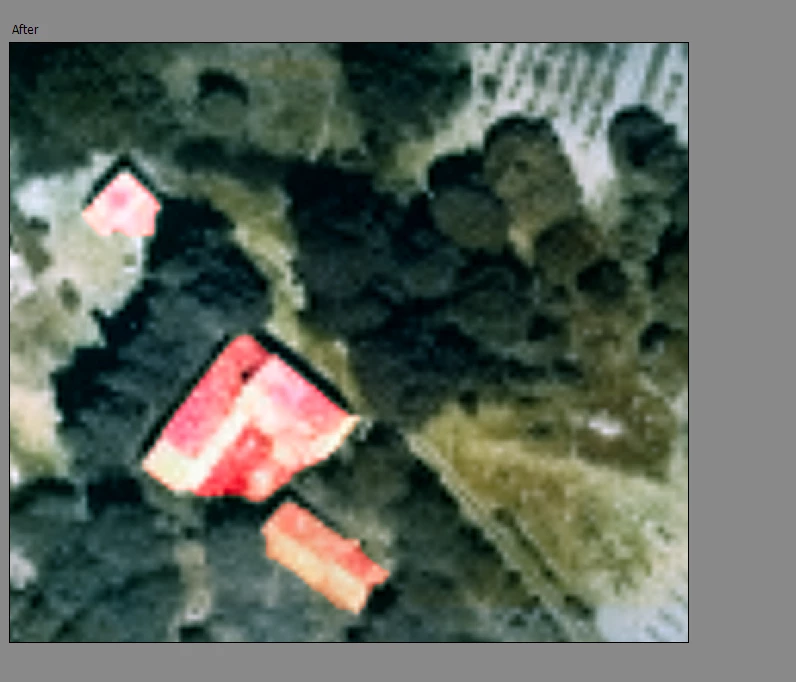
You can use the Manual mode of the colorize tool to add some red to the roofs.


5 replies

Greg_S.
Community Expert
Greg_S.Community ExpertCorrect answer
Community Expert
July 15, 2021

You can use the Manual mode of the colorize tool to add some red to the roofs.
 

Jeff Arola
Community Expert
Community Expert
July 15, 2021

This jpg2000 plugin should work in photoshop elements.


You want to use the 64 bit version.


https://www.fnordware.com/j2k/

slastAuthor
Known Participant
July 15, 2021

Thanks for that suggestion, much appreciated.   

Greg_S.
Community Expert
Community Expert
July 15, 2021

Since you haven't told us what you find lacking in the Colorize Photo tool, the only other suggestion I have is to use the Adjust Hue/Saturation tool either from the Enhance>Adjust Color menu, or as an Adjustment layer.  These will give you more customization options:


slastAuthor
Known Participant
July 15, 2021

Thanks Greg, another very useful suggestion. At the moment I don't really need to do anything much more than the colorise provides, it is just to provide some illustrations in a legal document that differentiate foliage from red tile roofs and types of ground. Doesn't justify a huge amount of effort given the likely audience, to be honest, so together your suggetsions cover the objective!  I just wonderd if others specialising in either infra-red or aerial photgraphy from the pre-digital age (these are from the 80s and 90s) had developed an off-the-shelf solution.   

Thanks again .   

Greg_S.
Community Expert
Community Expert
July 13, 2021

In Elements 2021, you can use the Enhance>Colorize Photo editor to get this result with one click:


slastAuthor
Known Participant
July 14, 2021

Thank you!   Works  to a reasonable degree for what I want, but any other suggestions welcome. 

Glenn 8675309
Legend
July 13, 2021

slastAuthor
Known Participant
July 13, 2021

Not quite sure whether there should be some text with this? I'm aware of Google Earth of course, I need to convert some historic aerial photos for use as evidence in a legal issue (past use of a farm track). These are from the French Government website which nis very good. Has over 20,000 images starting from 1919. Most of those I am using are in .JP2 (JPEG2000) format so not directly usable in PSE, I open them in IRFANVIEW to crop and then save as TIFs. and increase resolution with Photozoom. Any suggestions for a better way to do it are welcome....!

https://remonterletemps.ign.fr/
