

Andrejj_T
Participating Frequently
January 1, 2025
Question

after plug-ins upgrade PsE no longer launches

  • January 1, 2025
  • 3 replies
  • 254 views

After I upgraded my plug-ins (DxO Nik Collection; from version 6.12 to 6.13) I can no longer launch PsE (Photoshop Elements, i.e. version 21 for Mac). When I try to do so, I just get a dialog box (on top of the "splash screen") stating that "There are additional or changed plug-ins or Locales folders that weren't installed by Adobe. Do you want to load these additional or changed plugins?" ...but when I choose the [Yes] option the application just seems to quit the loading process alltogether, exactly at the point where the splash screen text reads "adding extension... Multiprocessor Support".
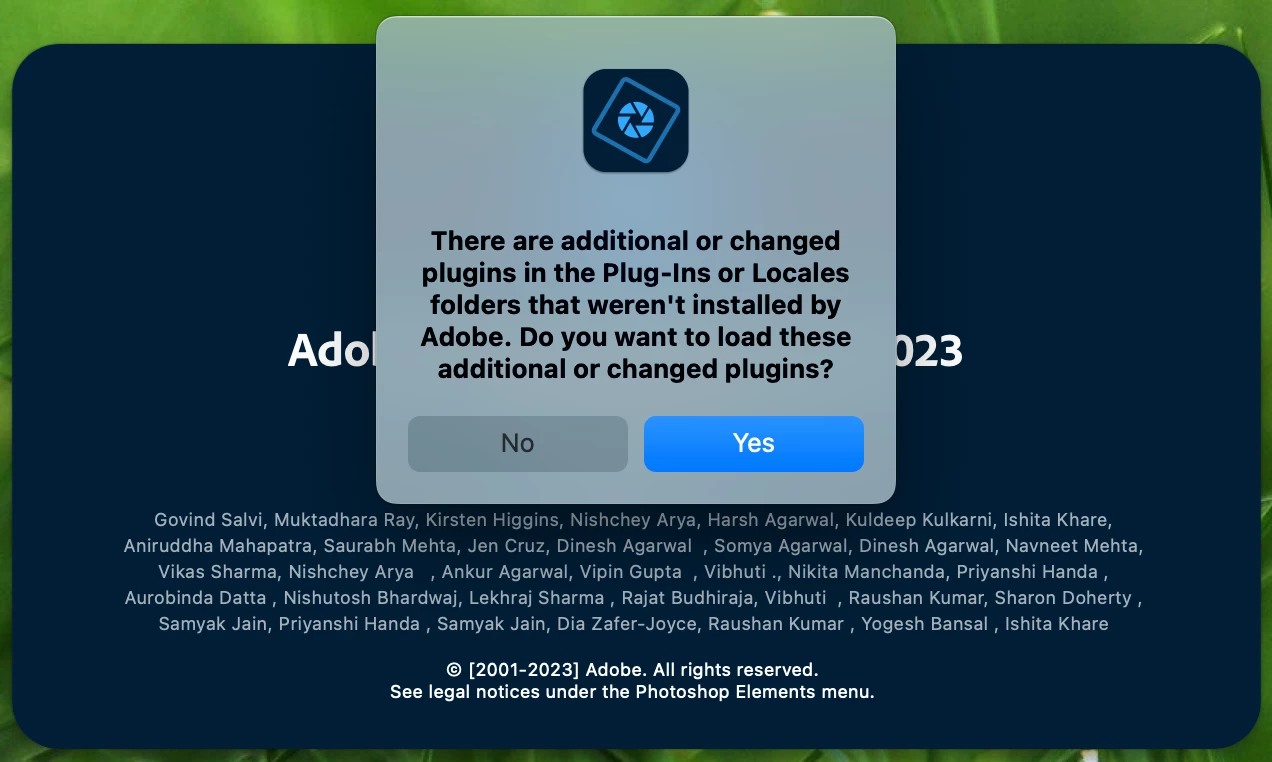
However, the application will still launch, providing I select the [No] option in the dialog.


I expect that the regular drill applies (clean out and reinstall everything). But since my workflow involves several interlinked tools (PsE and Nik Collection), the administrative costs of doing so – perhaps even without any success – bothers me a bit. Ideas, anyone?

3 replies

Jeff Arola
Community Expert
Community Expert
January 9, 2025

It's the Shift key that you hold down while launching Photoshop Elements 2023 to Skip loading optional and third party plugins.


You may need to competely remove the Nik plugins and install them again using the 6.13 installer.


We've had many reports of Nik plugins causing crashes over in the Photoshop forum and the solution is almost always solved by a fresh install of the most updated Nik plugins.

Glenn 8675309
Legend
January 3, 2025

Press ahnd hold your left command key, then click on the icon used to start the editor.  Answer yes when given the chance, if the editor starts you know the problem is with the plugin.

Andrejj_T
Andrejj_TAuthor
Participating Frequently
January 9, 2025

Thanks for your contribution Glenn,

However your suggestion does not solve the issue at hand.

Greg_S.
Community Expert
Community Expert
January 2, 2025

Check with DxO.  Your upgraded plug-ins may not be compatible with Elements 2023.

Andrejj_T
Andrejj_TAuthor
Participating Frequently
January 9, 2025

Thanks Greg,

Yes, I've also registered this with them. Their plug-ins are [supposedly] compatible with PsE '23.