
Inspiring
September 30, 2024
Answered

"animated GIF" doesn't animate

  • September 30, 2024
  • 4 replies
  • 983 views

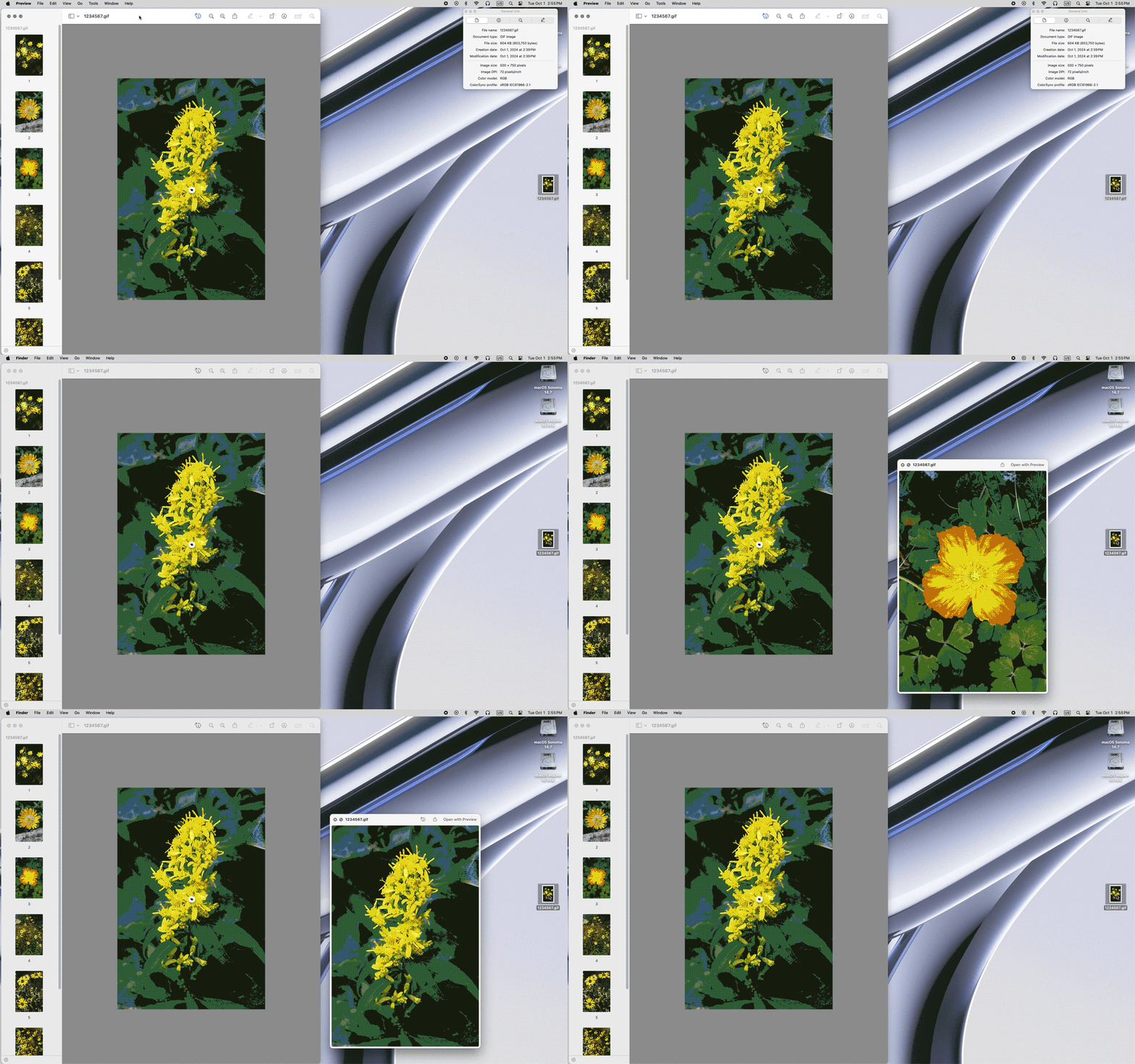
I've got images small enough to fit PSE animate requirements (500x750), load and select them then save. The GIF appears with all images in it, but it just sits there on the first image; the user has to manually select subsequent images. What am I missing? I've attached the PSE view before clicking save, the GIF itself, and the way it appears on my screen (Mac OSX)...
This topic has been closed for replies.
Correct answer Jeff Arola

You can play the animation while the Gif is open in Preview by selecting the Gif in Finder, then pressing the Space bar.


4 replies

Jeff Arola
Community Expert
Community Expert
October 2, 2024

Something else in case you didn't know is you can preview the animated Gif in your internet browser while still in the Save for Web dialog by clicking the Preview button. If you open the Gif in Safari you need to right click on the Gif and select Play Animation.


Greg_S.
Community Expert
Community Expert
October 2, 2024

You can also play an animated gif in the Elements Organizer.

Jeff Arola
Community Expert
Jeff ArolaCommunity ExpertCorrect answer
Community Expert
October 1, 2024

You can play the animation while the Gif is open in Preview by selecting the Gif in Finder, then pressing the Space bar.


Inspiring
October 1, 2024

Many thanks, Jeff. It's wierd to double-open it, but it works!

Greg_S.
Community Expert
Community Expert
October 1, 2024

@johnsankey said:  The GIF appears with all images in it, but it just sits there on the first image


How are you viewing the animated gif?  It is playing just fine in my Firefox browser.

Inspiring
October 1, 2024

OSX Preview (double-click on filename). It has a 'slideshow' option but that ignores the settings in the GIF, just playing once at 3s spacing. If it works on Firefox, then I'll assume it's a weakness in OSX and post it. Many thanks, Greg.