
Participant
May 27, 2020
Question

.asl files

  • May 27, 2020
  • 3 replies
  • 2093 views

I just upgraded to Photoshop Elements 2020 and when I try to install an .asl file, the file is just a black square with some text. I didn't have issues with Elements 2018 or 2019. Does anyone know why this is happening?
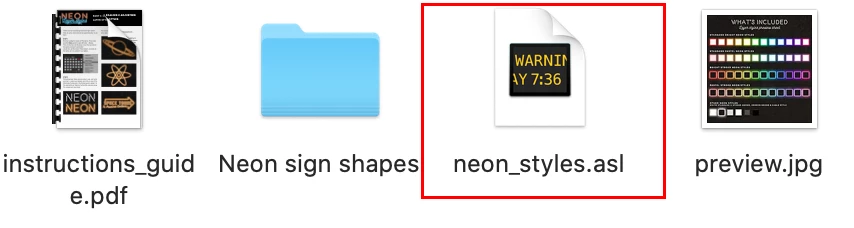
Any help would be greatly appreciated.


~sharon wilson


This topic has been closed for replies.

3 replies

Jeff Arola
Community Expert
Community Expert
June 10, 2020

What version of macOS are you using?

Participant
June 10, 2020

macOS Catalina 10.15.5

99jon
Genius
May 28, 2020

I think on Mac OS the location is:

Macintosh HD⁩ ▸ ⁨Users⁩ ▸ ⁨[your U/N]⁩ ▸ ⁨Library⁩ ▸ ⁨Application Support⁩ ▸ ⁨Adobe⁩ ▸ ⁨Adobe Photoshop Elements 18⁩ ▸ ⁨Presets⁩ ▸ Styles


If you launch the PSE Editior app and go to the Styles panel (button bottom-right) you can  click the pull down menu at the top and choose Load Styles.

Participant
June 9, 2020

Thanks 99jon...even though the icons still show the black box instead of the FX style icon, it works when I load it.


Again, thanks!

99jon
Genius
May 28, 2020

Are you copying the .asl files into the layer styles folder?

C:\ProgramData\Adobe\Photoshop Elements\18.0\Photo Creations\layer styles

To view them as thumbnails you probably need to delete:

ThumbDatabase.db3

Then re-start Elements and wait for the database to rebuild.


Participant
May 28, 2020

Thanks so much for your reply, its much appreciated, but I was so frustrated I forgot to say I'm using a Mac. Any suggestions?