
Participant
February 18, 2024
Answered

Automation Tools is greyed out

  • February 18, 2024
  • 3 replies
  • 1732 views

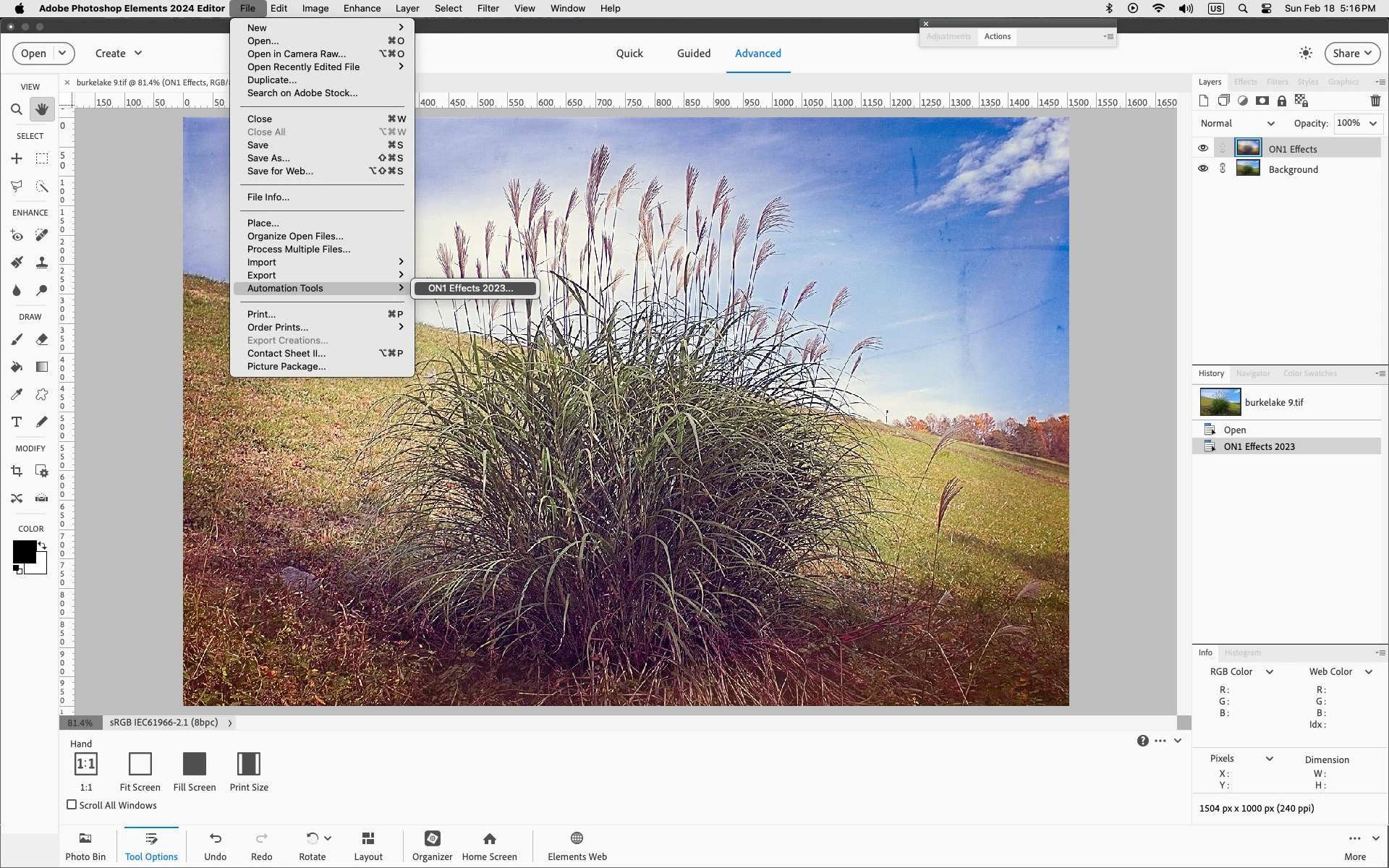
I am using Photoshop Elements 2024 and I am unable to find the PDF Presentation function. My File -> Automation Tools is greyed out. That is the location that I suspect it should be located. I am using Advanced mode.
This topic has been closed for replies.
Correct answer Jeff Arola

Photoshop elements 2024 doesn't have the File>Automate>PDF Presentation.

That's in subscription Photoshop 2024 from the Adobe Creative Cloud.


As far as Automation Tools, that's always greyed out in the default install of photoshop elements unless one uses a third party plugin or script that uses that menu, like, for example, ON1 Effects 2023.


3 replies

Jeff Arola
Community Expert
Community Expert
February 19, 2024

Grant,


What operating system are you using?


In the Photoshop Elements Organizer you can create a PDF Slideshow using the Share button.

Then it gets sent to the Email Client you specified in the Organizer>Preferences>Email

and you can save it to your computer from there.


Glenn 8675309
Legend
February 18, 2024

A screenshot from photoshop, not photoshop elements showing the tool.


You can convert open documents to PDF's- but must use outside software to combine them into one pdf document.


In the past I have used Adobe Acrobat Pro to combine multiple pdf documents into one, but it's something I rarely need to do. When I do use it:  I have access to it under my school account and must login to it with my school credentials.  That basically means I can only use it for school related things.

You can get a 7 day trial version-  IF YOU DO- CANCEL IT ON DAY 6 OF THE TRIAL TO PLAY IT SAFE.  I used to do this is desperate "1 time only" sorts of situations. 
https://www.adobe.com/acrobat/free-trial-download.html


I only pay $10.84 (with tax) a month for photoshop- and it's a pretty sweet deal- comes with all sorts of stuff---- font's templates that actually work fine- no "trying to figure it out and get it to work in photosahop elements." - plus it can do the pdf thing you were wanting to do. 

https://www.adobe.com/creativecloud/photography/compare-plans.html    

Jeff Arola
Community Expert
Jeff ArolaCommunity ExpertCorrect answer
Community Expert
February 18, 2024

Photoshop elements 2024 doesn't have the File>Automate>PDF Presentation.

That's in subscription Photoshop 2024 from the Adobe Creative Cloud.


As far as Automation Tools, that's always greyed out in the default install of photoshop elements unless one uses a third party plugin or script that uses that menu, like, for example, ON1 Effects 2023.