Participant
August 17, 2022
Question

Background colour tool panel gone in photoshop 2022
  • August 17, 2022
  • 3 replies
  • 189 views

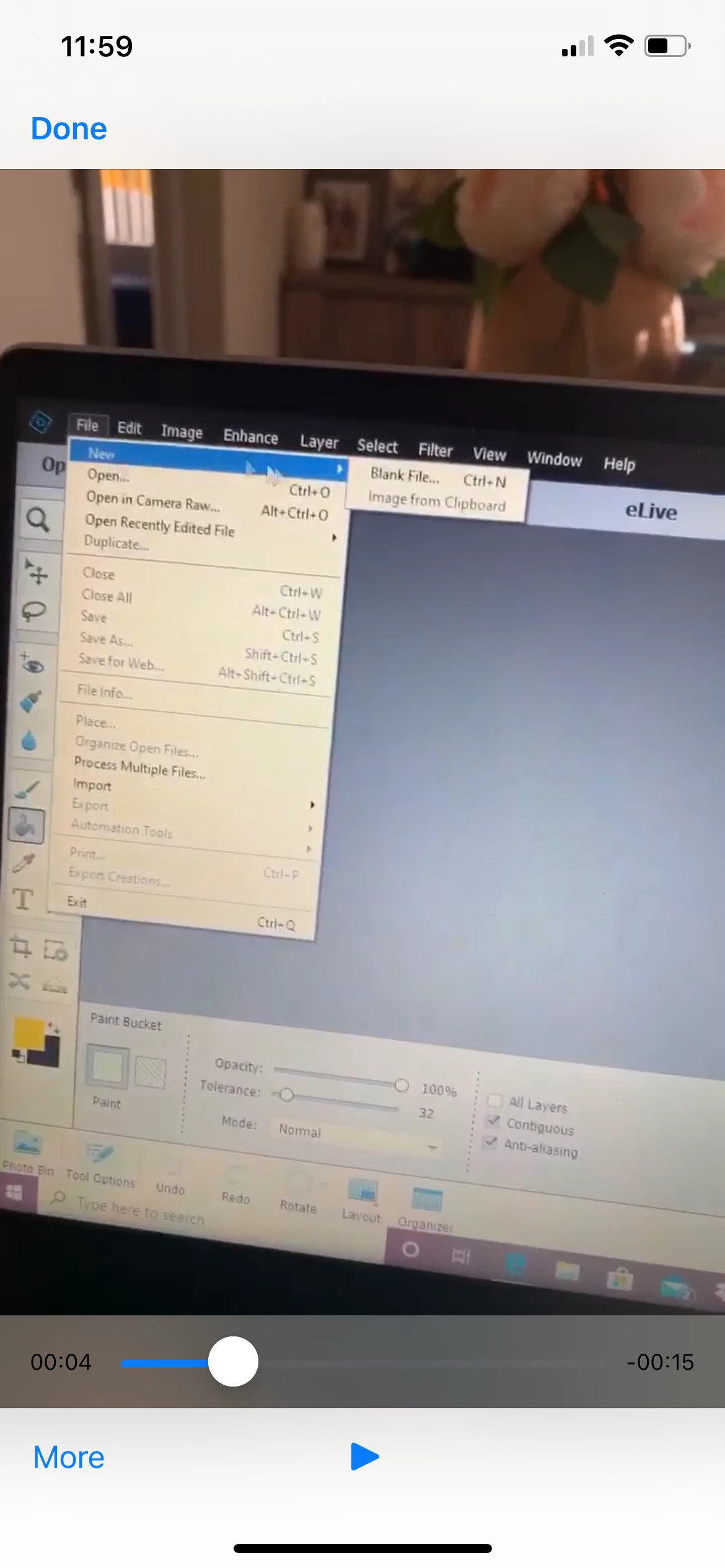
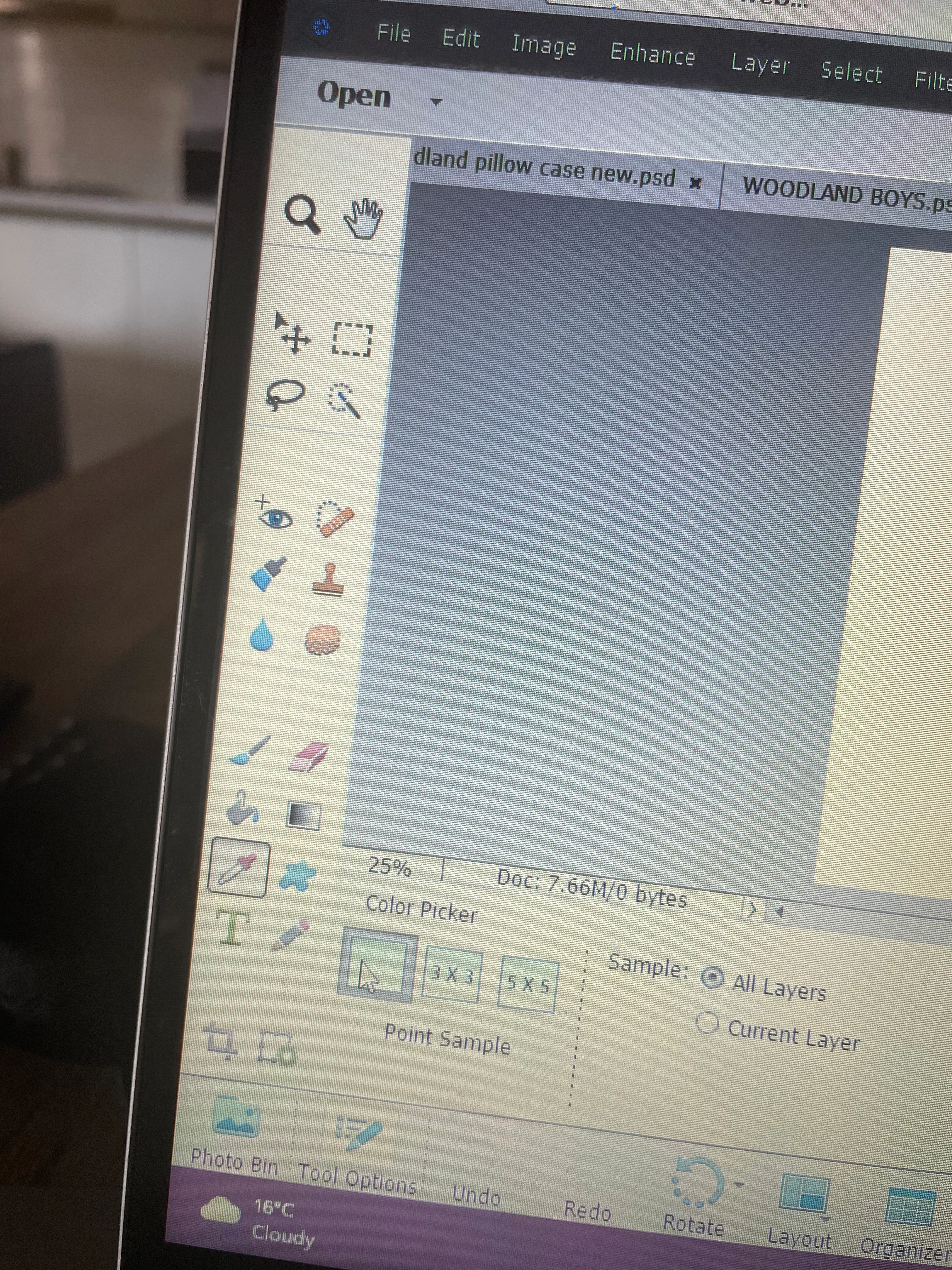
Hello - I've been using photoshop 2018 for about 3 years I've just updated to photoshop 2022 I used to choose a background colour or gradient colours in the bottom left corner which was super easy now that's not there ... so I'm not sure how I can easily change background colours like before 

I've attached two photos of what I mean 


at this point I wish I didn't upgrade my photoshop and worried as I use it every day for my business 


plewse help asap 🥲

This topic has been closed for replies.

3 replies

Jeff Arola
Community Expert
Community Expert
August 18, 2022

What is the resolution of your screen?


Also, there is an update to pse 2022 that mitigates the problem some what by moving the

toolbox icon groups closer together vertically, so if you see a dialog about getting an update

when starting pse 2022 please install it.

davescm
Community Expert
Community Expert
August 17, 2022

Hi ,

Based on your attached images, I've moved your post from the Photoshop forum to the Photoshop Elements forum where you are more likely to get help with your issue.

Dave

c.pfaffenbichler
Community Expert
Community Expert
August 17, 2022

Please post proper screenshots in the future. 

https://www.take-a-screenshot.org


That does not appear to be Photoshop, so what application are you really using – Photoshop Elements, …?